Creating Services in ITSI
Creating Services in ITSI with Dependencies Based on Entity Type
This workshop outlines how to create a service in Splunk IT Service Intelligence (ITSI) using an existing entity and establishing dependencies based on the entity’s type. We’ll differentiate between entities representing business workflows from Splunk Observability Cloud and those representing AppDynamics Business Transactions.
Scenario:
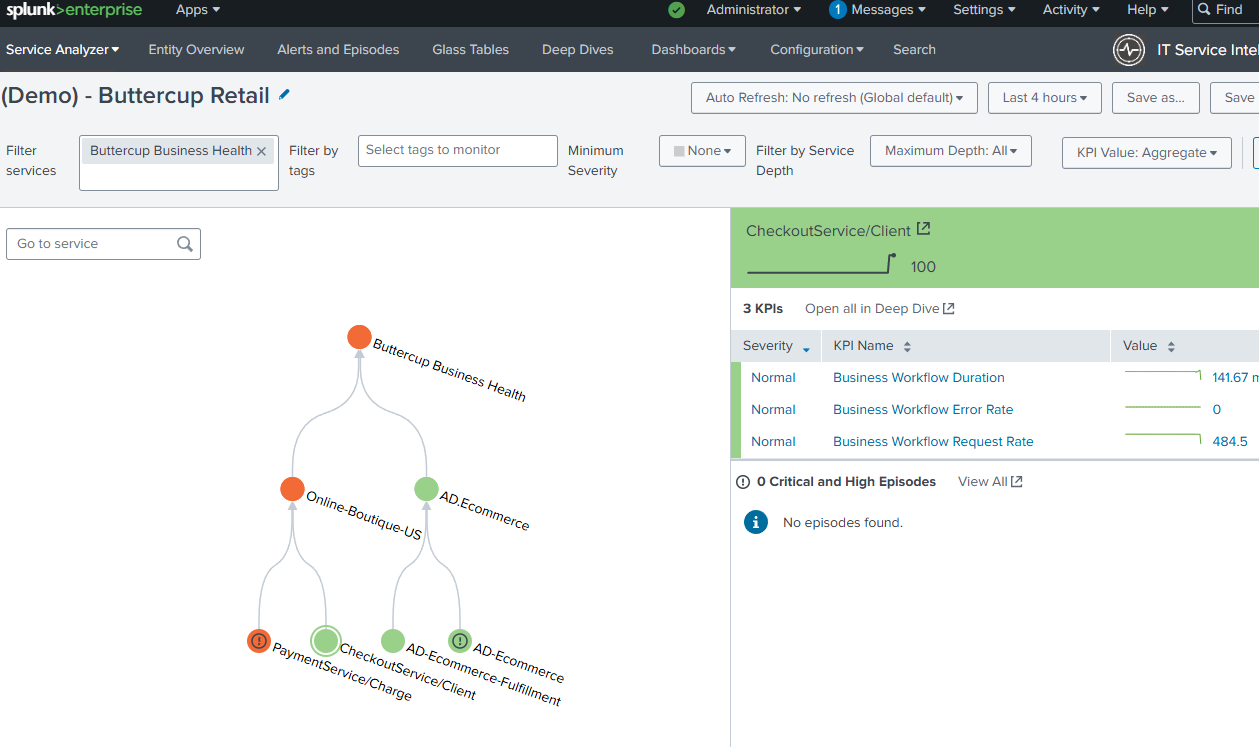
We have two existing services: “Online-Boutique-US” (representing an application running in Kubernetes and being monitored by Splunk Observability Cloud) and “AD.ECommerce” (representing an application monitored by AppDynamics). We want to create a new service and add it as a dependent of one of those services. It is not necessary to create a service for both during your first run through this workshop so pick one that you are more interested in to start with.
Return to your Splunk Environment and under Apps, select IT Service Intelligence
In the Default Analyzer update the Filter to “Buttercup Business Health”