Deploy the OpenTelemetry Collector
10 minutesWe’ll be using OpenTelemetry throughout the workshop to capture metrics, traces, and logs from an Agentic AI application running in Kubernetes. In this section, we’ll install an OpenTelemetry collector in our Kubernetes cluster using Helm. This will be used to capture metrics, traces, and logs from our environment and send them to Splunk.
Install the Collector using Helm
We first need to add the helm repo:
And ensure the repo is up-to-date:
To configure the helm chart deployment, let’s create a new file named values.yaml in
the /home/splunk directory:
Then paste the following contents:
Type
:set pastebefore pasting the contents, to preventvifrom auto-indenting the pasted code.
To save your changes in vi, press the
esckey to enter command mode, then type:wq!followed by pressing theenter/returnkey.
This custom configuration ensures that any histogram metrics received by the exporter
will be sent to Splunk Observability backend in OTLP format without conversion
to SignalFx format. This setting is critical to ensure that histogram metrics used
by AI Agent Monitoring such as gen_ai.evaluation.score are processed as expected.
Now we can use the following command to install the collector:
Confirm the Collector is Running
We can confirm whether the collector is running with the following command:
Confirm your K8s Cluster is in O11y Cloud
Using the New Kubernetes Experience
If you’re configured to use the new Kubernetes experience in O11y Cloud, follow the steps in this section. Otherwise, refer to the Using the Traditional Kubernetes Experience section instead.
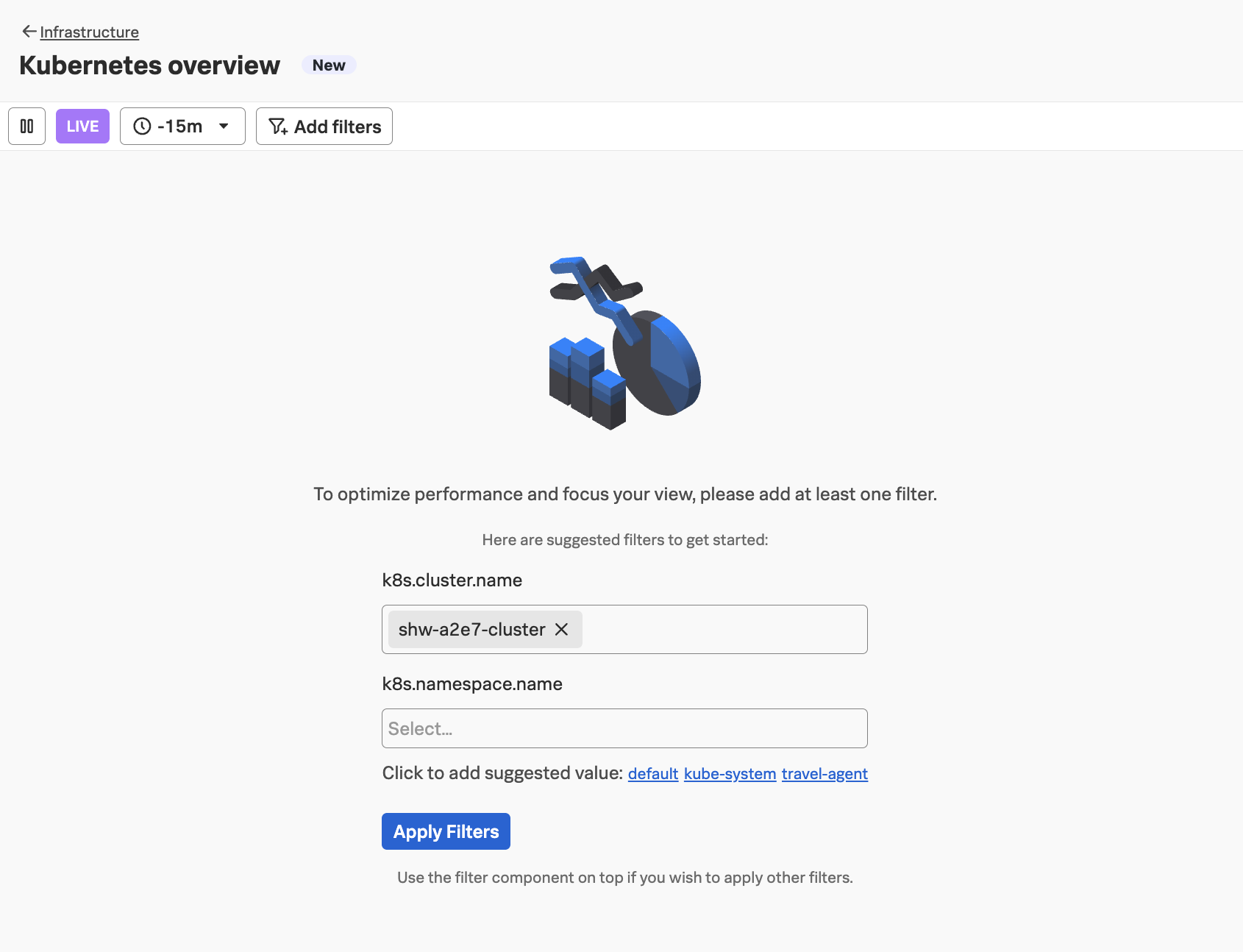
In Splunk Observability Cloud, navigate to Infrastructure -> Kubernetes overview,
then add your cluster name (which is <your instance name>-cluster):
Tip: use the
echo $INSTANCEcommand if you’ve forgotten your instance name
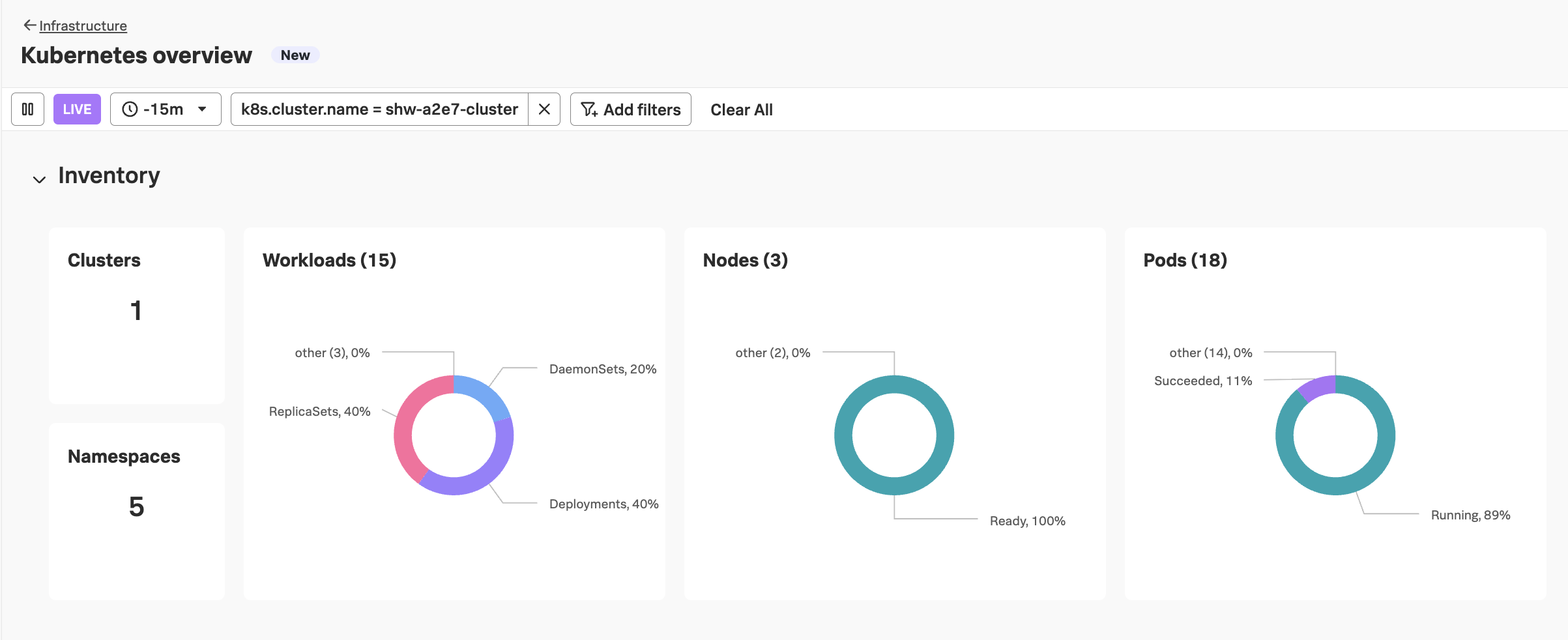
After clicking Apply Filters you should see an overview for your cluster similar to the following:
Using the Traditional Kubernetes Experience
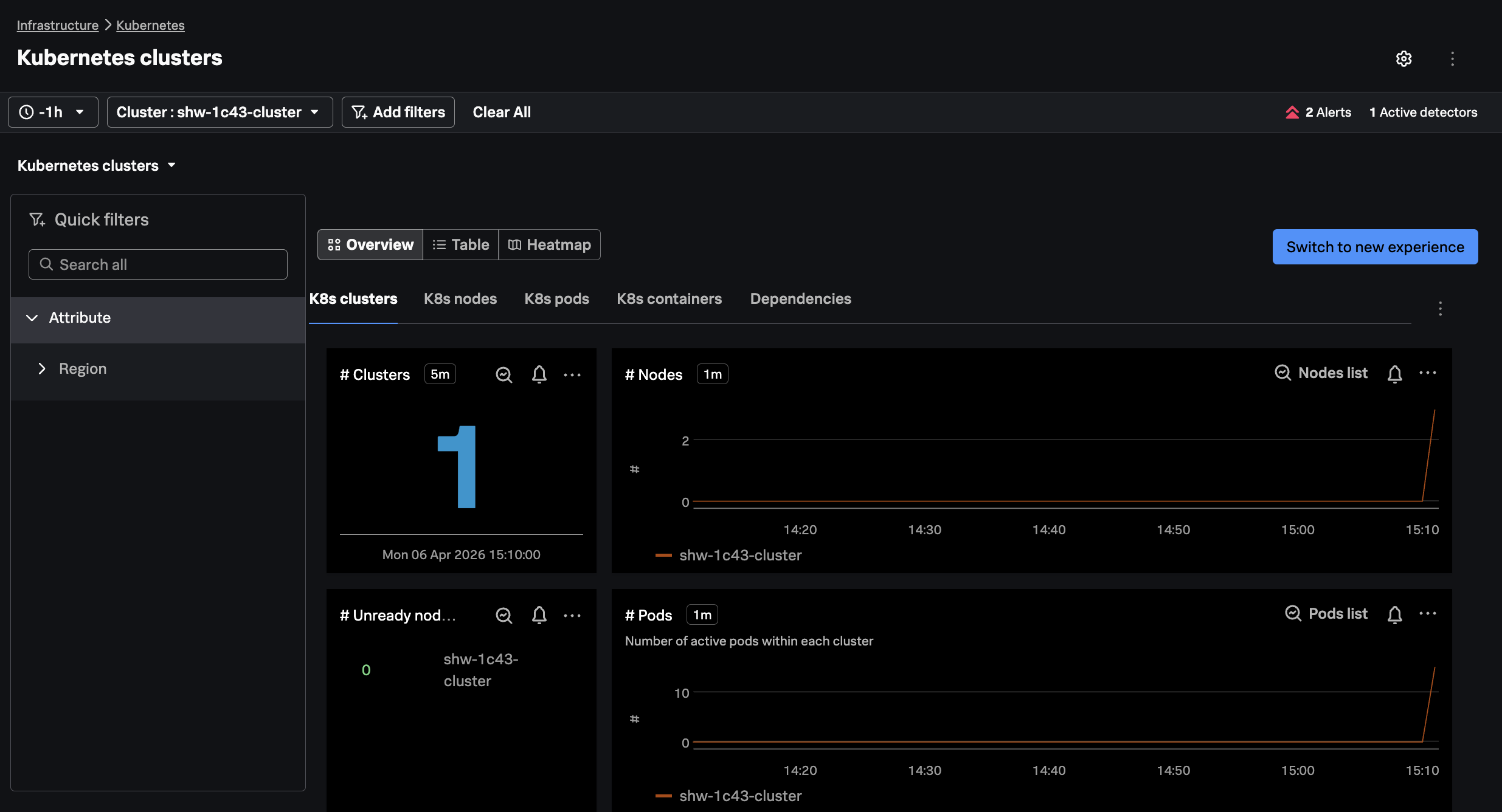
In Splunk Observability Cloud, navigate to Infrastructure -> Kubernetes -> Kubernetes Clusters,
and then search for your cluster name (which is <your instance name>-cluster):
Tip: use the
echo $INSTANCEcommand if you’ve forgotten your instance name