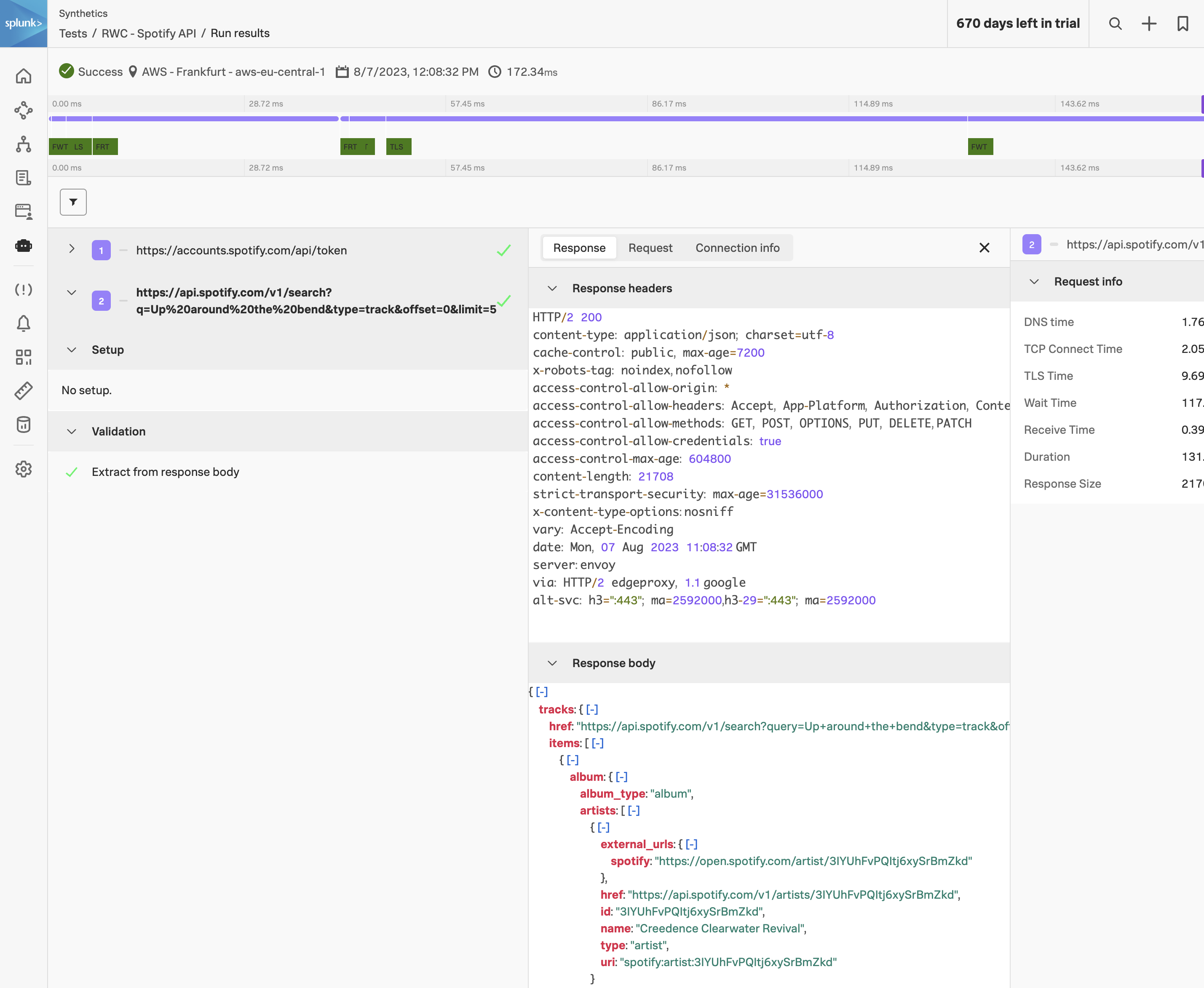
The API Test provides a flexible way to check the functionality and performance of API endpoints. The shift toward API-first development has magnified the necessity to monitor the back-end services that provide your core front-end functionality.
Whether you’re interested in testing the multi-step API interactions or you want to gain visibility into the performance of your endpoints, the API Test can help you accomplish your goals.
Subsections of 2. API Test
Global Variables
Global Variables
View the global variable that we’ll use to perform our API test. Click on Global Variables under the cog. The global variable named env.encoded_auth will be the one that we’ll use to build the spotify API transaction.
Create new API test
Create a new API test
Create a new API test by clicking on the Add new test button and select API test from the dropdown. Name the test using your initials followed by Spotify API e.g. RWC - Spotify API
Authentication Request
Add Authentication Request
Click on + Add requests and enter the request step name e.g. Authenticate with Spotify API.
Expand the Request section, from the drop-down change the request method to POST and enter the following URL:
https://accounts.spotify.com/api/token
In the Payload body section enter the following:
grant_type=client_credentials
Next, add two request headers with the following key/value pairings:
CONTENT-TYPE: application/x-www-form-urlencoded
AUTHORIZATION: Basic {{env.encoded_auth}}
Expand the Validation section and add the following extraction:
Extract from Response bodyJSON$.access_tokenasaccess_token.
This will parse the JSON payload that is received from the Spotify API, extract the access token and store it as a custom variable.
Search Request
Add Search Request
Click on + Add Request to add the next step. Name the step Search for Tracks named “Up around the bend”.
Expand the Request section and change the request method to GET and enter the following URL: