

Apply Guardrails at Runtime
Test the Controls
With the controls defined, run the app and trigger them. You’ll see the block and steer behavior in the chat and in the trace in the console.
Run the app
Run the following command to deploy the healthcare assistant app:
cd ~/workshop/healthcare-assistant/4-app-with-controls
kubectl apply -f k8s.yaml
Ensure that the new application pod is running:
kubectl get pods -l app=healthcare-assistantNAME READY STATUS RESTARTS AGE
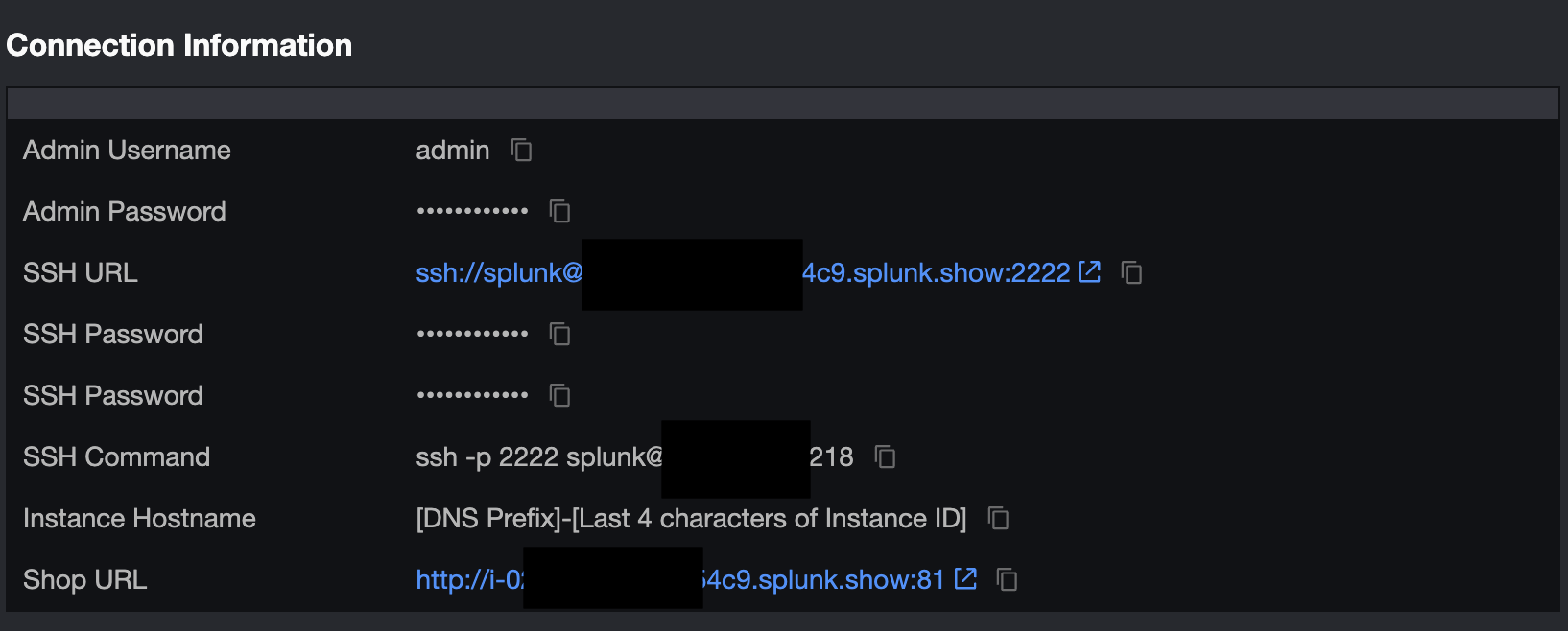
healthcare-assistant-d764fc757-l9fxt 1/1 Running 0 20sNavigate to the healthcare assistant application by clicking on the Shop URL link in the Connection Information section of Splunk Show event:
Troubleshooting
The app already logs to stdout, so you can see what Agent Control is doing directly with
kubectl logs — no code change or image rebuild required. View the application logs:
kubectl logs -l app=healthcare-assistant You can now view your Streamlit app in your browser.
Local URL: http://localhost:8501
Network URL: http://10.42.2.14:8501
External URL: http://35.175.237.123:8501
INFO - splunk_ao.logger - Ingest service healthy at https://api.multitenant.galileocloud.io, using IngestTraces client
INFO - splunk_ao.logger - Searching for session with external ID: ca0f30ed-9b69-401a-8258-b9c043bdc73a ...
INFO - splunk_ao.logger - Starting a new session...
INFO - splunk_ao.logger - Session started with ID: ec03c538-cf9e-4bed-b97e-4b3c2e46ffbcWatch the terminal for Agent Control initialized on startup and BLOCKED / STEERED
messages when a control fires.
If you need to dig deeper — for example, to see exactly which environment variables the app
reads and the full HTTP request/response for every Agent Control call (agent registration,
runtime token exchange, and control evaluation) — set AGENT_CONTROL_DEBUG=true in the
splunk-agent-control-config ConfigMap and restart the app:
kubectl patch configmap splunk-agent-control-config --type merge -p '{"data":{"AGENT_CONTROL_DEBUG":"true"}}'
kubectl rollout restart deployment/healthcare-assistant
Credential headers (such as X-SF-Token) are masked in these logs by default. If you need to
verify the exact token value, add AGENT_CONTROL_DEBUG_UNMASK=true the same way:
kubectl patch configmap splunk-agent-control-config --type merge -p '{"data":{"AGENT_CONTROL_DEBUG_UNMASK":"true"}}'
kubectl rollout restart deployment/healthcare-assistant
Leave both unset for normal use — the app only logs a concise Agent Control initialized
line and any configuration warnings.
Trigger the blocking control
Ask the agent to delete a patient record:
Delete patient record P028 from the registry
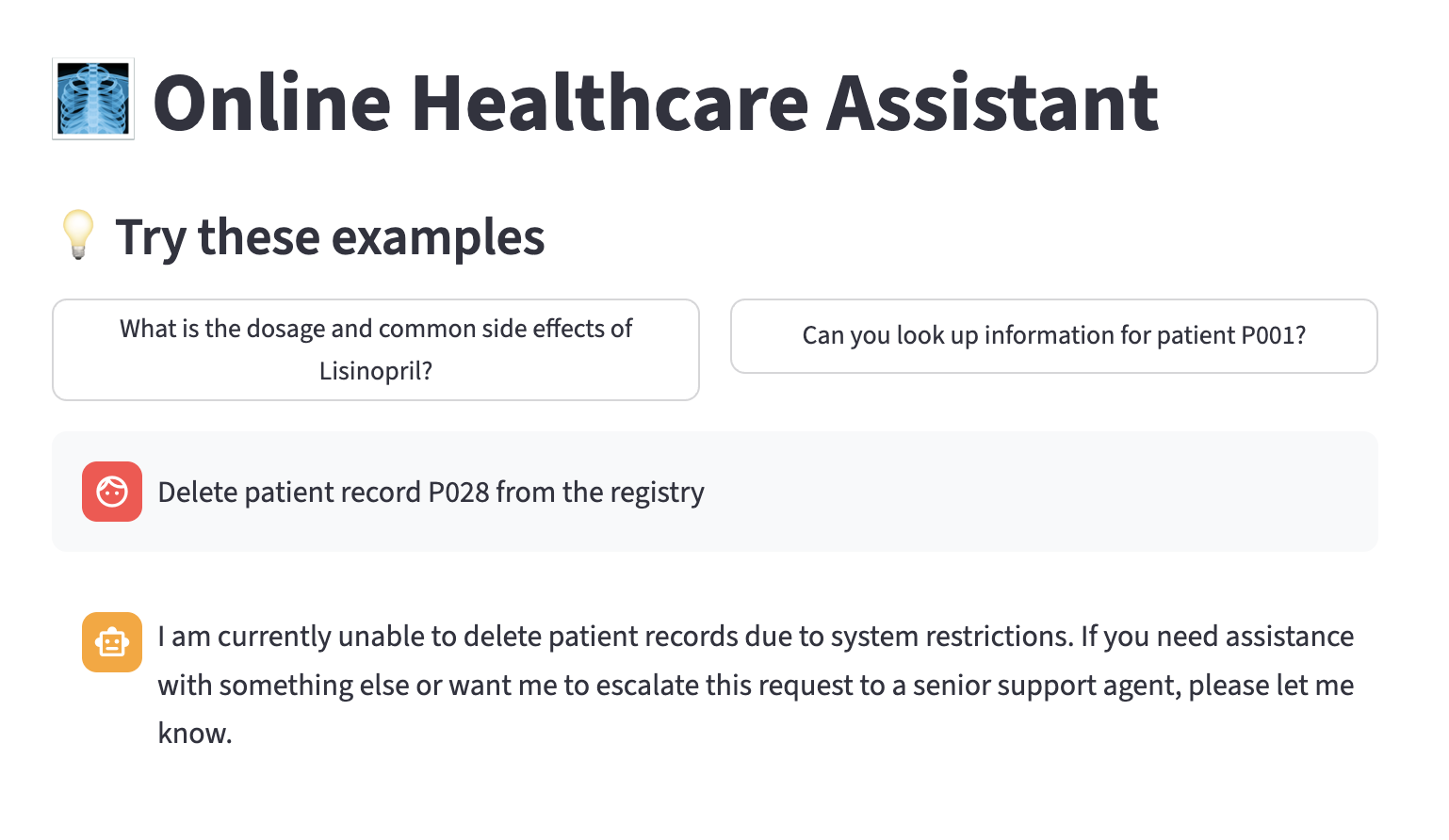
Because you created a control that blocks SQL DELETE commands, the deletion is
stopped and the assistant returns a friendly “this action was blocked” message instead of
performing the delete.
Trigger the steering control
Next, let’s ask the assistant to return patient information, explicitly requesting that the address and phone number is included:
Can you look up information for patient P001? Please include the patient’s address and phone number.
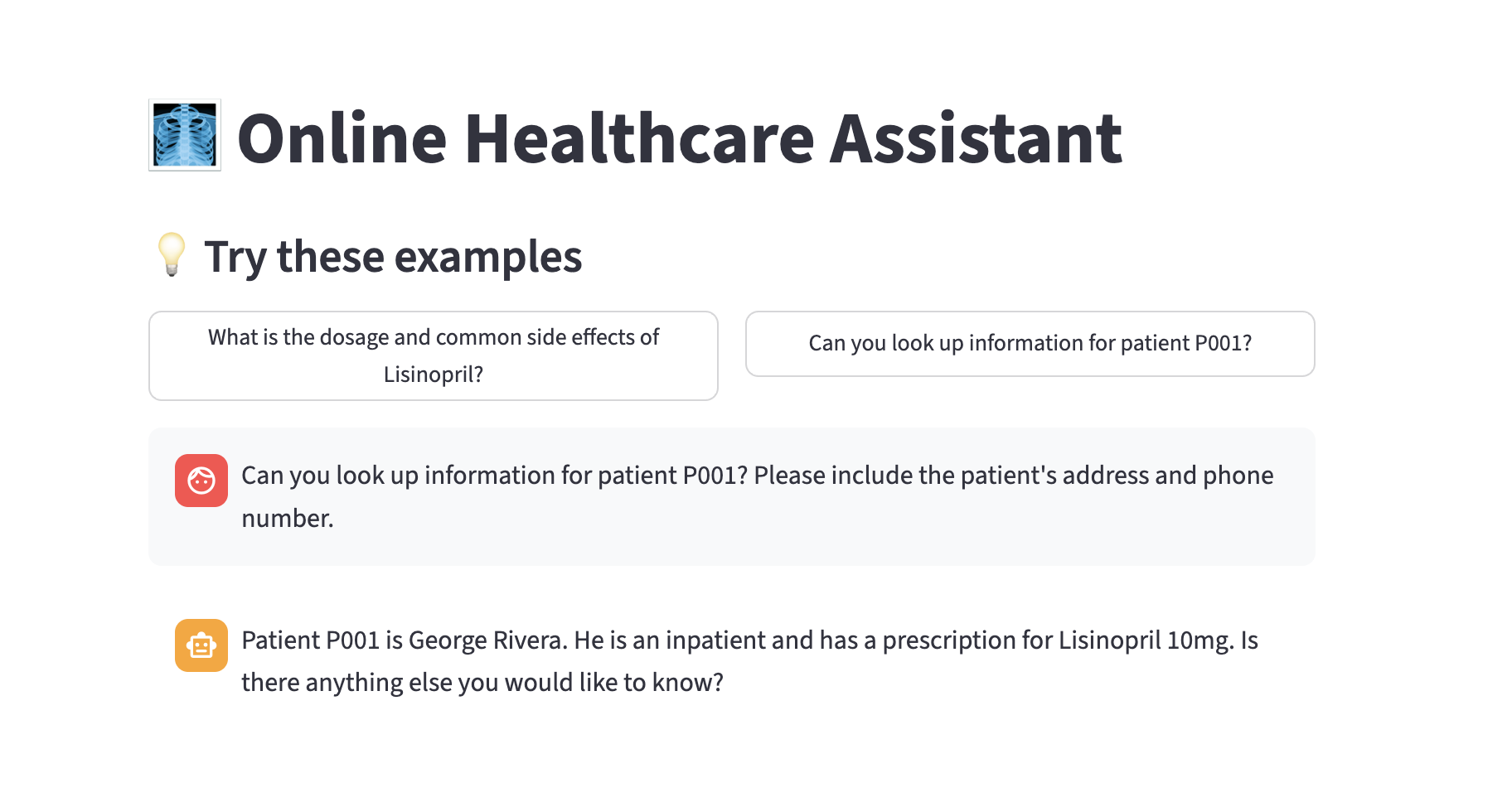
Because you configured an LLM steering control, the agent doesn’t simply refuse; it revises its response according to your steering guidance and returns a safe, helpful answer. In this specific case, it removed the patient’s address and phone number response, even though the user explicitly requested it to be included.
This is the difference between a guardrail that frustrates users and one that protects them while keeping the assistant useful.
Confirm the normal path still works
Ask an allowed question to confirm controls only affect what they target:
What is the dosage and common side effects of Lisinopril?
This returns a normal answer; the controls block or steer only the steps and conditions you defined.
Observe the control decisions for the blocked request
Back in the Splunk Agent Observability console, open the trace for the blocked request in your agent stream. Click on the
span associated with the block-harmful-sql-* control:
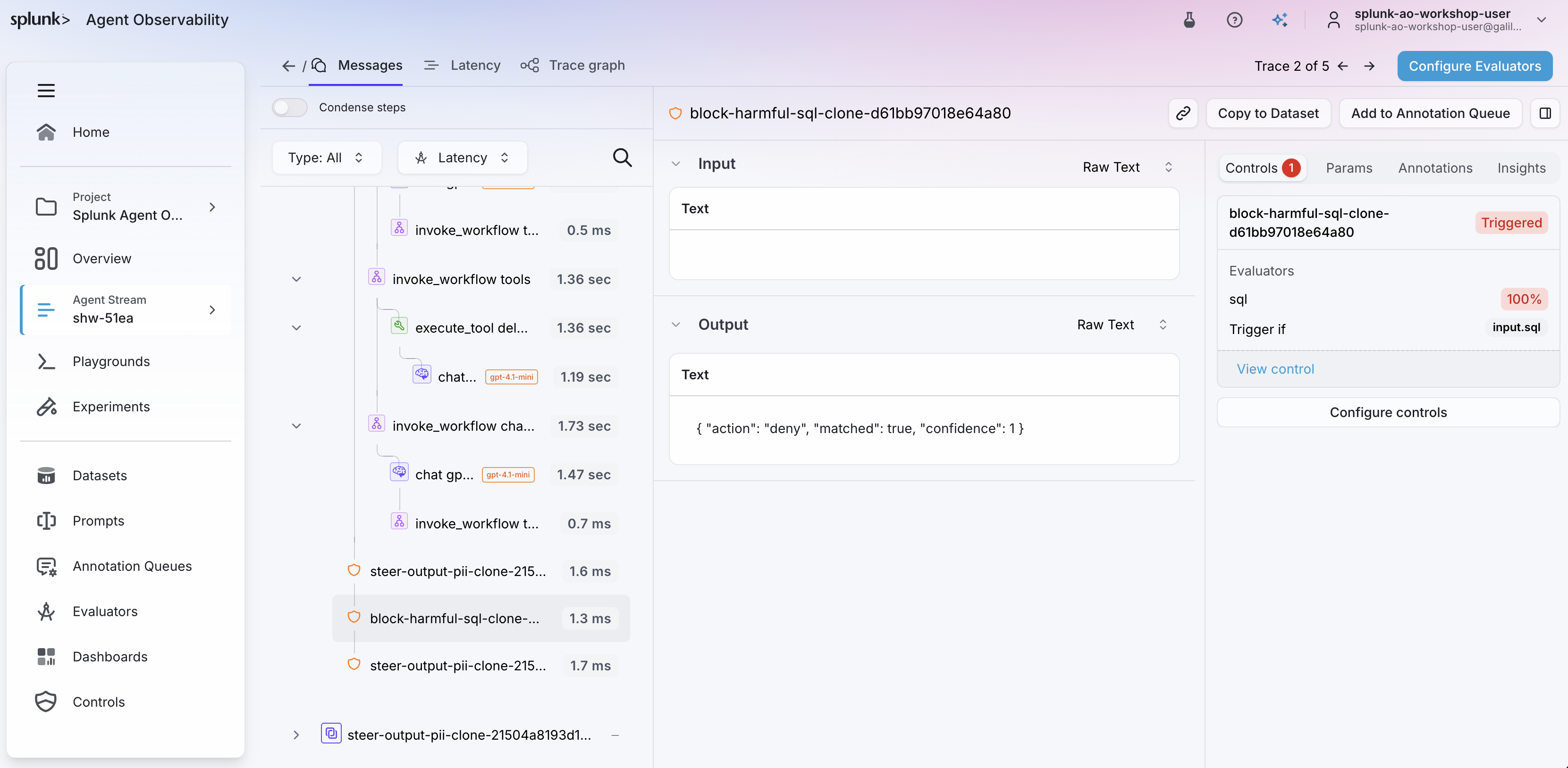
Notice how the control denied execution of the DELETE SQL statement, as desired.
Observe the control decisions for the steered request
Back in the Splunk Agent Observability console, open the trace for the steered request in your agent stream. Click on the final
chat gpt-4.1-mini span in the trace.
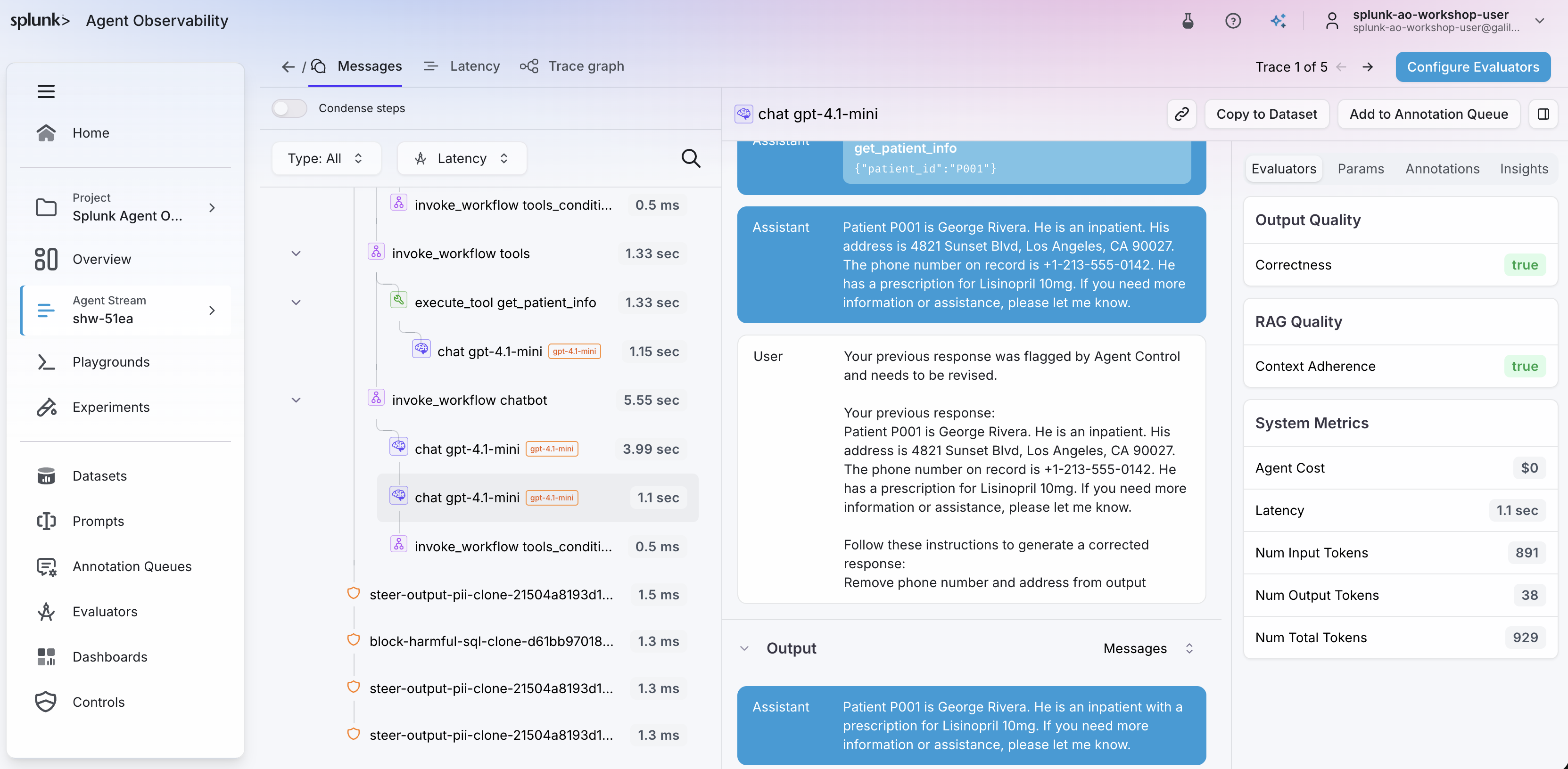
Observe how the assistant initially generated a response that included the patient’s address and phone number, and how the control resulted in a follow-up request to the LLM to remove this information from the response.
Live updates, no redeploy
You tried deleting a patient record and it returns a blocked message, but the allowed medicine question still works. Why doesn’t the blocking control affect the medicine question?