

Deploy the Base Application
Run the Application
With the database loaded and secrets in place, start the app and exercise the two main agent paths.
Deploy the healthcare assistant app
Run the following command to deploy the healthcare assistant app:
cd ~/workshop/healthcare-assistant/1-base-app
kubectl apply -f k8s.yaml
Ensure that the application pod is running:
kubectl get pods -l app=healthcare-assistantNAME READY STATUS RESTARTS AGE
healthcare-assistant-d764fc757-l9fxt 1/1 Running 0 20sUsing the IP address of your EC2 instance and port 81, open the healthcare assistant app using your browser:
External URL: http://98.86.181.9:81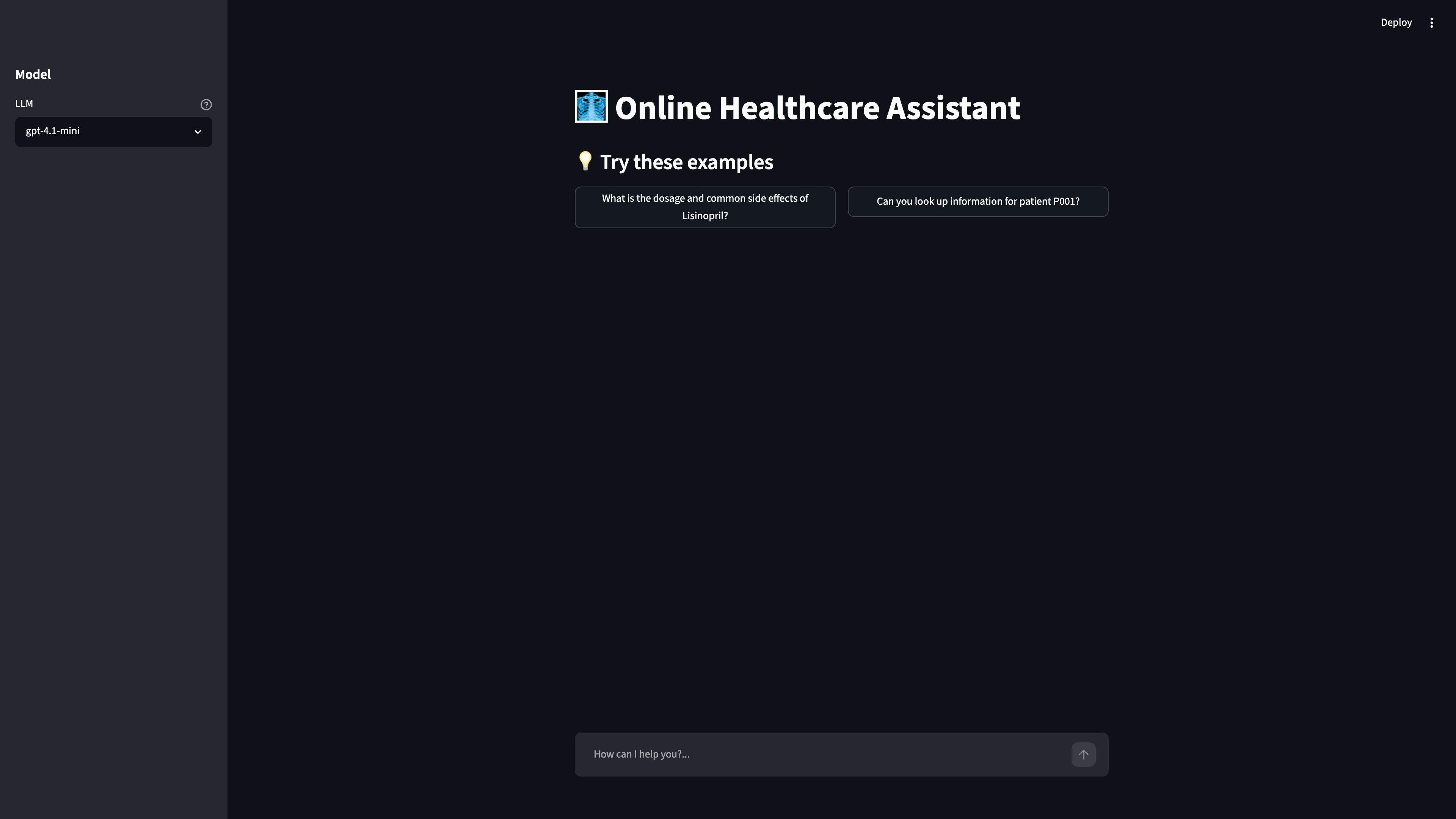
Try the RAG path
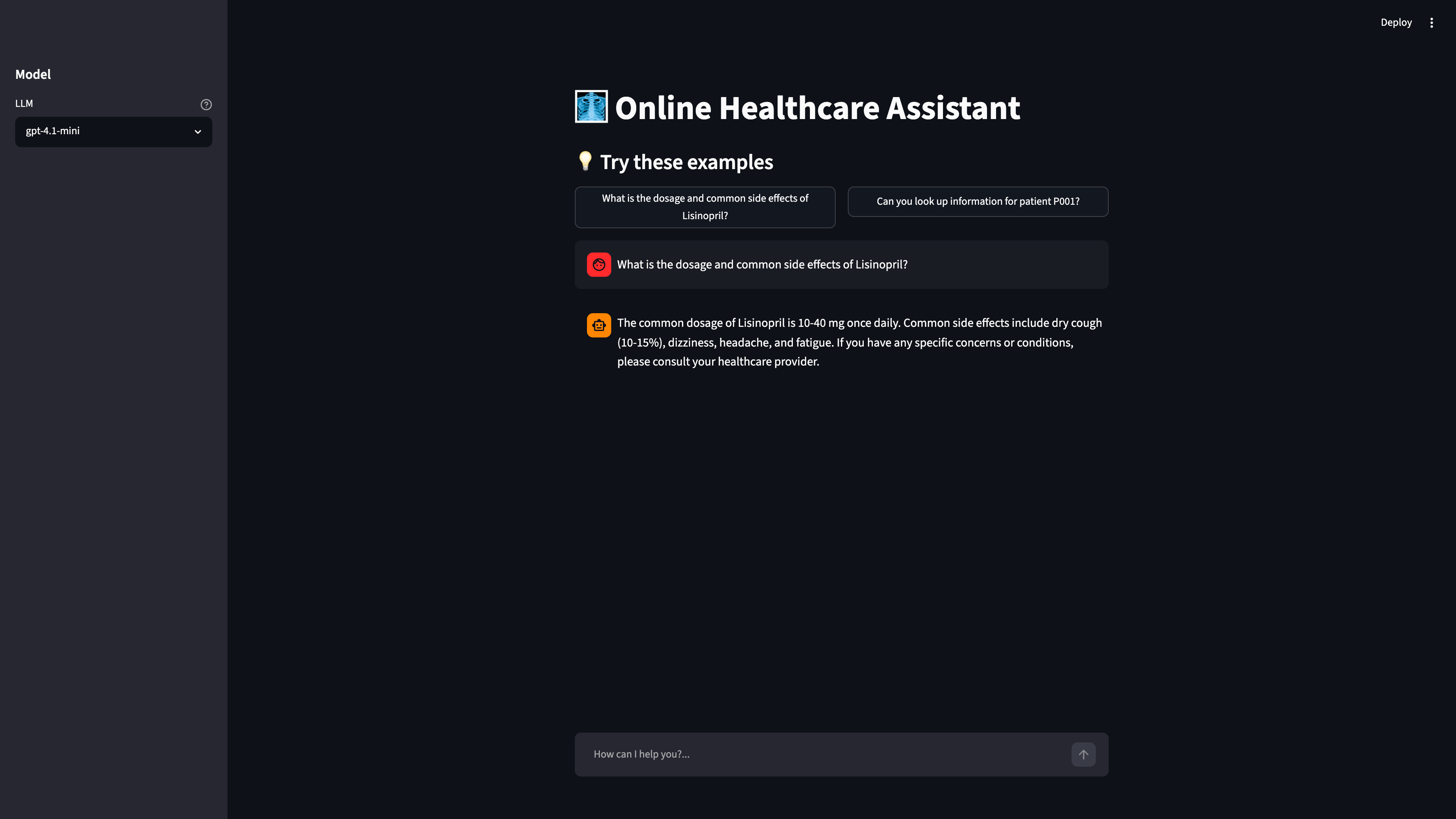
Click the example button (or type) for the medicine question:
What is the dosage and common side effects of Lisinopril?
The agent calls the search_medicine_qa tool, which retrieves matching chunks from
pgvector, and returns a grounded answer.
Try the text-to-SQL path
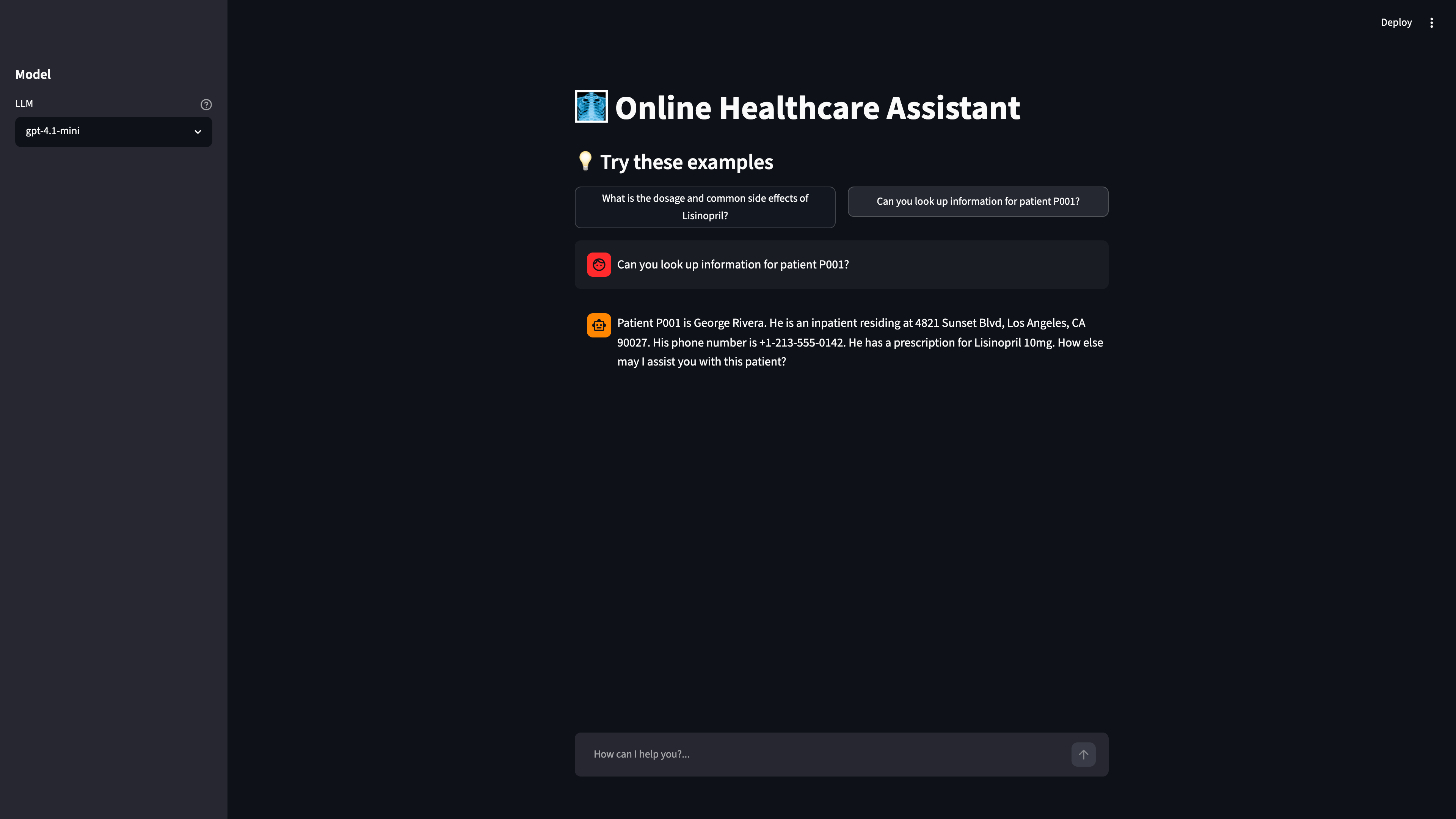
Now ask the patient-lookup question:
Can you look up information for patient P001?
The agent calls get_patient_info, which generates SQL against the healthcare_patient
table and returns the patient’s details.
Notice what’s missing
When you ask the patient-lookup question, which tool does the agent invoke, and what backend does it hit?