

Enable Evaluators
Enable Evaluators on the Agent Stream
Evaluators are configured on the agent stream, so every new trace that lands is scored automatically. You’ll turn on a set of out-of-the-box evaluators that matter for a healthcare assistant.
Open your agent stream settings
In the Splunk Agent Observability console (https://console.multitenant.galileocloud.io, workshop org),
open your project and select the default agent stream.
Click the Configure Evaluators button to open its evaluator configuration.
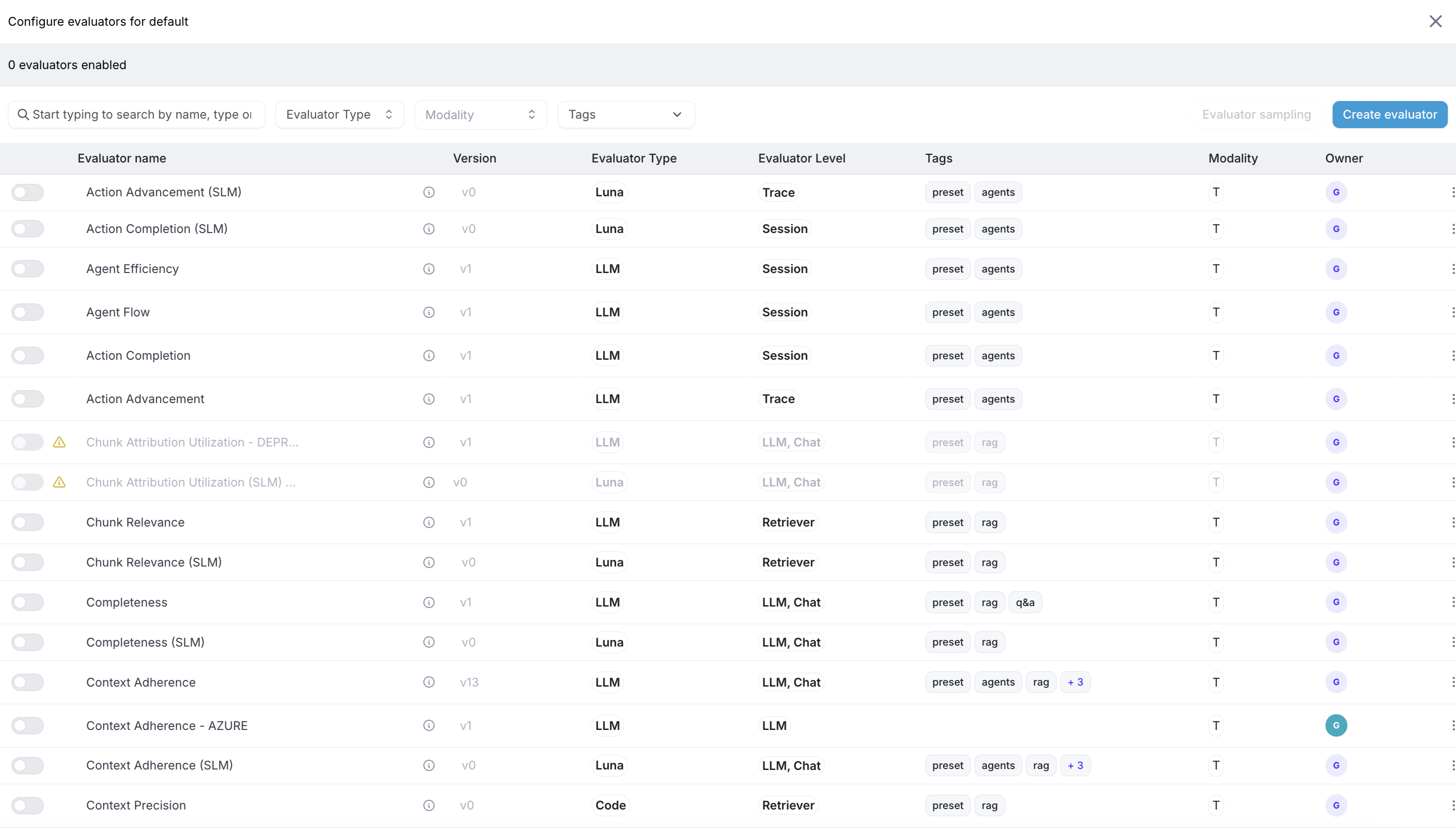
Enable the evaluators that matter
Enable the following out-of-the-box evaluators for your agent stream:
- Context Adherence: is the answer grounded in the retrieved medical content? (catches the “double the dose” style hallucination)
- Correctness: is the answer factually right?
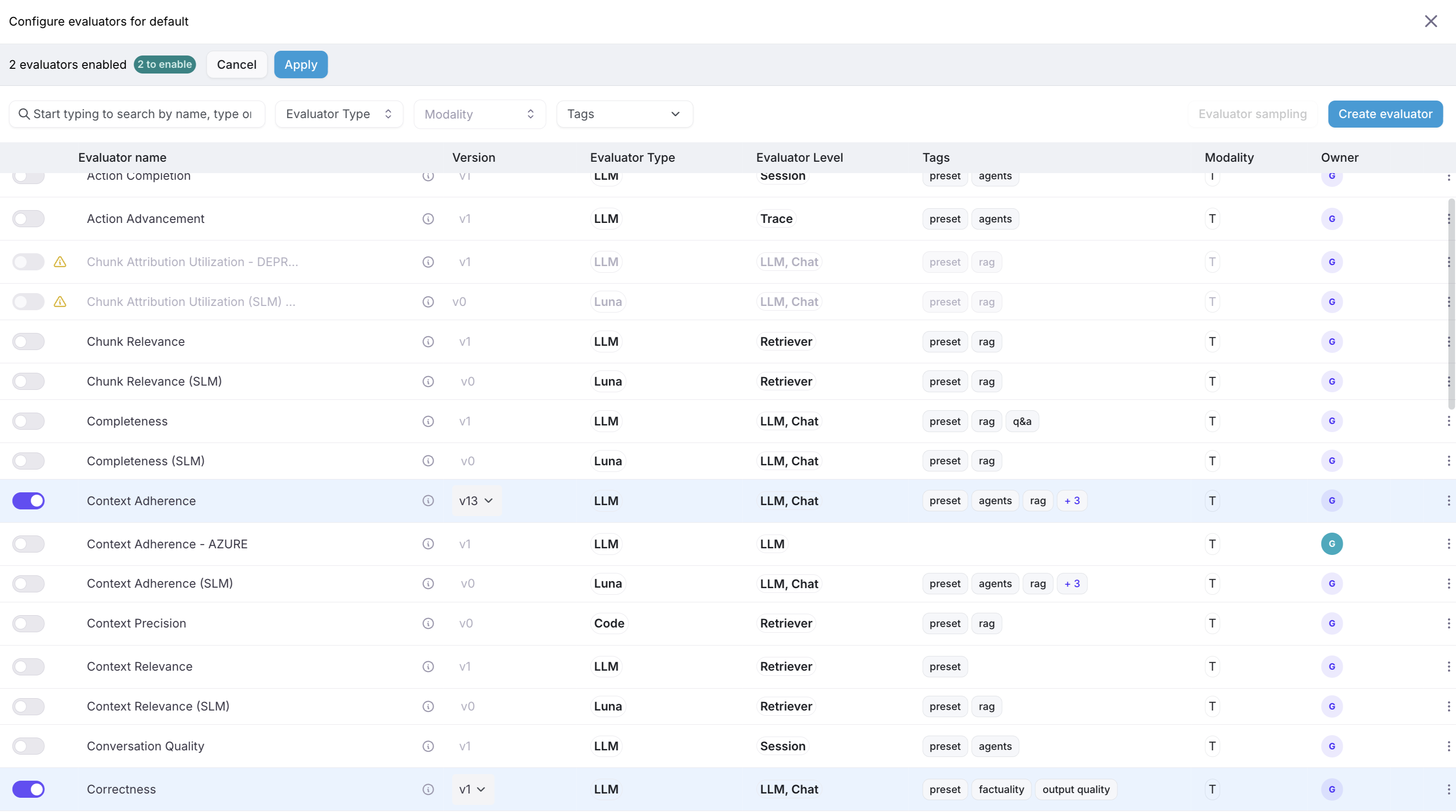
Save the configuration. From now on, new traces in this agent stream are scored automatically.
Apply the changes
Click Apply to apply the changes. We have the option to exercise evaluators for traces that were already captured.
Select the default option of Last 1 day:
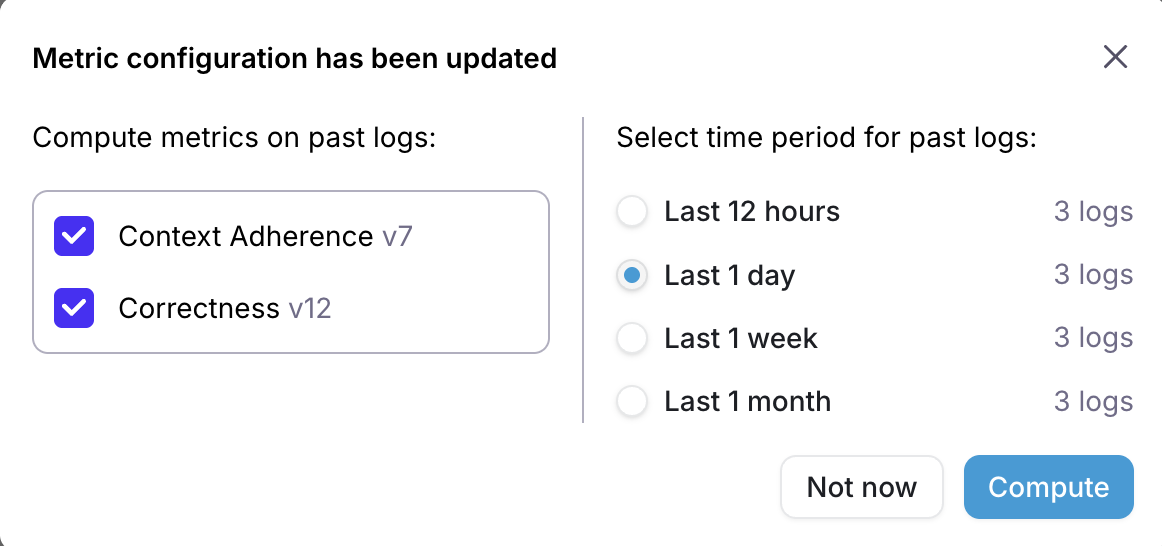
Click the Compute button to exercise evaluators on existing traces.
Why enable evaluators on the agent stream rather than scoring traces one by one?