

Correlate Between Server and APM
You will review how to correlate between server metrics and the applications running on the server
Navigate between Server and Application Contexts #
The Server Visibility Monitoring agent automatically associates itself with any Splunk AppDynamics APM agents running on the same host.
With Server Visibility enabled, you can access server performance metrics in the context of your applications. You can switch between server and application contexts in different ways. Follow these steps to navigate from the server main dashboard to one of the Nodes running on the server.
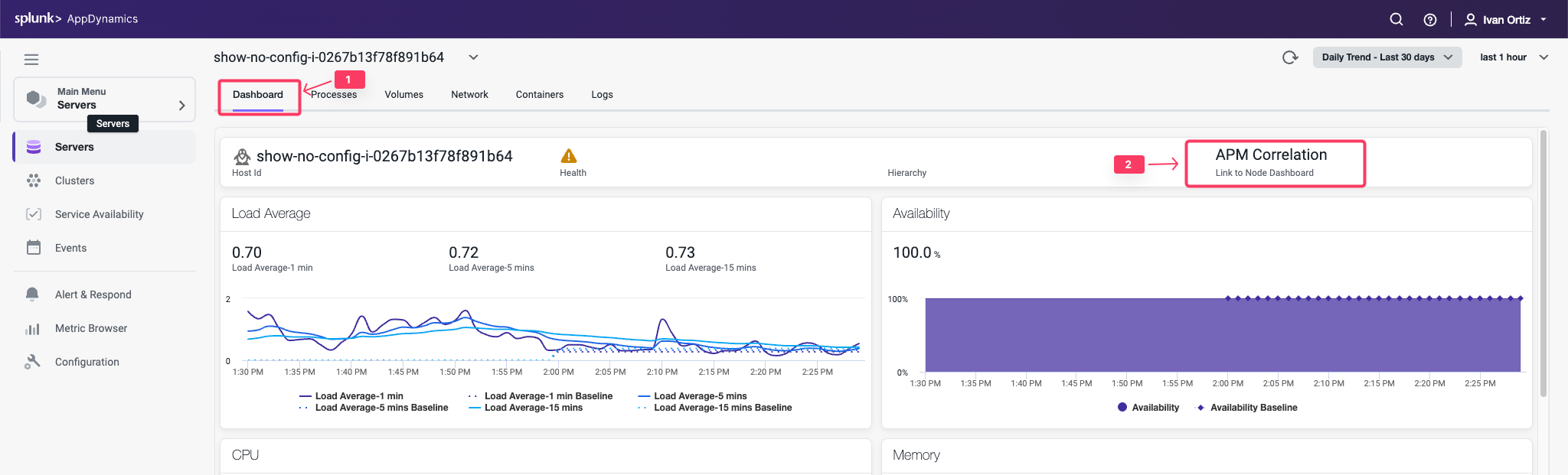
- Click the Dashboard tab to return to the main Server Dashboard.
- Click the APM Correlation link.
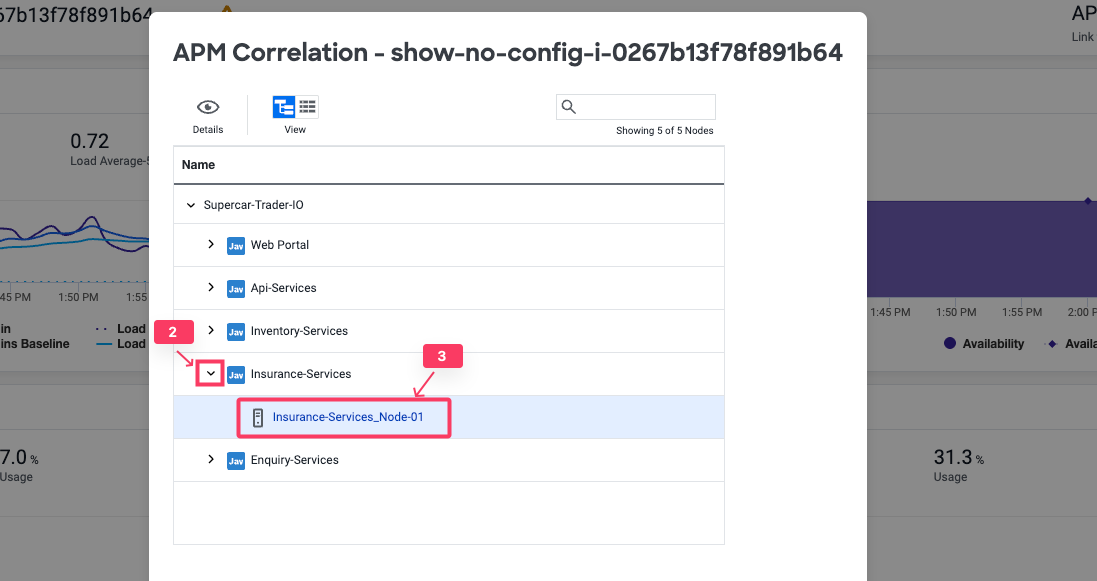
- Click the down arrow on one of the listed Tiers.
- Click the Node of the Tier link.
You are now on the Node Dashboard.
- Click the Server tab to see the related host metrics
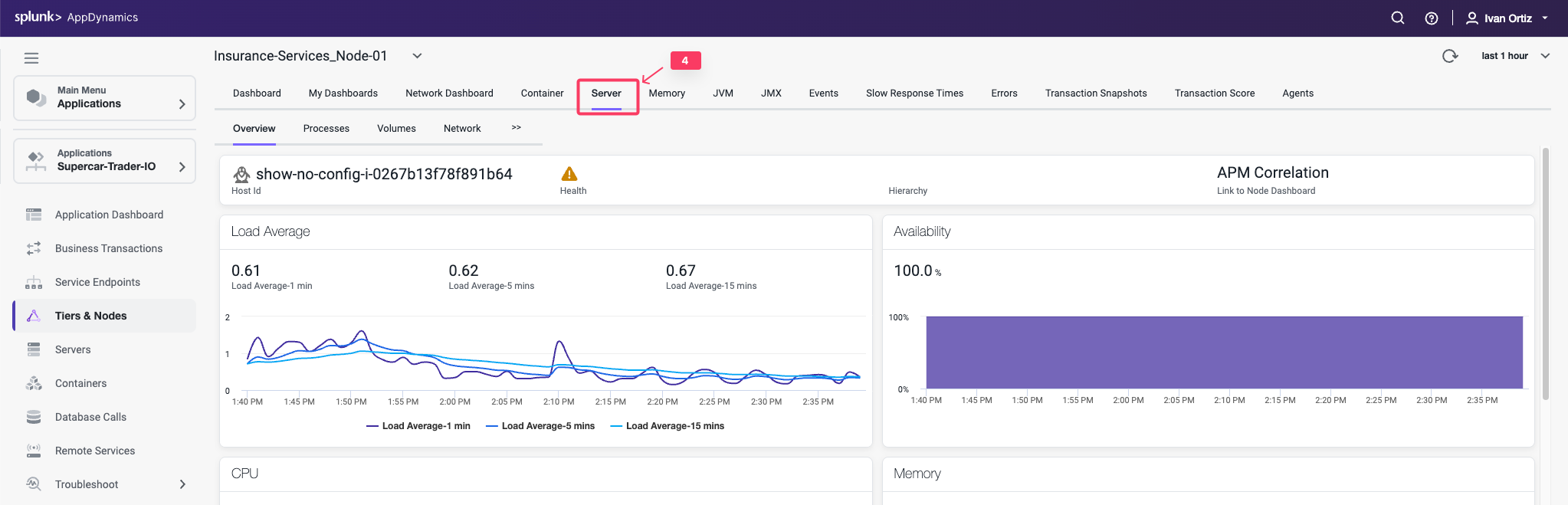
When you have the Server Visibility Monitoring agent installed, the host metrics are always available within the context of the related Node.
You can read more about navigating between Server and Application Contexts here .