

Enable Analytics on the Application
In this exercise you will access your AppDynamics Controller from your web browser and enable the Agentless Analytics from there.
Analytics formerly required a separate agent that was bundled with Machine Agent. However, Analytics is now agentless and embedded in the APM Agent for both .NET Agent >= 20.10 and Java Agent >= 4.5.15 on Controllers >= 4.5.16
In this exercise you will access your AppDynamics Controller from your web browser and enable the Agentless Analytics from there.
Login to the Controller #
Log into the AppDynamics SE Lab Controller using your Cisco credentials.
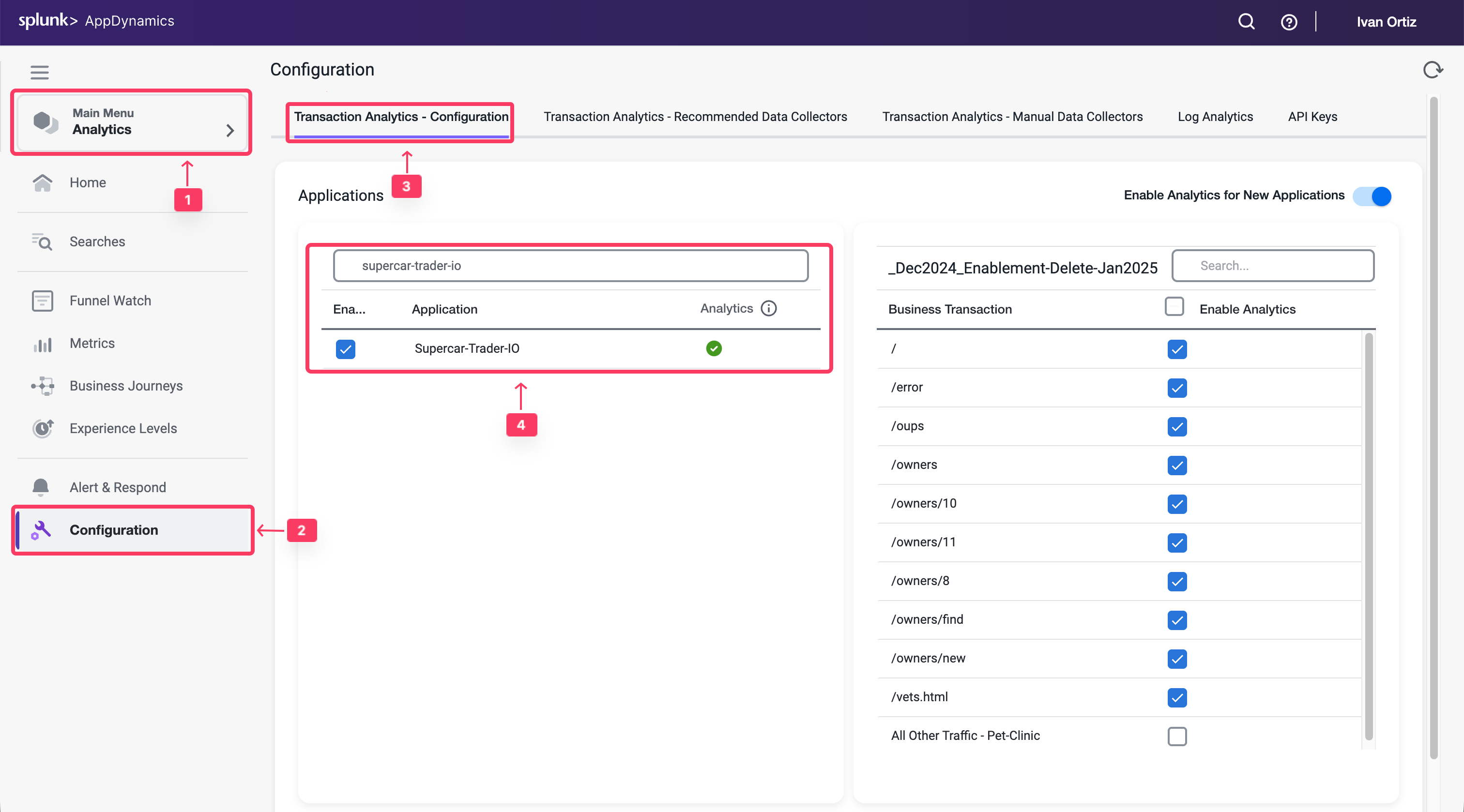
Navigate to the Analytics Configuration #
- ** Select the Analytics tab at the top left of the screen.
- ** Select the Configuration Left tab.
- ** Select the Transaction Analytics - Configuration tab.
- ** Mark the Checkbox next to Your Application Supercat-Trader-YOURINITIALS
- ** Click the Save button
Validate Transaction Summary #
You want to verify that Analytics is working for that application and showing transactions.
- Select the Analytics tab tab on the left menu.
- Select the Home tab.
- Under Transactions from filter to your application Supercar-Trader-YOURINITIALS