

Phase 2: Enable Dual Signal Mode
3. Verify in Both Platforms
With dual mode enabled and load flowing, traces should be arriving in Splunk Observability Cloud within a few minutes. Let’s verify both destinations.
Verify AppDynamics (Unchanged) #
Go back to the AppDynamics Controller , open your application, and confirm:
- The OrderService tier is still visible in the flow map
- Business transactions for
/orderand/inventoryare still recording - No errors or degradation from adding dual mode
Dual mode should not impact AppDynamics data collection both streams operate independently.
Verify Splunk Observability Cloud #
- Navigate to Splunk Observability Cloud and log in with the credentials provided by your instructor.
- Click APM in the left navigation panel.
- In the Environment dropdown, select
<INSTANCE>-appd-dual(this matches thedeployment.environmentvalue you set in the resource attributes).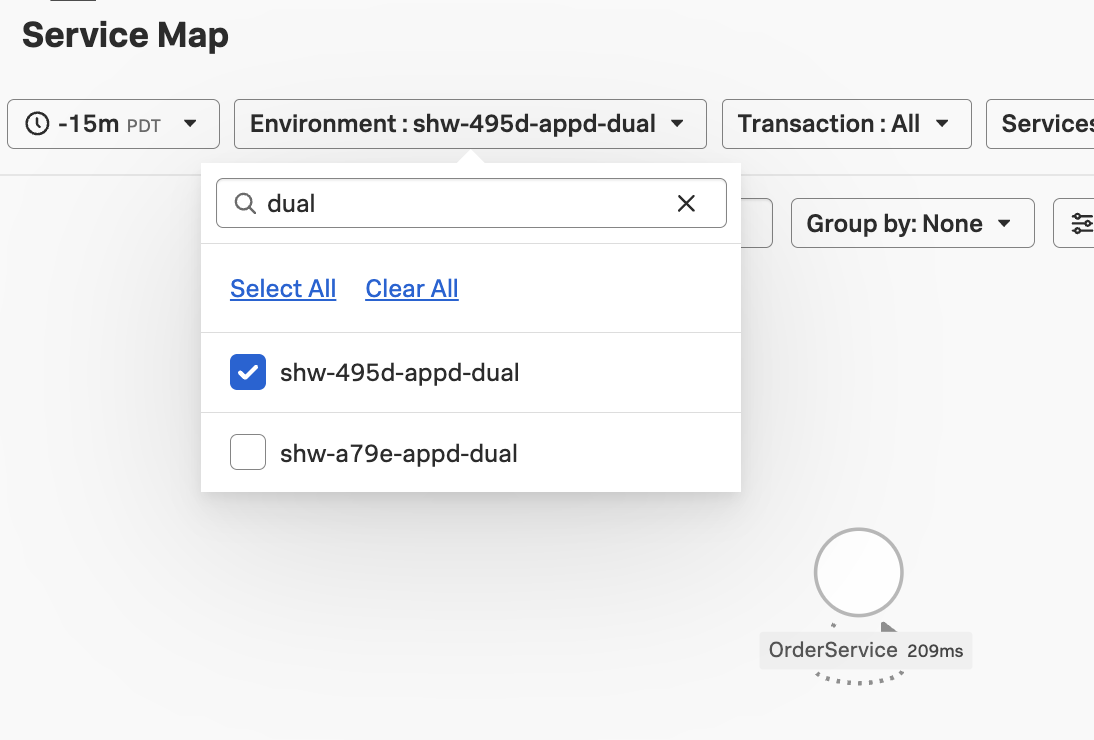
Give it a few minutes
It can take 2-5 minutes for traces to appear after enabling dual mode. If you don’t see your service yet, wait a moment and refresh the page.- You should see OrderService in the service list.
Explore a Trace #
- Click on the OrderService service.
- Click Traces to view individual traces.
- Select a trace for
GET /orderto open the trace detail waterfall.
In the trace waterfall, you’ll see spans generated by the OTel Java auto-instrumentation. These are the same requests that AppDynamics is also monitoring.
Examine the AppDynamics Correlation Attributes #
Click on a root span and look at the span attributes. You should see the AppDynamics correlation attributes:
| Attribute | Example Value |
|---|---|
appd.app.name | Dual-Ingest-YOURINITIALS |
appd.tier.name | OrderService |
appd.bt.name | /order or /inventory |
appd.request.guid | (the AppDynamics request GUID) |
These attributes are automatically added by the AppDynamics agent in dual mode. They create a direct link between this OTel trace and the corresponding data in the AppDynamics Controller.
Key Insight
Theappd.tier.name attribute also appears on spans in the middle of a trace whenever the tier changes. In a multi-tier application, each span carries the correct AppDynamics tier identity.You now have the same application sending APM data to two platforms simultaneously from a single agent. In the next section, you’ll connect the two by creating a global data link.