Preparation of the Workshop instance
Deploy the PetClinic Application
The first deployment of our application will be using prebuilt containers to give this base scenario: a regular Java microservices-based application running in Kubernetes that we want to start observing. So let’s deploy the application:
kubectl apply -f ~/workshop/petclinic/deployment.yamldeployment.apps/config-server created
service/config-server created
deployment.apps/discovery-server created
service/discovery-server created
deployment.apps/api-gateway created
service/api-gateway created
service/api-gateway-external created
deployment.apps/customers-service created
service/customers-service created
deployment.apps/vets-service created
service/vets-service created
deployment.apps/visits-service created
service/visits-service created
deployment.apps/admin-server created
service/admin-server created
service/petclinic-db created
deployment.apps/petclinic-db created
configmap/petclinic-db-initdb-config created
deployment.apps/petclinic-loadgen-deployment created
configmap/scriptfile createdAt this point, we can verify the deployment by checking that the Pods are running. The containers need to be downloaded and started, so this may take a couple of minutes.
kubectl get podsNAME READY STATUS RESTARTS AGE
splunk-otel-collector-k8s-cluster-receiver-655dcd9b6b-dcvkb 1/1 Running 0 114s
splunk-otel-collector-agent-dg2vj 1/1 Running 0 114s
splunk-otel-collector-operator-57cbb8d7b4-dk5wf 2/2 Running 0 114s
petclinic-db-64d998bb66-2vzpn 1/1 Running 0 58s
api-gateway-d88bc765-jd5lg 1/1 Running 0 58s
visits-service-7f97b6c579-bh9zj 1/1 Running 0 58s
admin-server-76d8b956c5-mb2zv 1/1 Running 0 58s
customers-service-847db99f79-mzlg2 1/1 Running 0 58s
vets-service-7bdcd7dd6d-2tcfd 1/1 Running 0 58s
petclinic-loadgen-deployment-5d69d7f4dd-xxkn4 1/1 Running 0 58s
config-server-67f7876d48-qrsr5 1/1 Running 0 58s
discovery-server-554b45cfb-bqhgt 1/1 Running 0 58sMake sure the output of kubectl get pods matches the output as shown in the above Output tab. Ensure all the services are shown as Running (or use k9s to continuously monitor the status).
To test the application, you need to obtain the public IP address of your instance. You can do this by running the following command:
curl http://ifconfig.meValidate if the application is running by visiting http://<IP_ADDRESS>:81 (replace <IP_ADDRESS> with the IP address you obtained above). You should see the PetClinic application running. The application is also running on ports 80 & 443 if you prefer to use those or port 81 is unreachable.
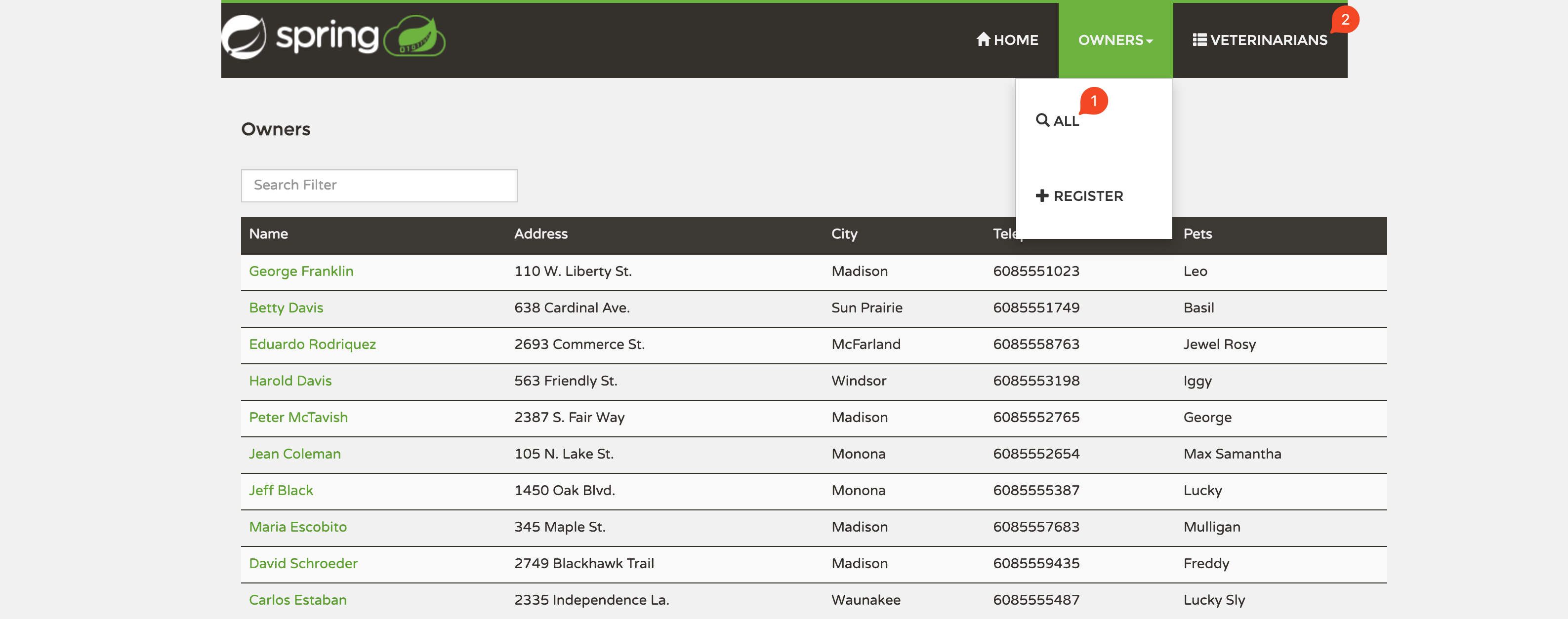
Make sure the application is working correctly by visiting the All Owners (1) and Veterinarians (2) tabs, confirming that you see a list of names on each page.