

1. Real Browser Test
1.5 Advanced Settings
The default settings are enough for most public, unauthenticated journeys — but real production sites often need at least one of the controls under Advanced. We’re not going to set any of them for this workshop, but it’s worth knowing what each one is for so you can reach for the right tool later.
Click on Advanced to expand the panel.
Note
In the case of this workshop, we will not be using any of these settings as this is for informational purposes only.
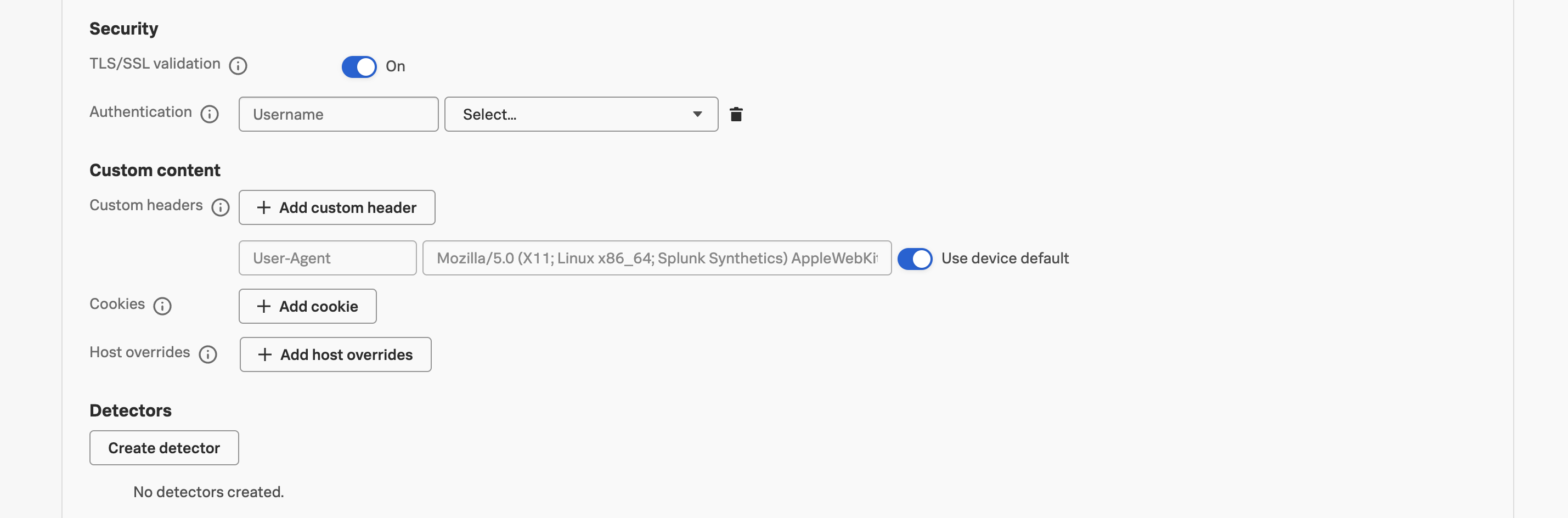
Security #
- TLS/SSL validation — when activated, this enforces validation of certificate expiry, hostname mismatch, and untrusted issuer chains. Turning this off is sometimes necessary for testing against staging environments with self-signed certificates, but you should never leave it off for a production test — it disables one of the cheapest early-warning signals you have for certificate-related outages.
- Authentication — credentials sent with every request, useful for sites behind HTTP Basic auth (still common on internal tooling and pre-prod environments). Store the credentials as concealed global variables rather than typing them inline — concealed values aren’t visible to anyone reading the test config, and they can be rotated in one place without editing every test that uses them.
Custom Content #
- Custom headers — extra headers sent on every request the test makes. Common uses: an
X-Synthetics: true(or similar) header that your backend can use to exclude synthetic traffic from analytics dashboards and from RUM aggregations; aCache-Control: no-cacheheader to test cold-cache performance; an A/B test cookie or feature-flag override header to pin the test to a specific variant. - Cookies — set in the browser before the test starts. The classic use case is suppressing a one-time-only modal (cookie banner, “subscribe to our newsletter” popup) that would otherwise occlude an element the test needs to click. Cookies are scoped to the domain of the starting URL, with Splunk Synthetic Monitoring using the public suffix list to determine the registrable domain.
- Host overrides — reroute requests from one host to another at DNS-resolution time. Two common patterns: testing a production URL against a CDN edge node you’re about to promote (override
www.example.comto a specific edge IP); or running a production-shaped test against staging-shaped backends (overrideapi.example.comtoapi-staging.example.com) without rewriting every step in the journey.
Next, we’ll edit the test steps to give each one a meaningful name — which becomes important the moment a step starts failing and a teammate has to read the alert.