

API Test
Global Variables
What are global variables? #
Splunk Synthetic Monitoring global variables are reusable values scoped at the organisation level. Define a value once, reference it from any test by name. The two most common reasons to reach for them:
- Avoid duplication. API keys, tenant IDs, base URLs, test usernames — anything that appears in more than one test belongs in a global variable so you can update it in one place when it changes.
- Conceal secrets. Variables can be marked concealed, which means the value is obscured in the UI and never visible to anyone reading the test definition. Concealed variables can still be referenced by tests — the test runner has access — but they can’t be read back from the configuration. This is the right way to store API keys, OAuth client secrets, and HTTP Basic auth credentials.
Custom variables, which we’ll meet in the next two chapters, are different: they’re set during a test run by extracting values from one response and used in subsequent steps. Globals are static, custom variables are dynamic — together they cover most data-passing patterns you’ll need.
View the workshop’s pre-configured global variable #
For this workshop a single global variable named env.encoded_auth has been pre-configured for you. It contains the Base64-encoded form of client_id:client_secret for a Spotify API client, which is exactly what Spotify’s Client Credentials OAuth flow
expects in the Authorization: Basic … header of a token request.
Click on the cog icon at the top right of the Synthetics page and select Global Variables to view the list. You should see env.encoded_auth there.
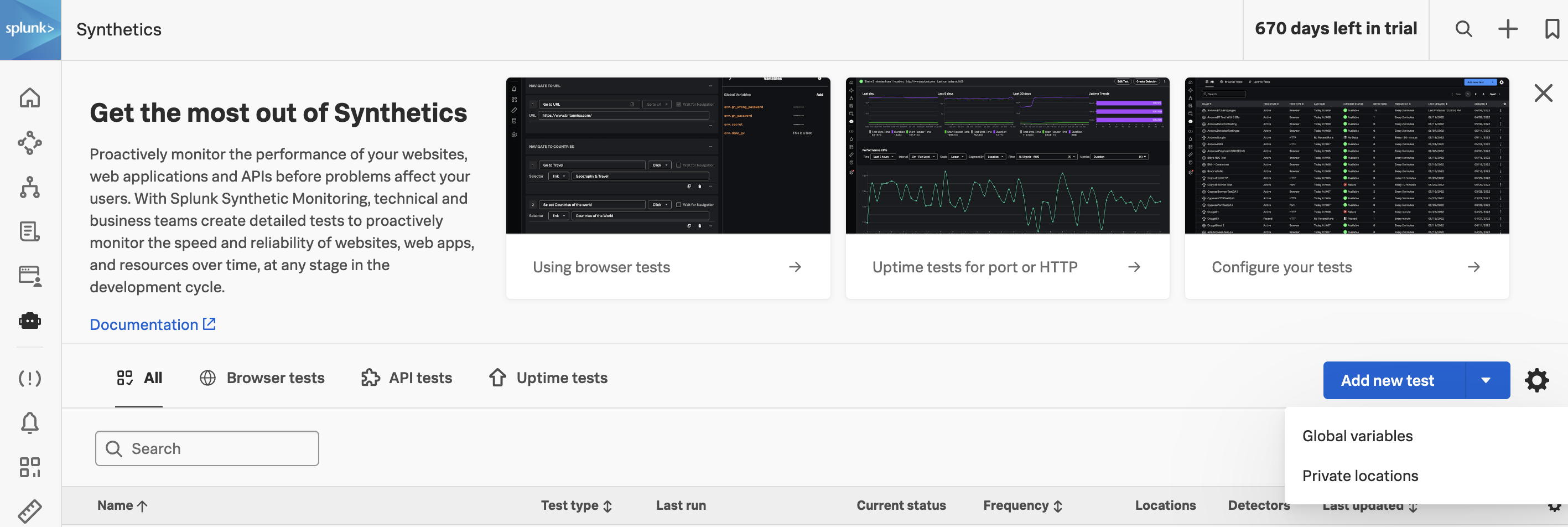
Notice the env. prefix on the variable name — global variables live under the env. namespace and are referenced from tests as {{env.encoded_auth}}. Custom variables (which we’ll create during the test run) live under custom. and are referenced as {{custom.access_token}}.
You don’t need to edit anything here — we’ll reference this variable from the authentication request in the next two chapters.