API Test
Authentication Request
A quick note on what we’re doing #
Before we click anything, here’s the OAuth 2 flow we’re modelling:
- Spotify (like most modern APIs) requires a short-lived bearer token on every authenticated request.
- To obtain that token, we make a single
POSTto the OAuth token endpoint, sending ourclient_id:client_secret(Base64-encoded) in an HTTP Basic auth header andgrant_type=client_credentialsin the body. This is the Client Credentials grant — the machine-to-machine variant of OAuth 2, designed for backend services that need to call an API on their own behalf rather than on behalf of a logged-in user. - Spotify responds with JSON containing an
access_token. We extract it, store it as a Synthetic Monitoring custom variable, and use it as theAuthorization: Bearer …header on every subsequent request.
This same pattern is how most modern APIs authenticate service-to-service traffic, so what you build here is a template for monitoring any OAuth-protected backend.
Add the authentication request #
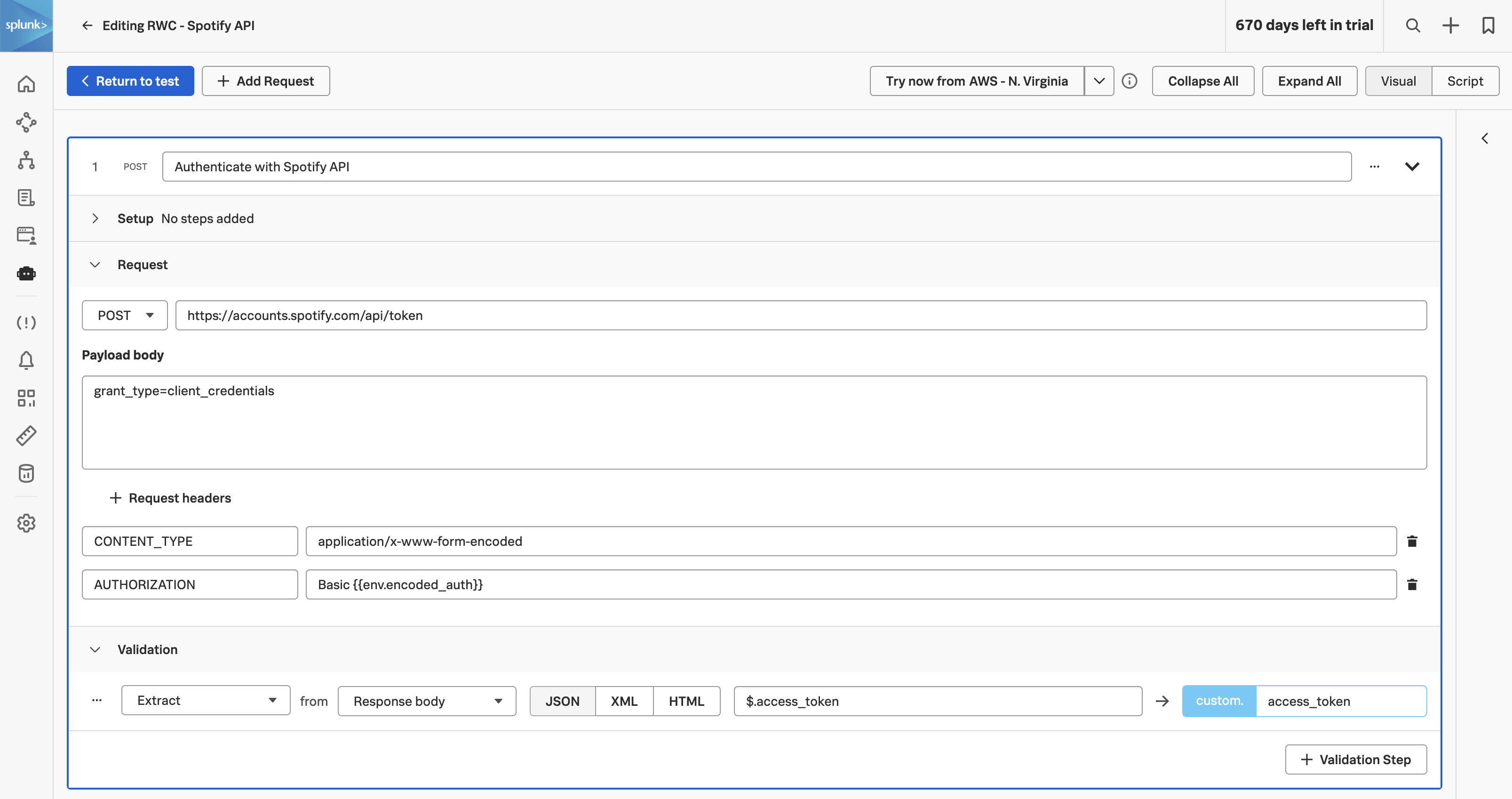
Click and enter the request step name Authenticate with Spotify API. Meaningful names matter here for the same reason they did in the RBT — when a step fails, the alert message will use this name verbatim.
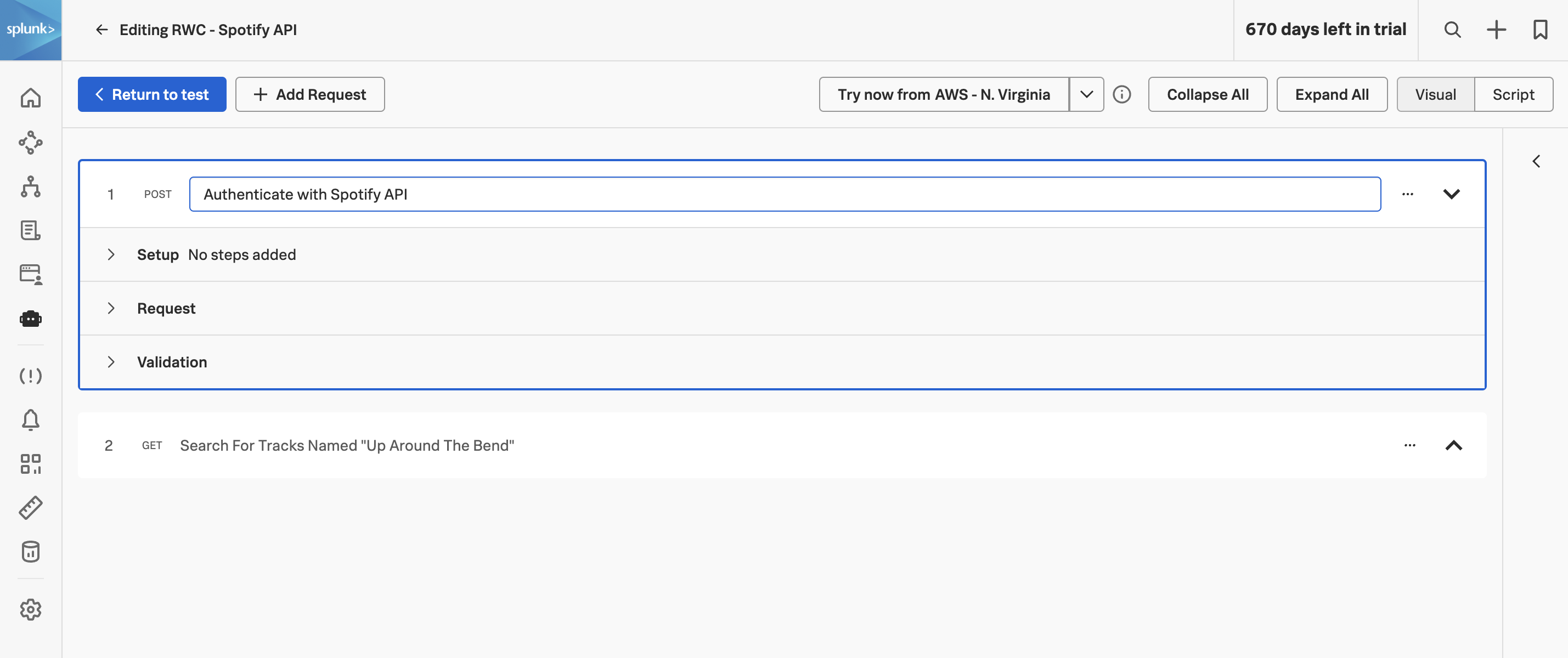
Expand the Request section, change the request method to POST from the dropdown, and enter the URL:
https://accounts.spotify.com/api/tokenIn the Payload body section enter:
grant_type=client_credentialsThe grant_type=client_credentials value tells Spotify which OAuth flow we want. The body is application/x-www-form-urlencoded — the legacy form-post encoding — which is the standard for OAuth token endpoints (it predates the widespread use of JSON in API bodies).
Next, add two request headers with the following key/value pairings:
- CONTENT-TYPE: application/x-www-form-urlencoded — tells Spotify how to parse the body we just supplied.
- AUTHORIZATION: Basic {{env.encoded_auth}} — the workshop’s pre-configured global variable from the previous chapter, expanded inline by the test runner. The runner sends the literal Base64 string; the variable name is never on the wire.
Extract the access token #
Spotify’s response for a successful token request looks something like this:
{
  "access_token": "BQDxx...long-opaque-string...",
  "token_type": "Bearer",
  "expires_in": 3600
}
We need the access_token value for the next step. Expand the Validation section of the request and add the following extraction:
- Extract from Response body JSON $.access_token as access_token.
The $.access_token is a JSONPath
expression — the JSON equivalent of XPath. $ is the root of the document and .access_token selects the top-level field. JSONPath also supports array indexing, wildcards, and filters; we’ll use the array form in the next chapter.
The extracted value is now available to all subsequent steps as {{custom.access_token}} — the custom. namespace is for variables produced during this run, in contrast to the env. namespace which is for organisation-level static values.