E2E Correlation
Explore RUM in Splunk
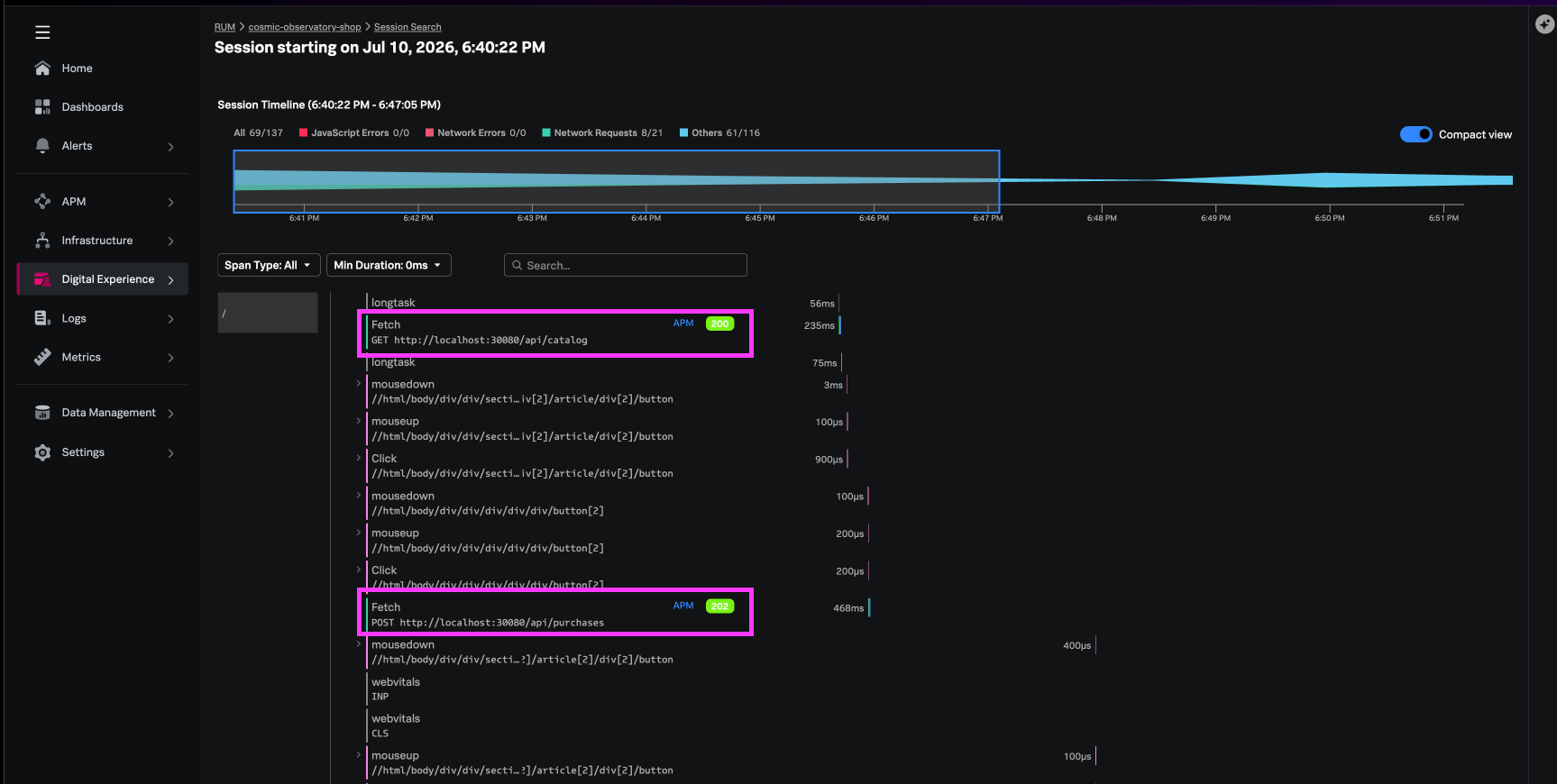
In this step we will review what the E2E correlation looks like from the web application -> through to the fulfilment service.
Generate Request from Web Application #
Send New Web Request #
- Navigate yo the app in the browser http://localhost:30080
- Refresh the browser session using Command + Shift + R
- Click Buy now → Confirm & place order
Validation
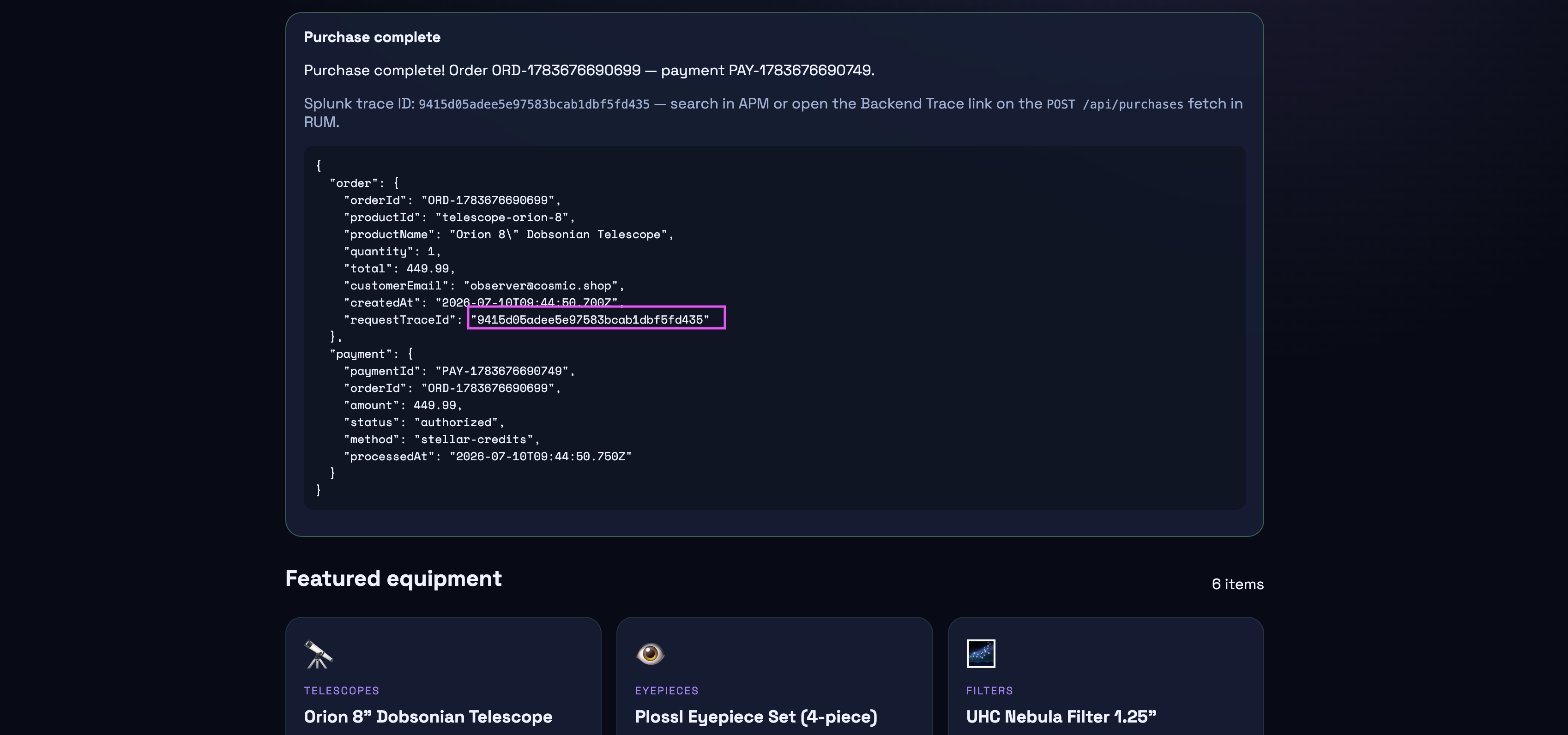
Copy the traceID - we will use this in the next step to validate APM e2e correlation
Verify in Splunk RUM #
- Navigate to Digital Experience → Session Search
- Find your session (environment
workshop-$INSTANCE) - Click the session timeline
- Select the
purchasesfetch event - Confirm:
- Response time is displayed
- Backend Trace link navigates to APM
- Trace ID matches the browser
traceparentheader