

Distributed Tracing for AWS Lambda Functions
Setup (Instructor)
The instructor is going to setup a user and then provide each user with an access key id and secret access key that they can use to run terraform and build the artifacts they need
Prerequisites #
Your students will all need a Splunk4Ninjas - Observability instance.
As preparation before the class, the instructor machine will need:
- AWS CLI
- Terraform
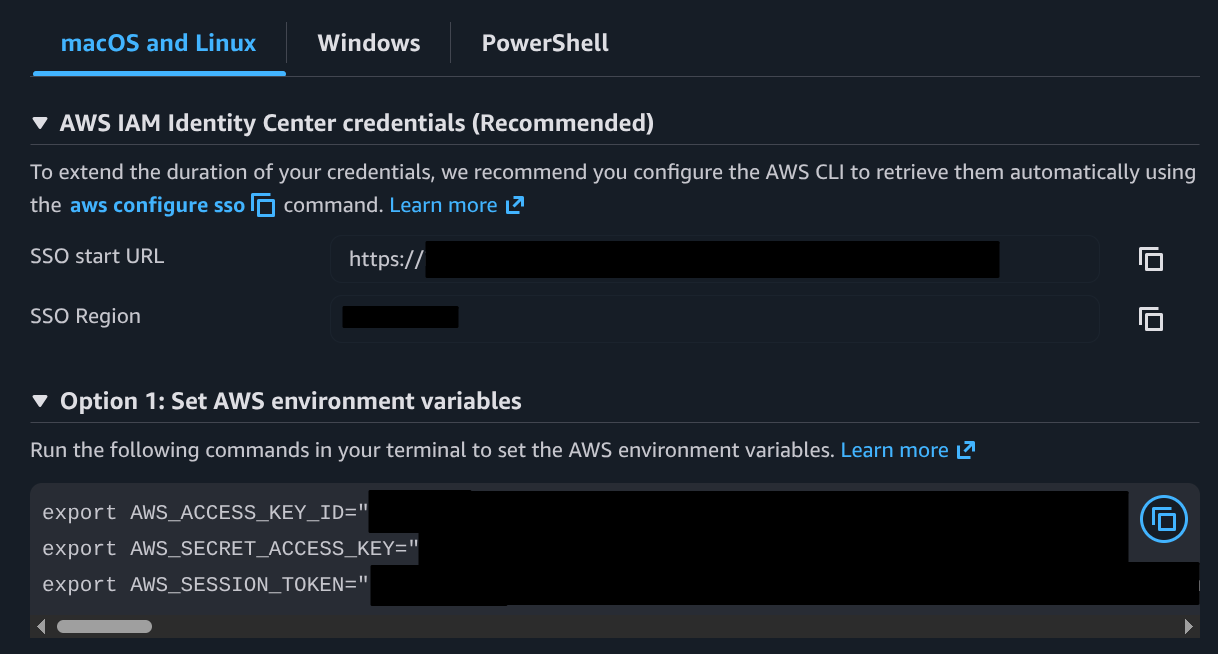
When going to the AWS access portal, you can click on the access keys to copy these to the terminal before you do the next step.
Create an IAM Role (Workshop Instructor Only) #
bash
# Copy access keys into terminal first before running these steps
cd ~/workshop/lambda/iam_role
terraform init
terraform plan
terraform apply
# enter yes

# Then display the secret
terraform output -raw workshop_secret_access_key
Provide these to the class #
workshop_access_key_id: This was shown after theterraform applyworkshop_secret_access_key: This is the key you output raw after the fact, withterraform output.
Be aware of any extra characters at the end of the double-quotes and any other extra characters.
Cleanup #
Warning
After the workshop is complete, it is important to cleanup as follows, otherwise you may still have open access to AWS, or still running Lambdas and other resources.
bash
cd ~/workshop/lambda/iam_role
terraform destroy
You will also need to cleanup any artifacts the students didn’t destroy during the workshop. Check:
- AWS API Gateway
- Lambda Functions
- Kinesis Stream
- CloudWatch Log Groups
- S3 Bucket