

Zero Touch Event Analytics with ITSI 5.0
Investigate an episode with EventiQ Diagnose
Use AI-assisted investigation to connect payment symptoms to a suspected cause and supporting evidence.
An episode brings related symptoms together, but an operator still needs to understand what failed, how it affected the business, and where to investigate next. Finding those answers often means piecing together alerts and logs from several services. EventiQ Diagnose helps by analyzing the episode, summarizing its impact, and proposing a suspected cause with supporting evidence and recommendations.
You will connect gateway logs to the payment episode and use the resulting analysis to focus your investigation. Review the source evidence before deciding what action to take.
Connect the supporting evidence #
1. Navigate to Configuration > Event Management > EventiQ Diagnose > Data Sources, then select Add data source.
2. Enter the following details.
| Field | Value |
|---|---|
| Title | WS50 Gateway Evidence |
| Description | Gateway TLS and certificate logs to support the AI investigation. |
3. In the search step, enter the following SPL and select Validate.
index=test_event_index
((event_severity_type=SourceLog extracted_source=online_payment_gateway_source_log
  (message="*TLS*" OR message="*certificate*" OR message="*trust bundle*" OR message="*handshake*" OR message="*cert package*"))
 OR (sce=POS_CUST_* message="end"))
| eventstats max(eval(if(message="end",_time,null()))) as cycle_end
| eventstats max(eval(if(message="end" AND _time<cycle_end,_time,null()))) as previous_cycle_end
| where event_severity_type="SourceLog" AND _time>previous_cycle_end AND _time<=cycle_end
| sort 0 -_time
| table _time service extracted_host extracted_source message _raw
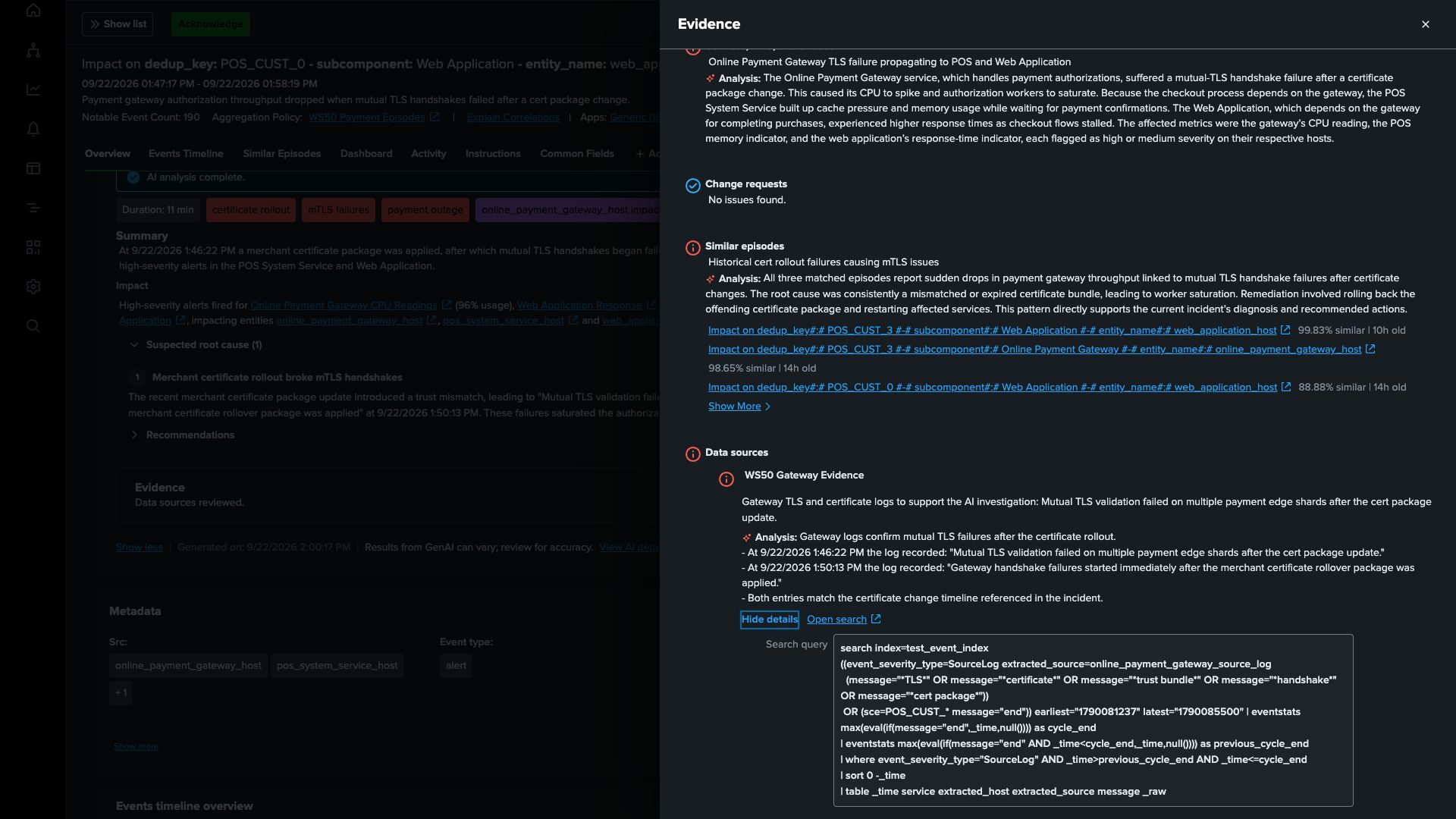
Useful investigations need evidence from the incident being investigated, rather than a similar error from an earlier incident. This search supplies gateway TLS and certificate messages from the latest completed interval in the analysis window, using the source’s end events to bound that interval. Preserving the original log text, timestamp, and host identity lets you check whether the proposed cause fits both the affected component and the sequence of events.
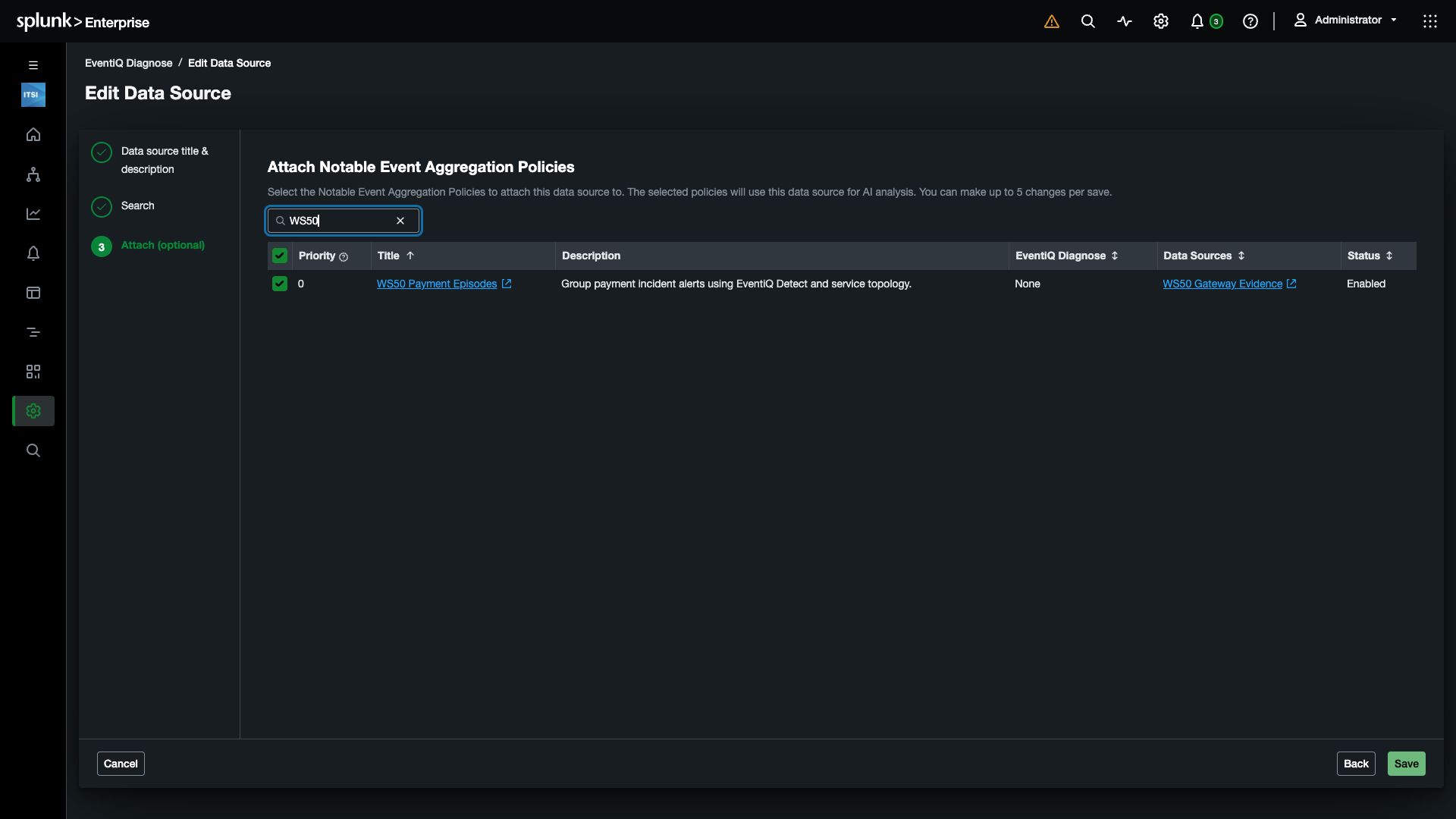
4. Select Next to reach the attachment step. Search for WS50 Payment Episodes, select its checkbox, and select Save.
Investigate the payment episode #
5. Select Alerts and Episodes in the left navigation to open Episode Review. Use Add filter > Policy to select WS50 Payment Episodes, then open the most recent completed episode containing alerts from all three payment services.
Inspect its alerts for the end event. Confirm that the clearing action you configured changed the episode’s severity to Normal and status to Resolved. You can still investigate a resolved episode to understand its cause and help prevent the same disruption from recurring.
Info
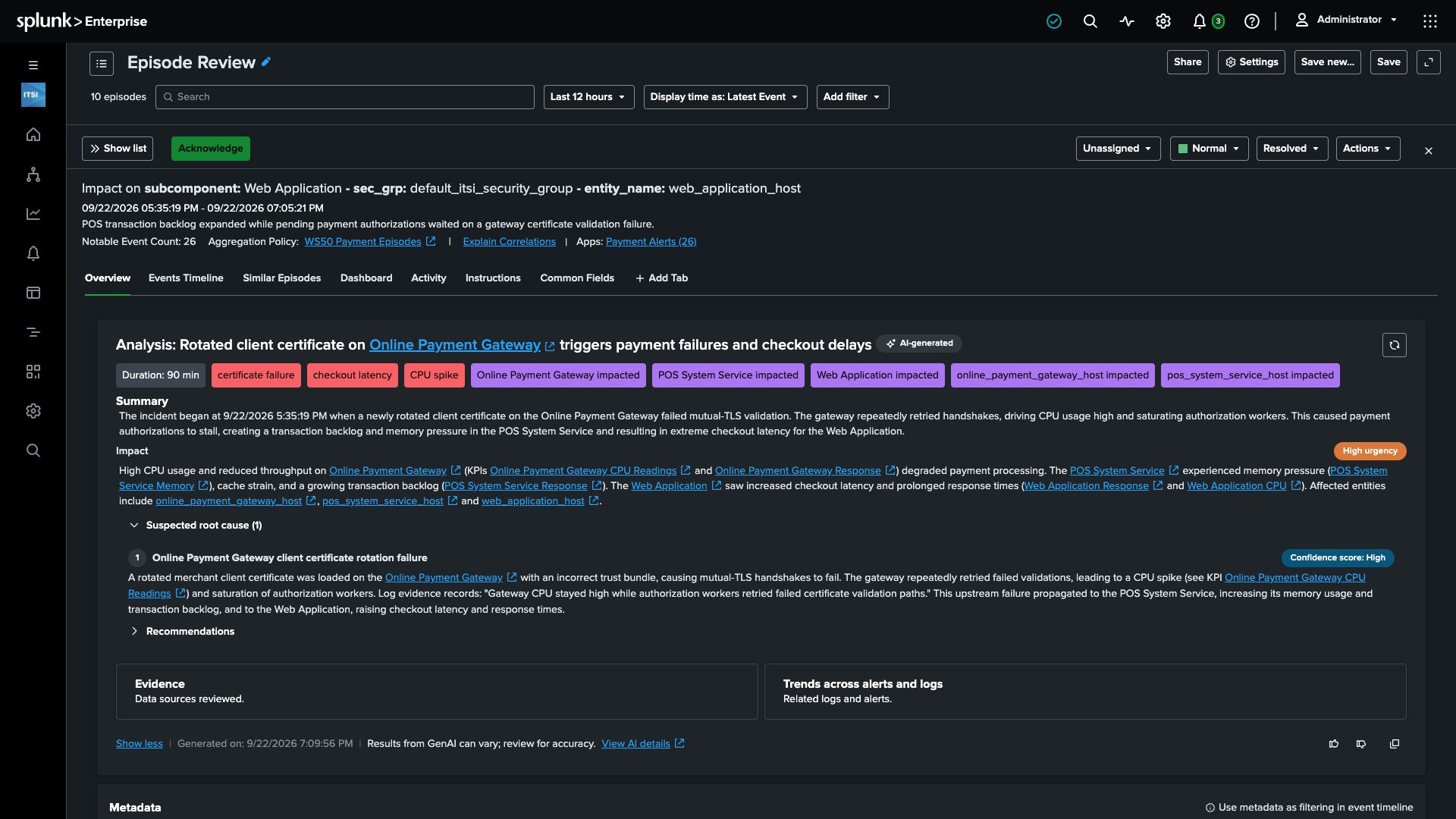
6. Open Actions and select Run EventiQ Diagnose. Wait for AI analysis complete in the episode’s Overview.
7. Read Summary, Impact, and Suspected root cause, then expand Recommendations.
Look for the relationship between gateway certificate or TLS validation failures, payment retries, POS pressure, and delayed checkout. The wording and confidence can vary with the episode and available evidence.
8. Open Evidence and locate WS50 Gateway Evidence. Review the finding, then select Open search to inspect the original gateway message and its timestamp. Return to the episode, open Events Timeline, and inspect the alerts that show the effect on POS processing and web checkout.
Connecting an infrastructure error to payment and checkout symptoms helps the team focus on the likely point of failure. The source evidence also gives the operator something concrete to share with the team responsible for remediation.
9. Use your episode to answer these questions:
- What gateway failure could explain the incident?
- Which alerts show its effect on POS processing and checkout?
- Does the log timing support the proposed sequence of events?
- What service-health evidence would confirm that payment and checkout recovered?
- What would you verify before following a recommendation?
Checkpoint
You can explain the payment incident’s suspected cause, identify its impact across the three services, and point to the evidence supporting your assessment.
Continue to the final checkpoint to review the path you built.