Setup Cisco Catalyst Inbound Notifications
5 minutes Authors Chris Putnam, Sam Scudere-Weiss, & Tim HardExercise: Configure Alert Integrations
1. In ITSI, navigate to Configuration > Data Integrations.
Info
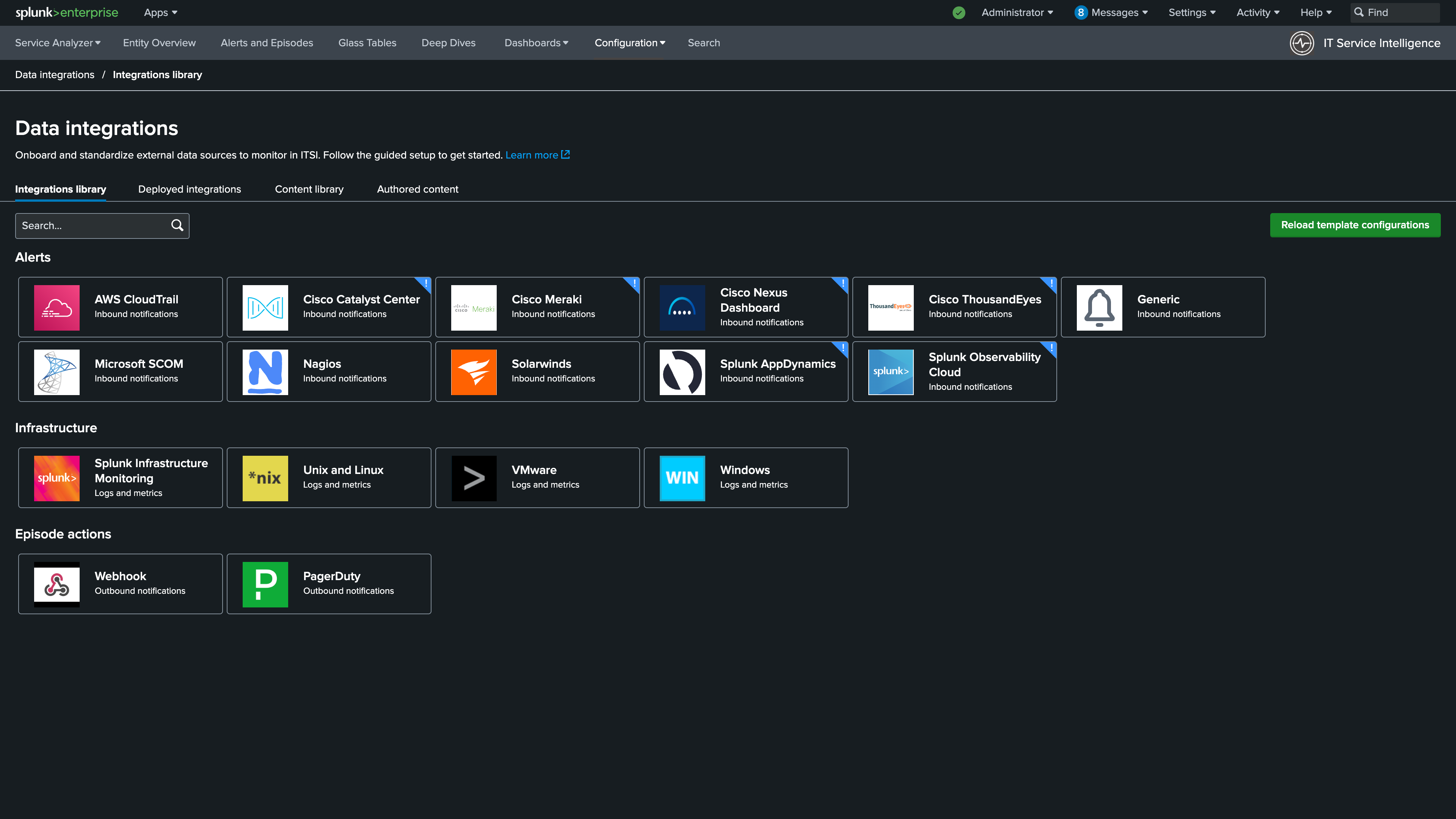
2. Under the Alerts section of the library, select Cisco Catalyst Center.
3. Click + Add Connection.
Info
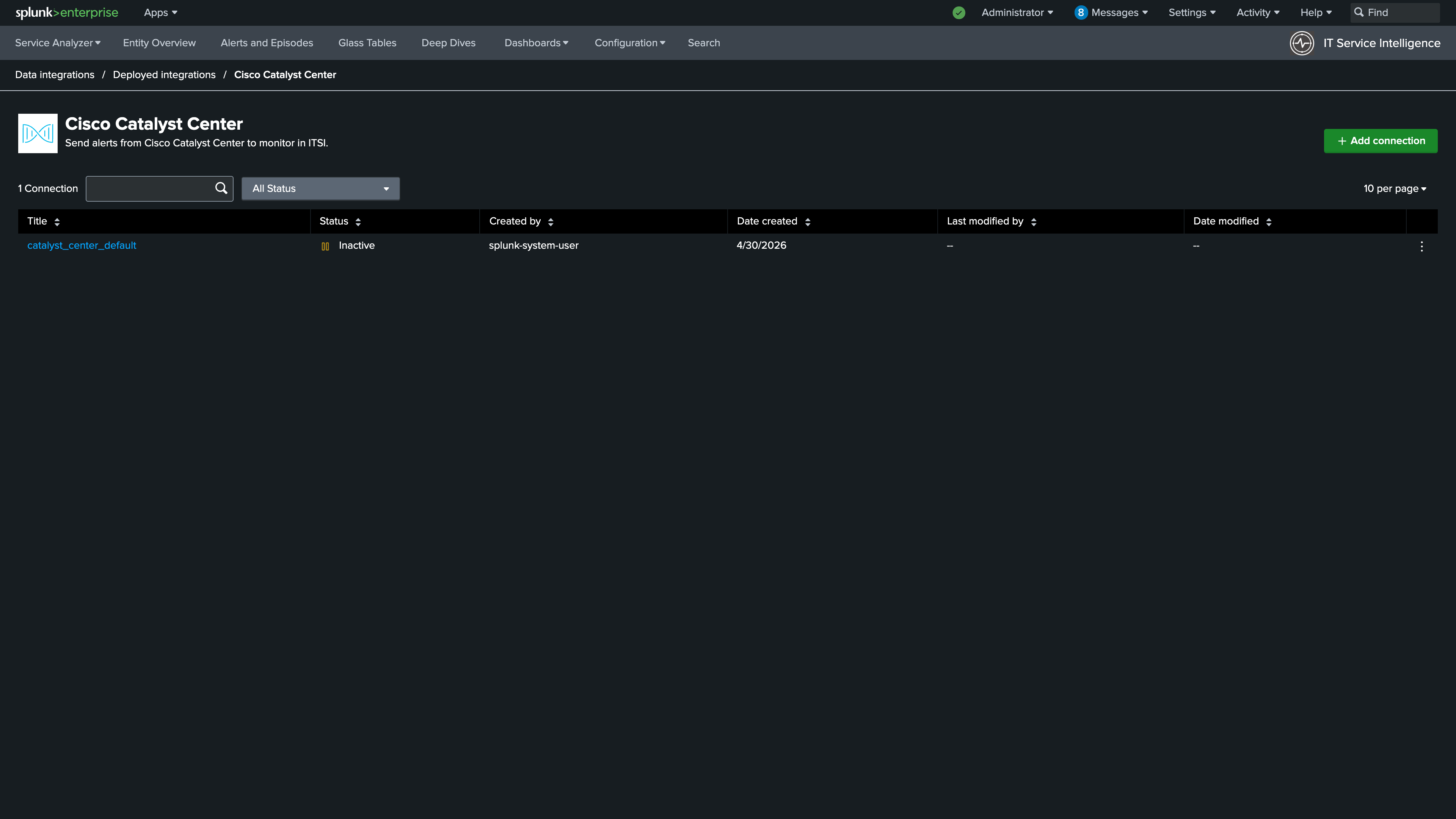
4. Enter Catalyst Center Alerts for the name. Use the following search:
Use the time picker to select Last 15 minutes
5. Set the Lookback period to 5 minutes. Click Validate
Note: If no events are found in the last 5 minutes, increase the Lookback to 60 minutes. Once your search returns results, be sure to set the Lookback period back to 5 minutes
Info
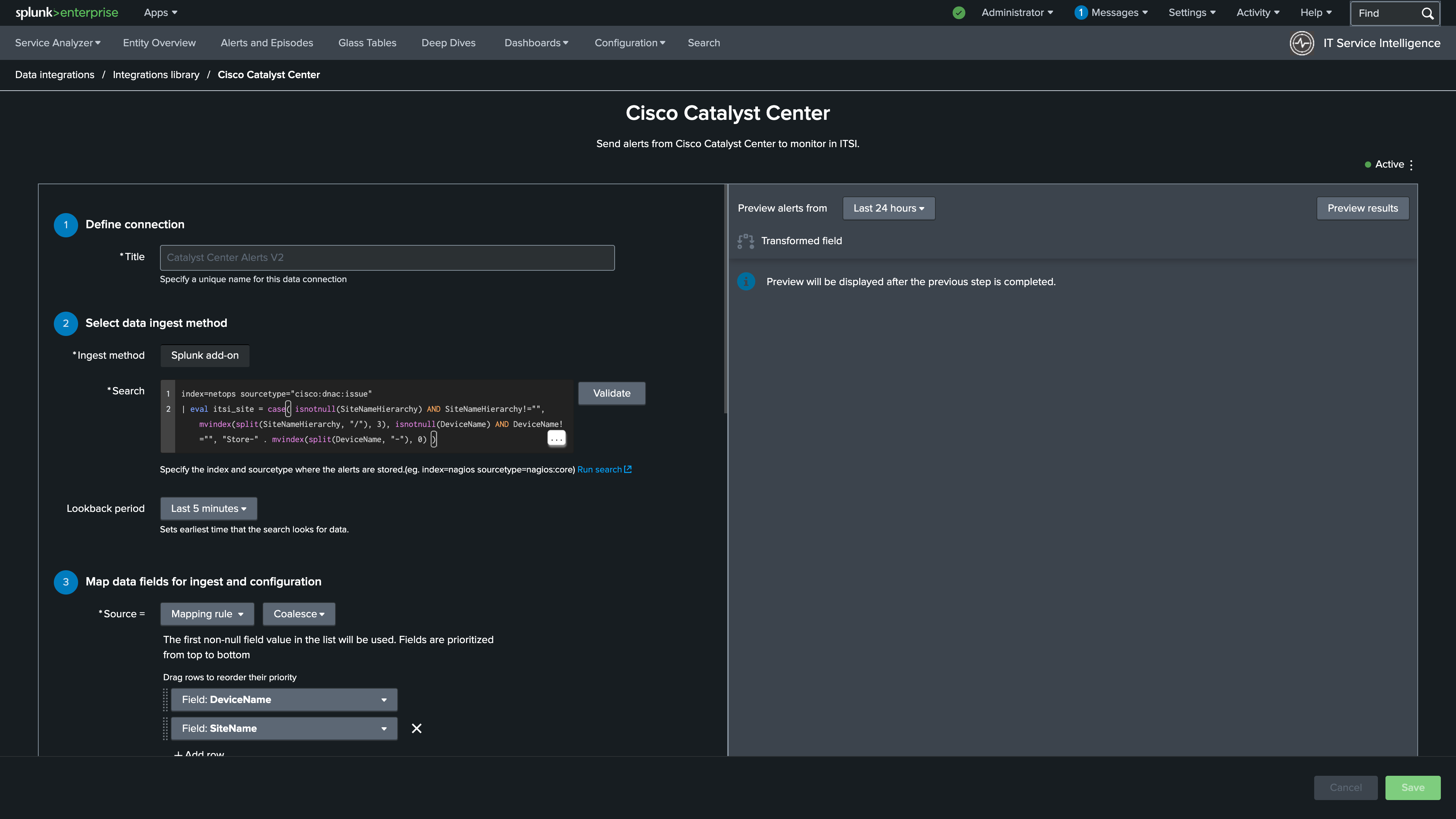
6. Update the Source to a Mapping rule using Coalesce for the type
7. Select DeviceName as the first field and SiteName as the second
8. Enter IssueSpecificEntityValue as the else use the default value field
Info
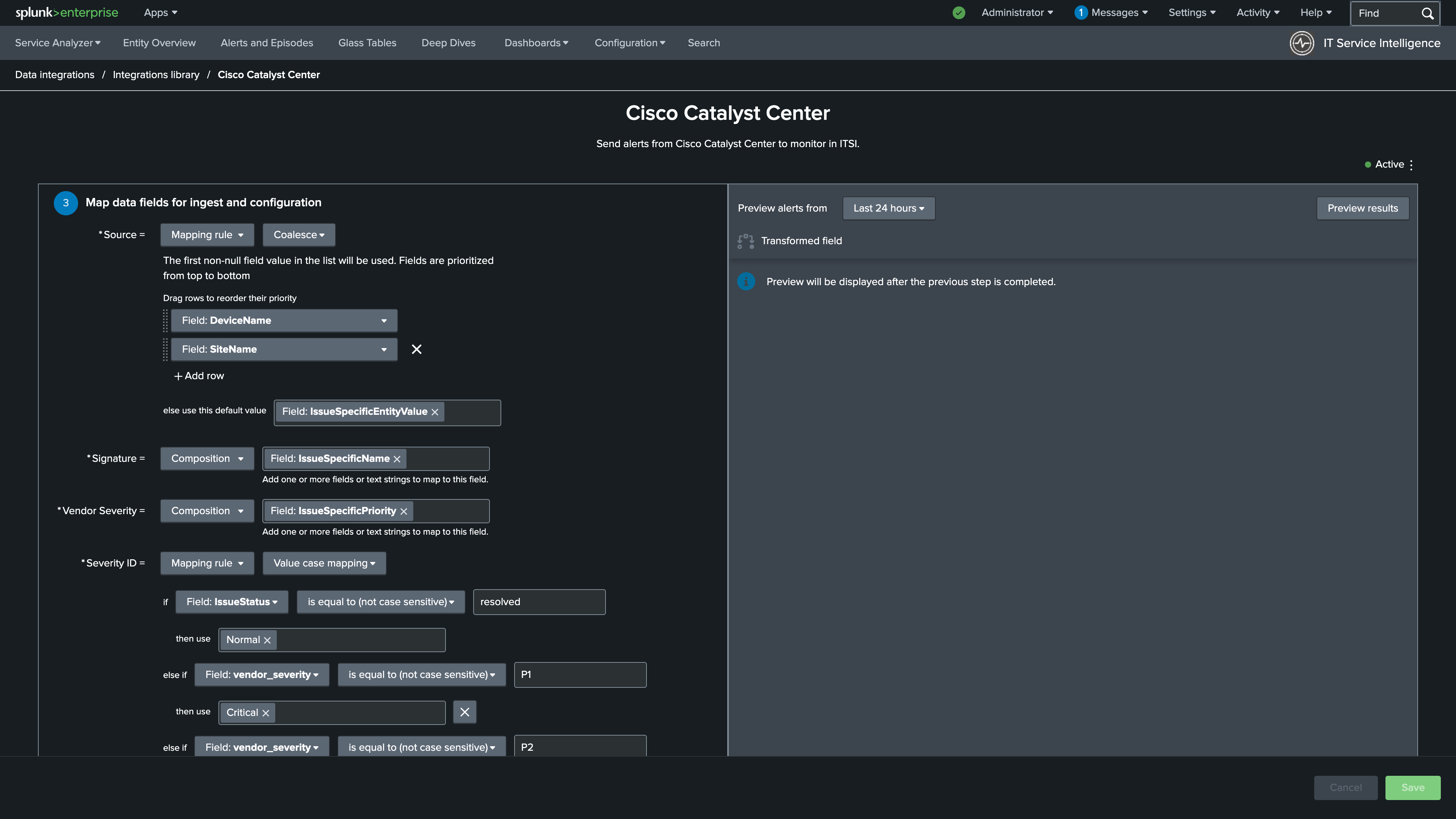
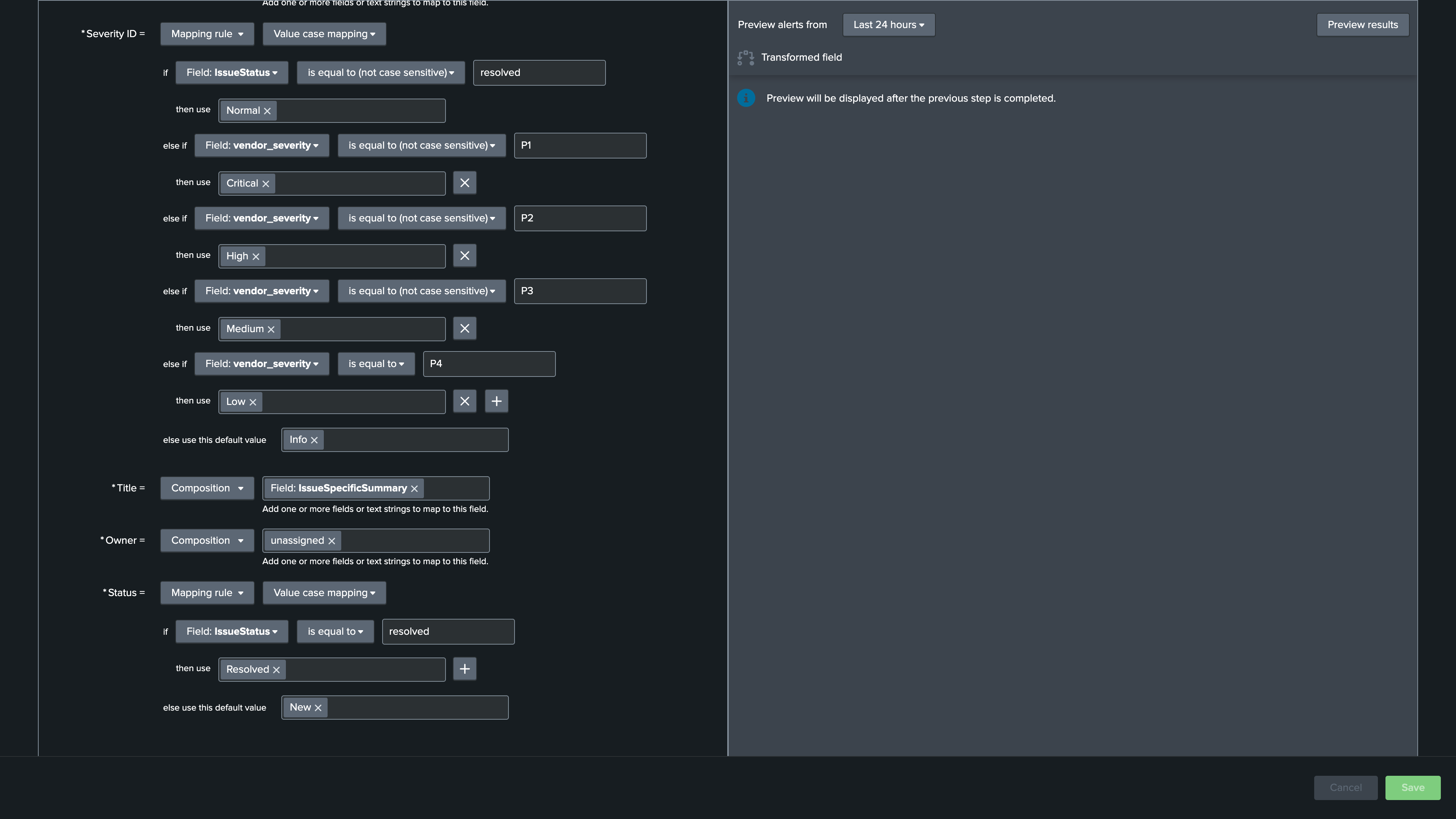
9. Update the Severity ID mapping to a Mapping rule using Value case mapping as the type
10. Set IssueStatus is equal to (not case sensitive) to resolved and then use to Normal
11. Map the following values for the remainder of the if statement:
vendor_severity is equal to (not case sensitive) to P1 and then use to Critical
vendor_severity is equal to (not case sensitive) to P2 and then use to High
vendor_severity is equal to (not case sensitive) to P3 and then use to Medium
vendor_severity is equal to (not case sensitive) to P4 and then use to Low
And finally, set else use this default value to Info
Info
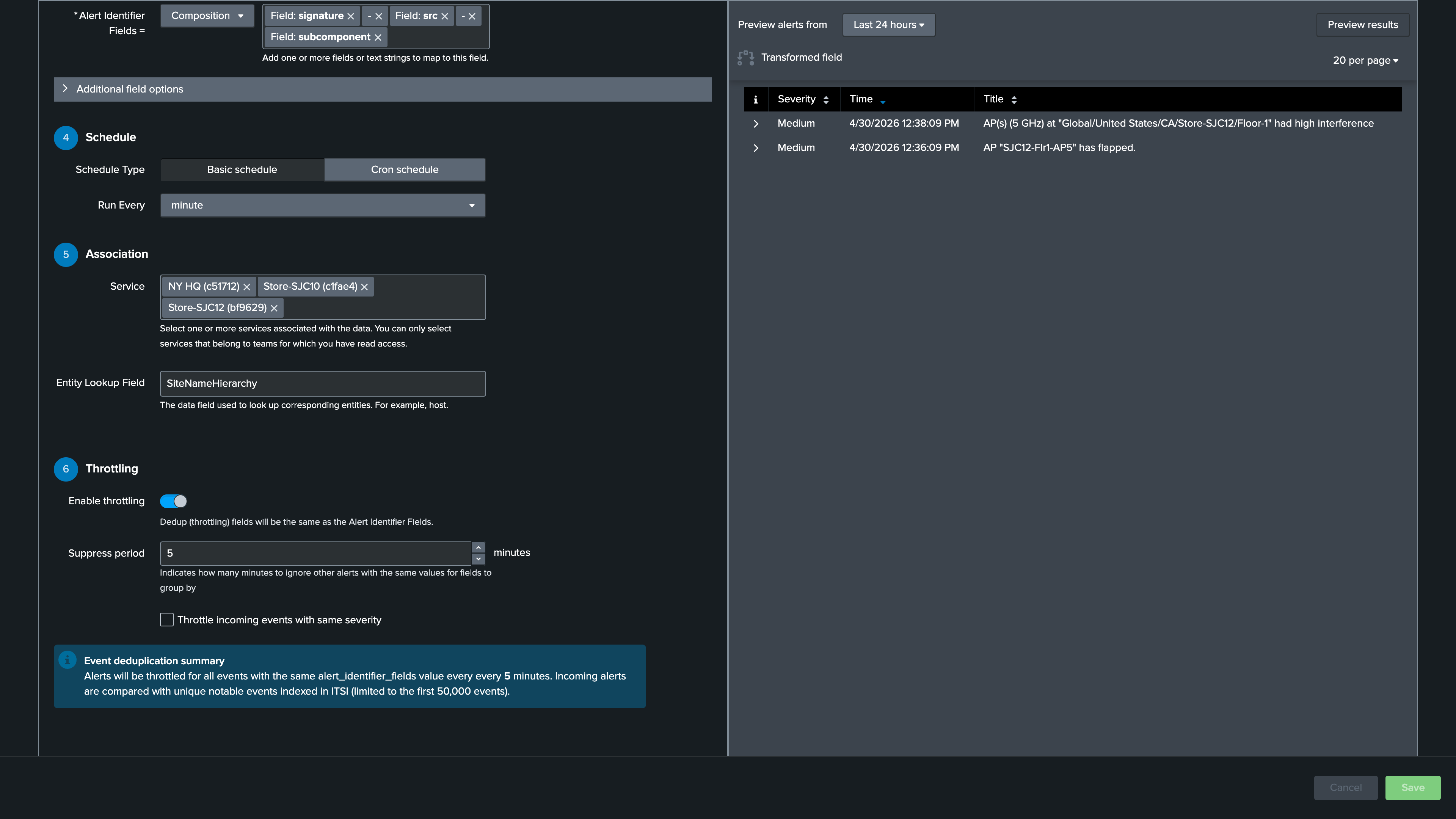
12. Update the subcomponent to itsi_site
13. * Change Run every to 1 minute
14. Add NY HQ, Store-SJC10, and Store-SJC12 to the Service Association section
15. Use SiteNameHierarchy for the Entity Lookup Field
16. Turn on the Enable throttling toggle
17. Set the Suppress period to every 5 minutes
18. Click Preview Results in the upper right (Note: You may not get results in the preview. We will review the events during the Create a custom NEAP section)
19. Click Save and Activate
Info
Nice Job!
In the next section you’ll add SolarWinds as a second alert source so ITSI can correlate events from both vendors.