ITSI Service and KPI Review
5 minutes Authors Chris Putnam, Sam Scudere-Weiss, & Tim HardExercise: Review Services and Episodes
Info
Service Insights in IT Service Intelligence (ITSI) represents the mapping and monitoring of business and technical services within your organization. Within ITSI, a service is a set of interconnected applications and hosts configured to offer a specific service to the organization. ITSI Service Insights helps you map these service dependencies based on a connection between devices and applications, so you can immediately see the impact of a problematic object on the rest of the service operation.
1. Navigate to the ITSI Service Analyzer > Default Service Analyzer. You should see the services you imported
2. Edit the Analyzer name to Network Health by Location
Info
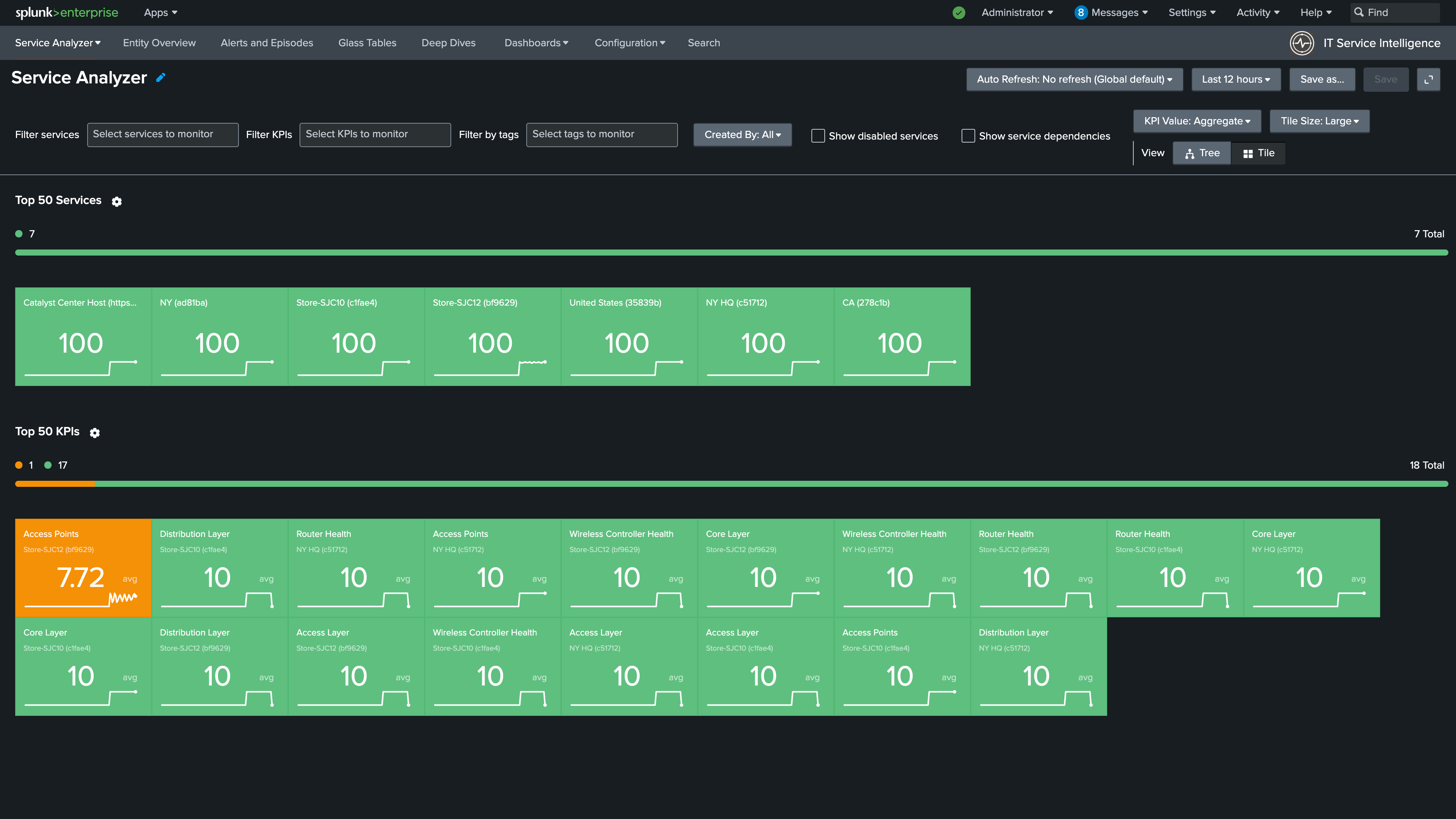
3. Click Tree on the right side
4. Add United States to Filter Services
5. Set the timeframe to Last 1 hour and Auto Refresh to 1 minute
Info
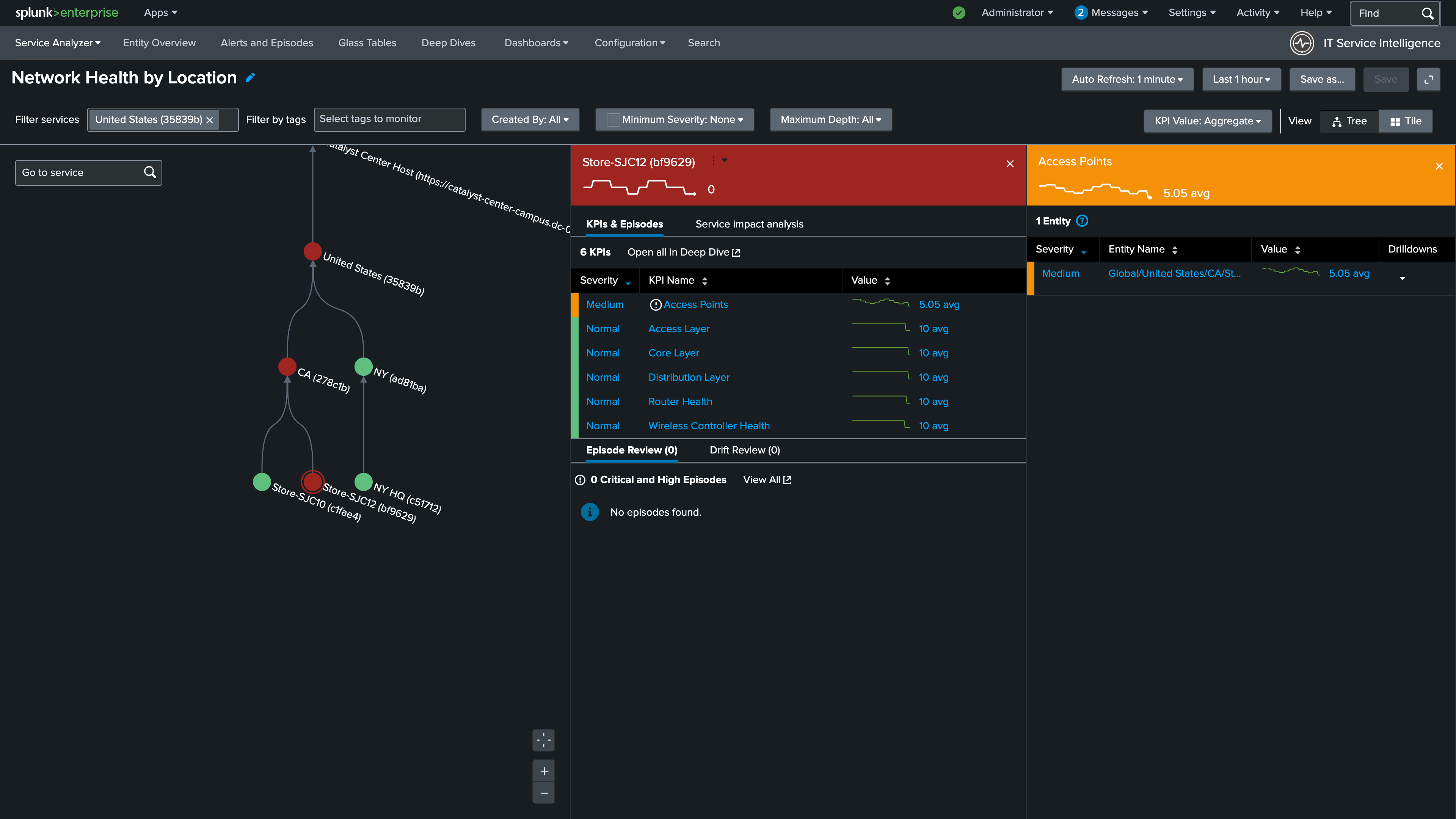
6. Click Save. The view should be identical to the graphic below
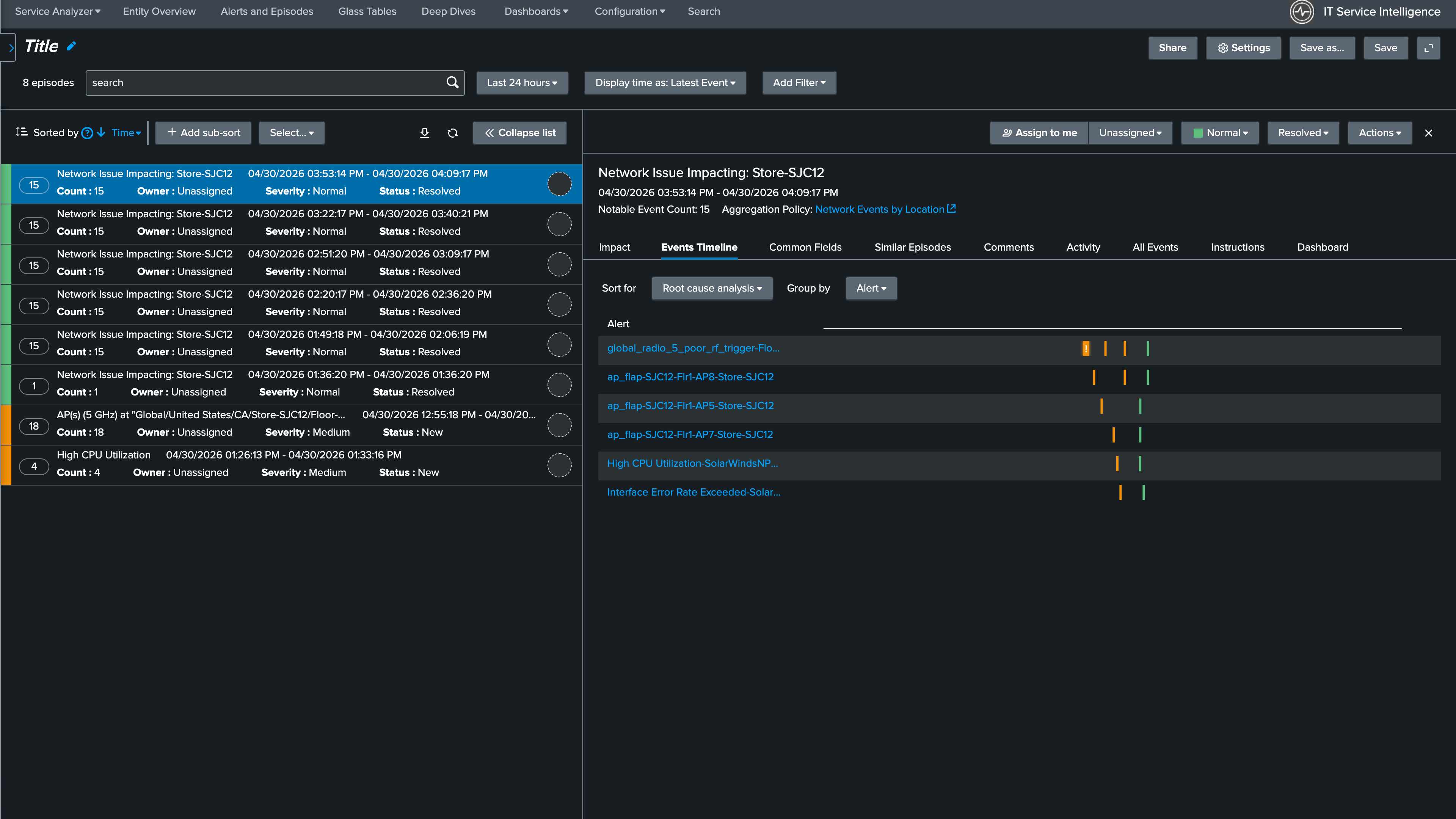
7. Click Alerts and Episodes
8. Select the most recently created episode
9. In the Episode details confirm that the Aggregation Policy used was the NEAP you created in the previous step
Info
Nice Job!
Continue to the next section to walkthrough this scenario.