

Advanced Synthetics
Edit test steps
To edit the steps click on the button. From here, we are going to give meaningful names to each step.
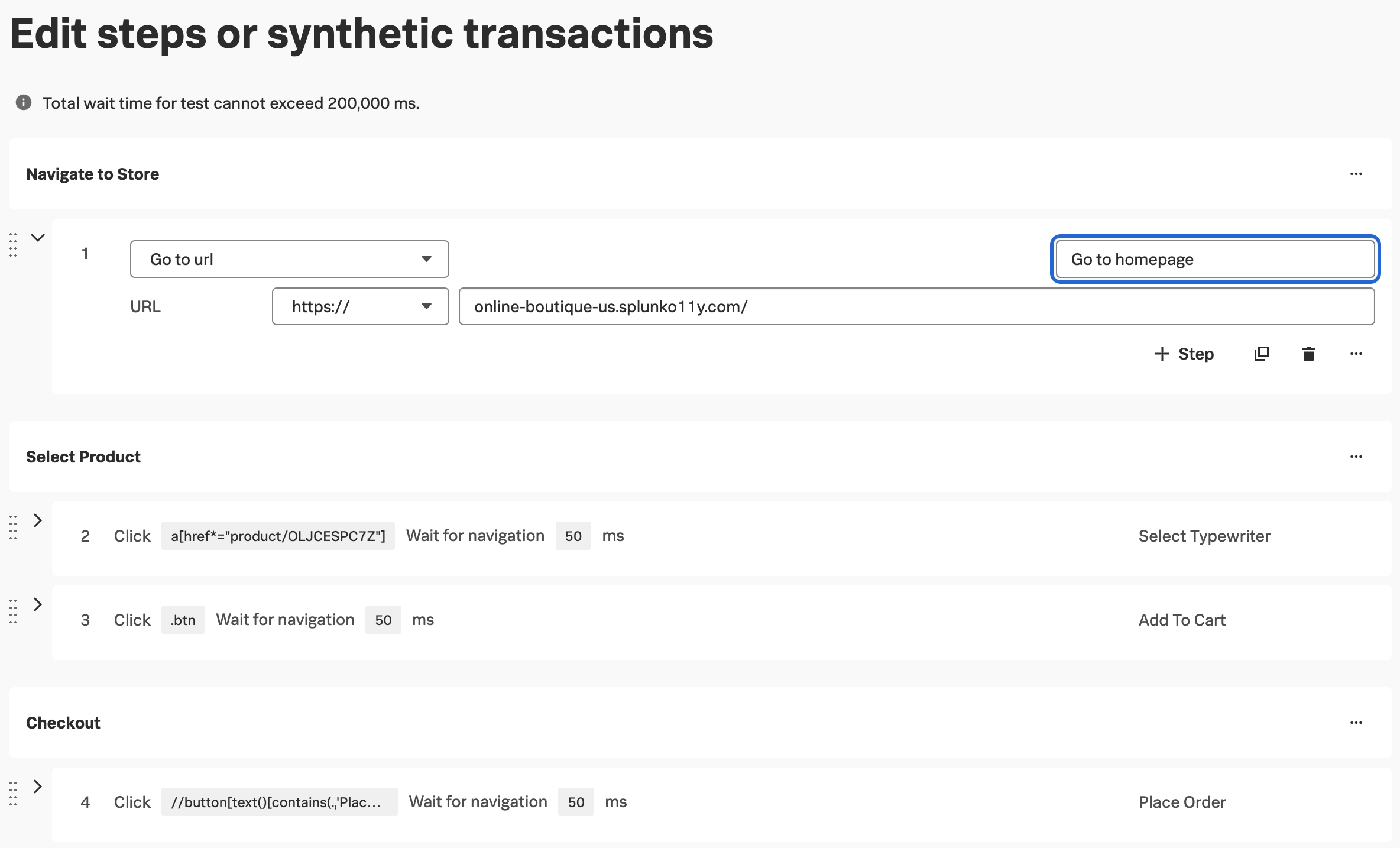
For each step, we are going to give them a meaningful, readable name. That could look like:
- Step 1 replace the text Go to URL with Go to Homepage
- Step 2 enter the text Select Typewriter.
- Step 3 enter Add to Cart.
- Step 4 enter Place Order.
Note
If you’d like, group the test steps into Transactions
and edit the transaction names as seen above. This is especially useful for Single Page Apps (SPAs), where the resource waterfall is not split by URL. We can also create charts and alerts based on transactions.
Click to return to the test configuration page and click to save the test.
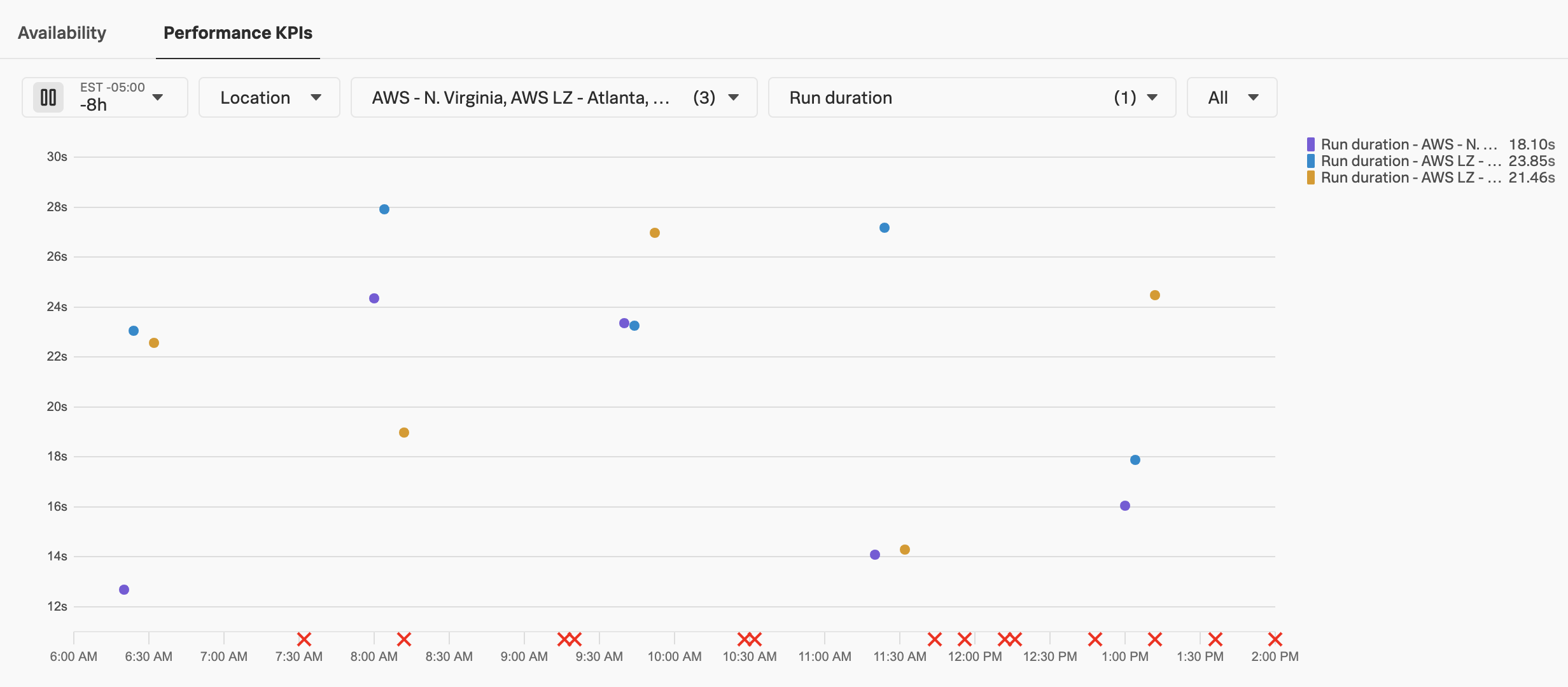
You will be returned to the test dashboard where you will see test results start to appear.
Congratulations! You have successfully created a Real Browser Test in Splunk Synthetic Monitoring. Next, we will look into a test result in more detail.