3. APM Tag Spotlight
Exercise
- To view the tags for the wire-transfer-service click on the wire-transfer-service and then click on Tag Spotlight in the right-hand side functions pane (you may need to scroll down depending upon your screen resolution).* Once in Tag Spotlight ensure the toggle Show tags with no values is off.
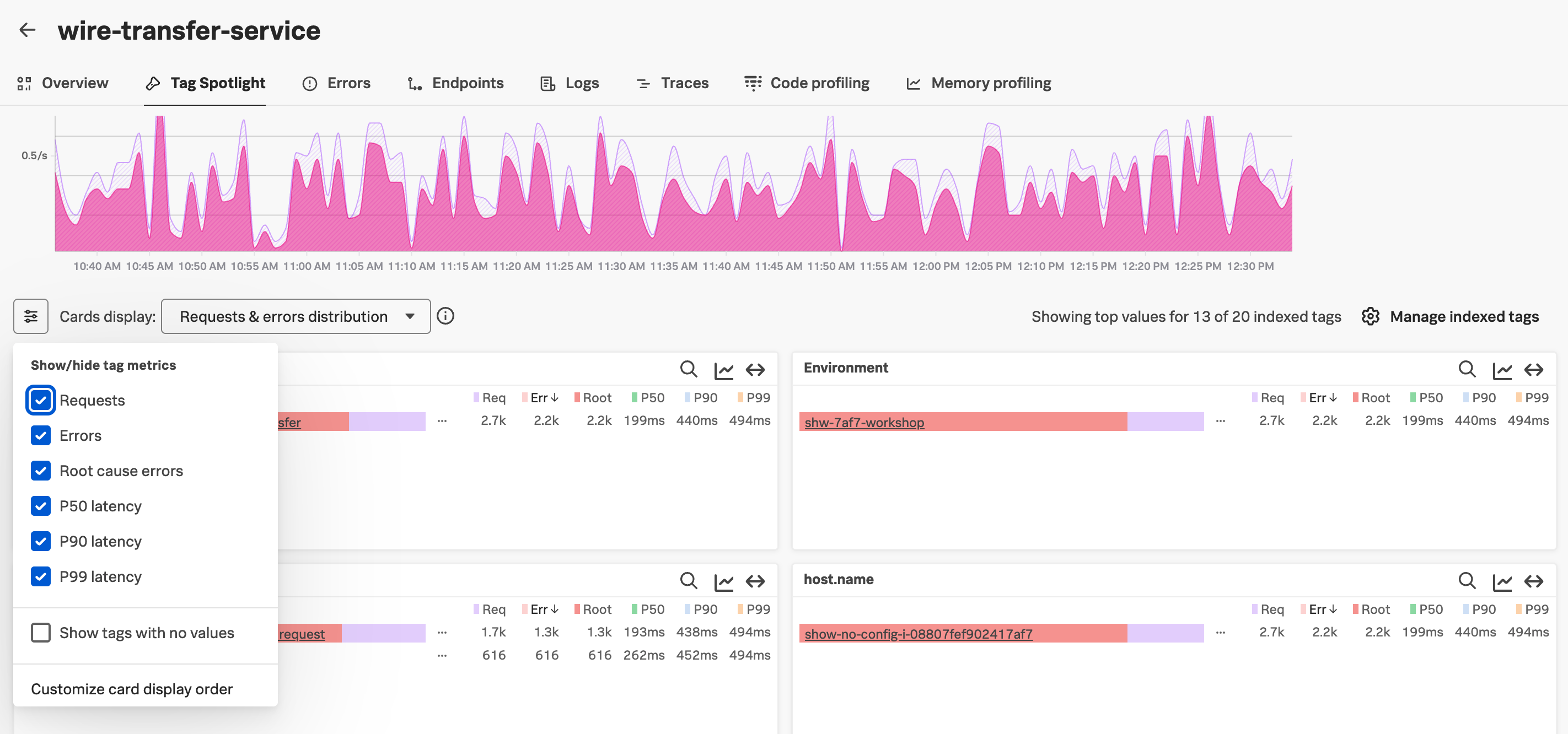
The views in Tag Spotlight are configurable for both the chart and cards. The view defaults to Requests & Errors.
It is also possible to configure which tag metrics are displayed in the cards. It is possible to select any combinations of:
- Requests
- Errors
- Root cause errors
- P50 Latency
- P90 Latency
- P99 Latency
Also ensure that the Show tags with no values toggle is unchecked.
Scroll through the cards and get familiar with the tags provided by the wire-transfer-service’s telemetry.
Exercise
Which card exposes the tag that identifies what the problem is?
The version card. The number of requests against v350.10 matches the number of errors i.e. 100%
Now that we have identified the version of the wire-transfer-service that is causing the issue, let’s see if we can find out more information about the error. Press the back button on your browser to get back to the Service Map.