

Application Security
Unified Visibility
Why Unified Visibility Matters #
When reliability and security live in separate tools, prioritization conversations stall. SREs ask what broke? while AppSec asks what is exploitable? and neither view shows services that are simultaneously unhealthy and high-risk.
Splunk Secure Application surfaces vulnerability and attack summaries alongside golden signals on APM Overview, Service Map, and the per-service Application Security workspace. Engineering, application security, and SecOps can share one runtime view without a duplicate agent or workflow.
Security posture on APM Overview #
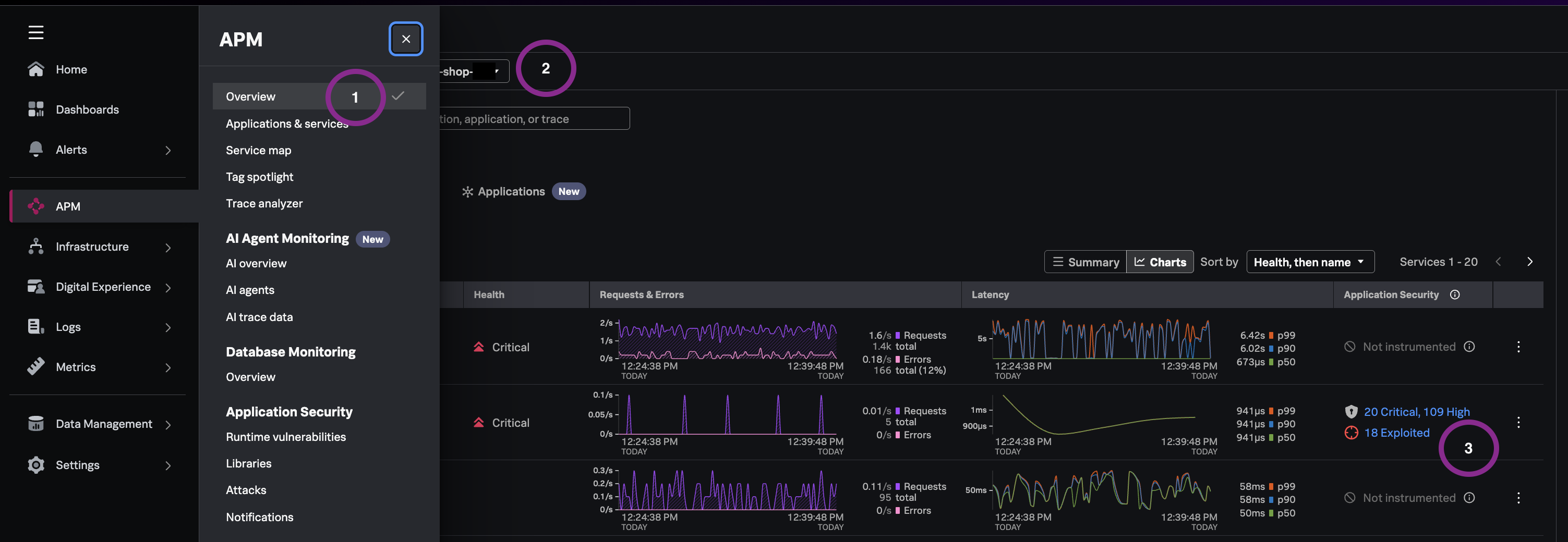
We are bringing security together with reliability, allowing teams to review Application Security risks in the same place they understand application performance and behavior
Exercise
- Navigate to APM → Overview.
- Set the environment filter to ‘astronomy-shop-*’.
- Scroll to the Services tab.
Observe each service row: alongside standard health metrics, you should see runtime vulnerability and threat profile summaries for instrumented services- counts of critical and high CVEs and attacks.
Service Map runtime security widgets #
Visibility into a summarized view of the top vulnerabilities (CVE title, ID, CVSS score, libraries) and any attack activity (type and outcome)in a cenralized and correlated view of a service.
Exercise
- Navigate to APM → Service Map.
- Open the Services filter and select ‘ad’.
- Click the
adnode in the service map. - Scroll to the Runtime Vulnerabilities and Attacks widgets (right-hand side of screen).
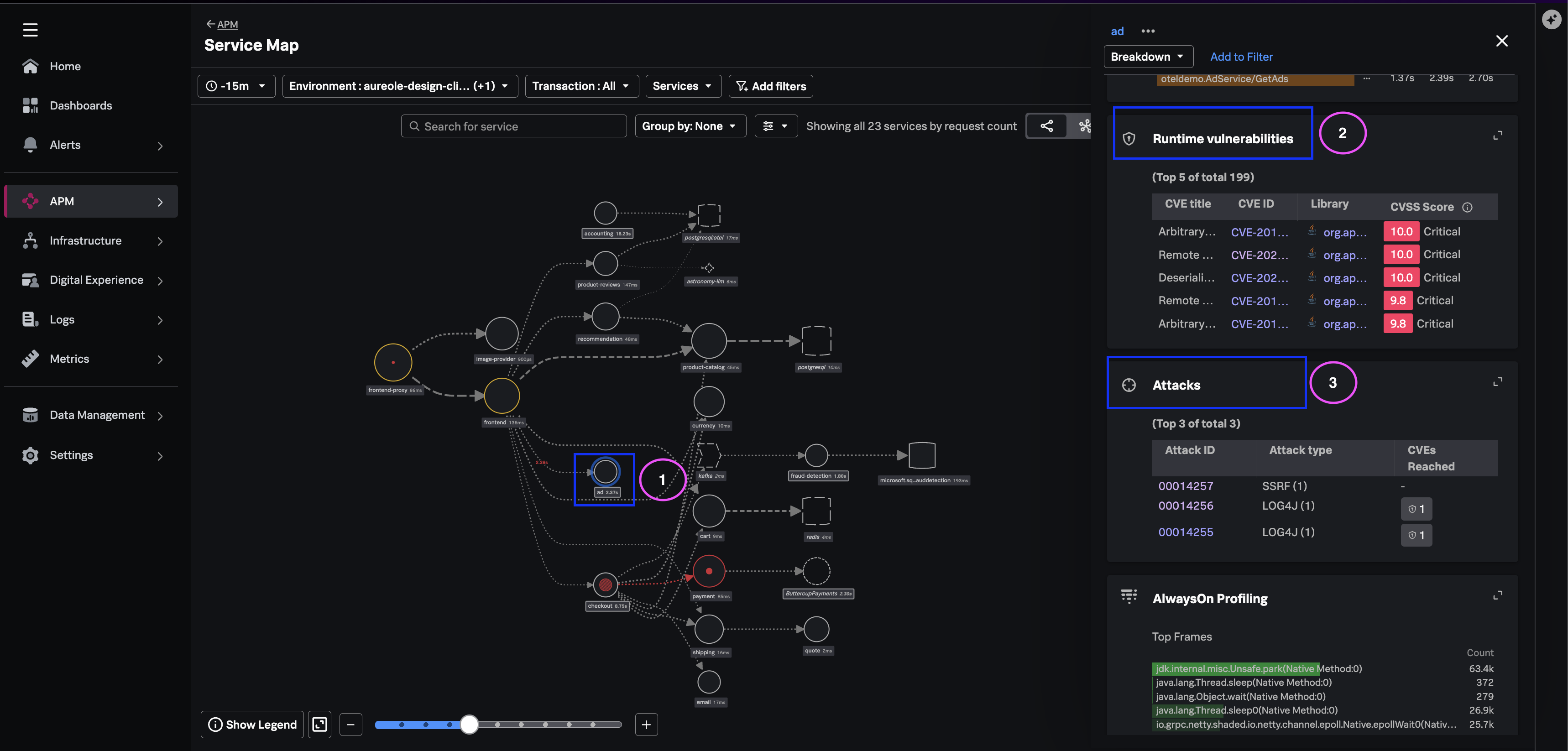
(Optional) - Drill into a vulnerability or attack detail (from the relevant widget) to review the navigation path.
Note
What you learned #
- How to correlate service health with vulnerability and threat profiles on APM Overview.
- How Service Map widgets frame security issues in topology context.
- How per-service Application Security keeps triage inside the APM workspace.