

Application Security
Runtime Vulnerabilities
Why a Single Inventory View Matters #
Standalone vulnerability scanners often report theoretical findings against code repositories or container images - not what is actually loaded in running JVMs and services. Teams export spreadsheets, cross-reference CMDB entries, and still lack confidence in production exposure.
Splunk Secure Application discovers vulnerabilities at runtime, correlated to deployed applications and the same APM context teams use for performance troubleshooting. A consolidated inventory answers the executive question: what is our application security risk exposure right now?
Accessing Vulnerabilities #
Exercise
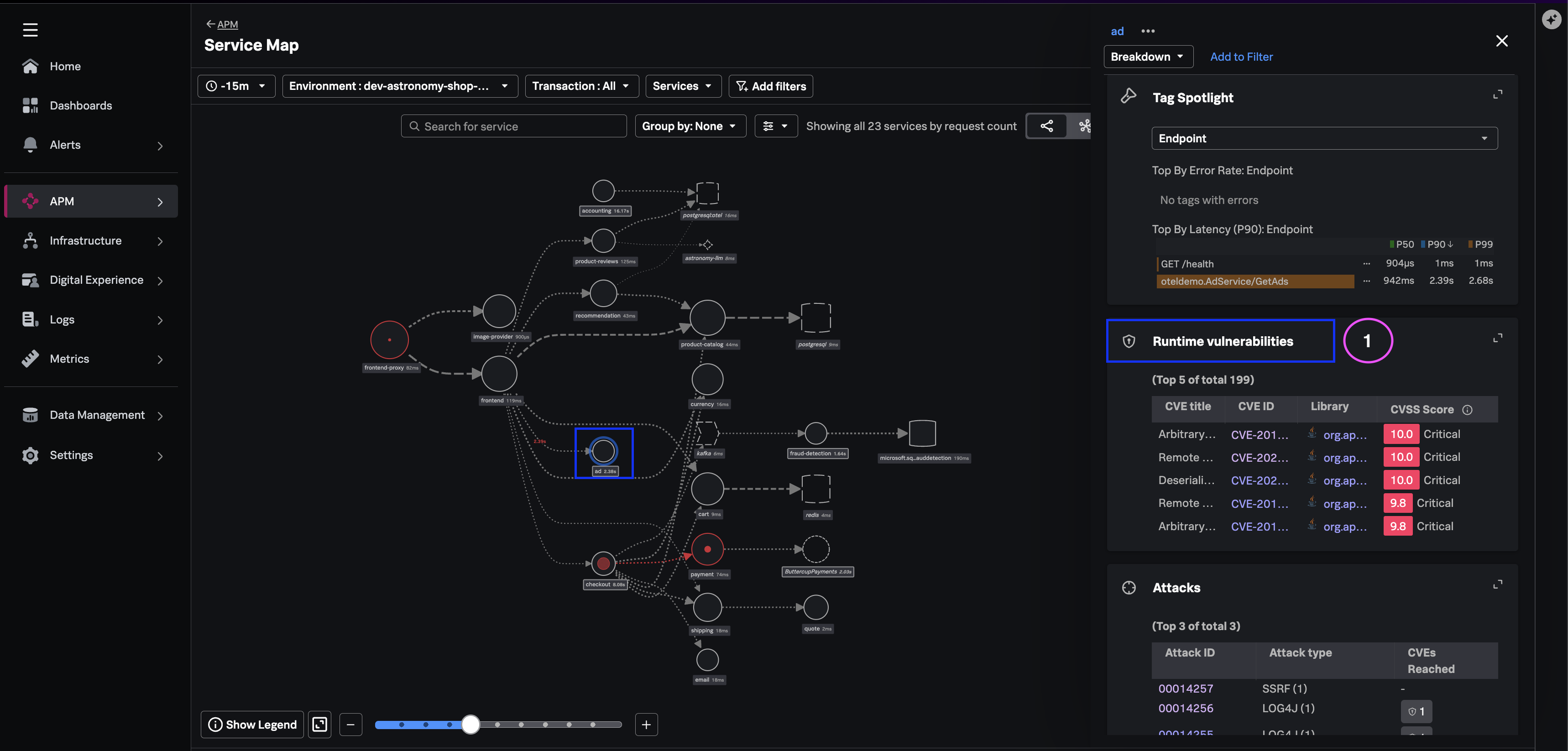
- Navigate to the Sevice-Map → Vulnerabilities Widget
- Click on the Runtime Vulnerabilities label to open the Vulnerabilities list
Stakeholder Views #
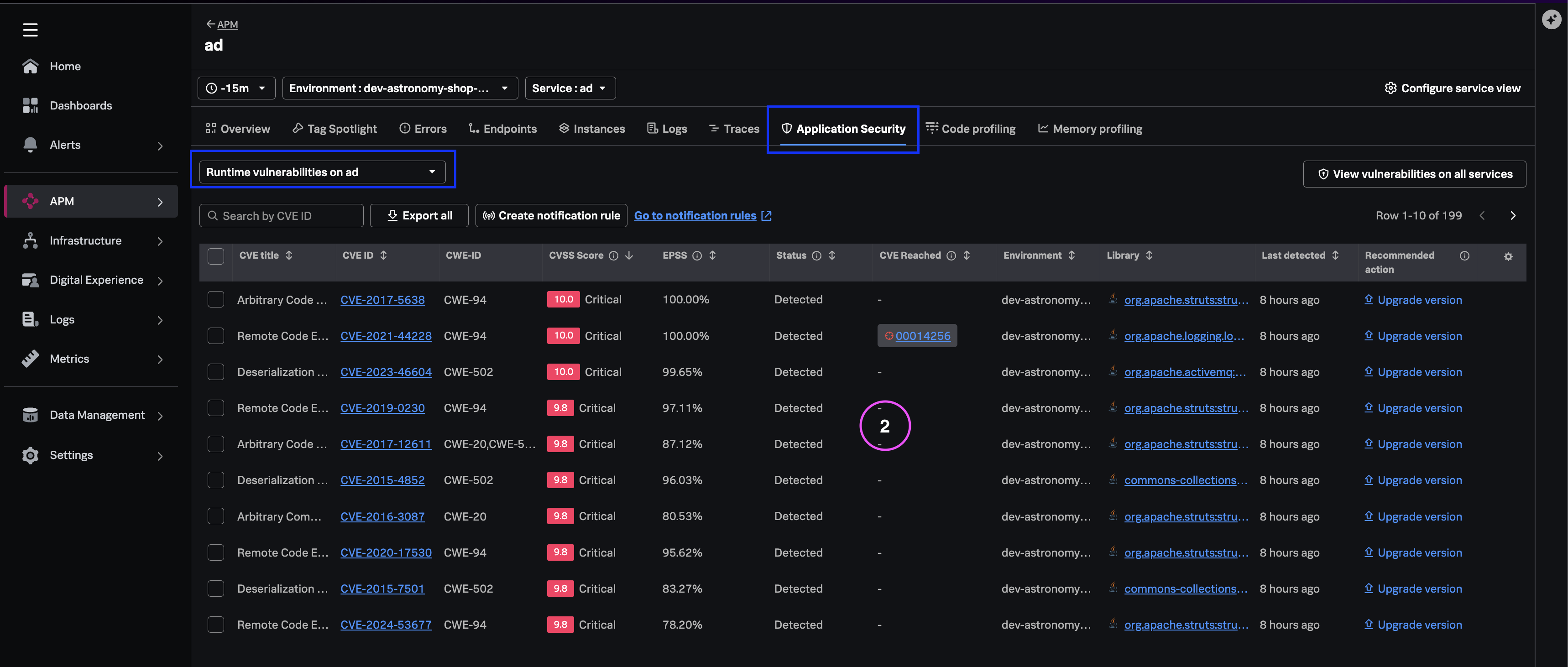
You will now see a list of vulnerabilities across the instrumented applications with the following details.
- **CVE ID** - Standard vulnerability identifier
- **CVSS Score** - Theoretical vulnerability severity score
- **EPSS Score** - Threat-informed score
- **Library** - vVulnerabile library identifier
- **Status** - Triage states (e.g., Detected, Fixed, Ignored)
- **Recommended action** - Remediation option for resolving the identified vulnerability
Note
You can search for a specific CVE if you have the details. You can also sort the list of vulnerabilities by CVSS Score to review CVEs by severity Critical, Medium or Low,
What you learned #
- How to access the service-level and org-wide runtime vulnerability inventory.
- How CVE, CVSS, status, and Threat Risk Score appear in one view.
- How contextualized runtime inventory reduces context switching versus standalone scanning tools.