3. Tag Spotlight
Exercise
- This dashboard displays all tags associated with the RUM data, key-value pairs automatically generated by the RUM instrumentation. Tags are used to filter data and build charts and tables. The Tag Spotlight view lets you drill down into individual user sessions.
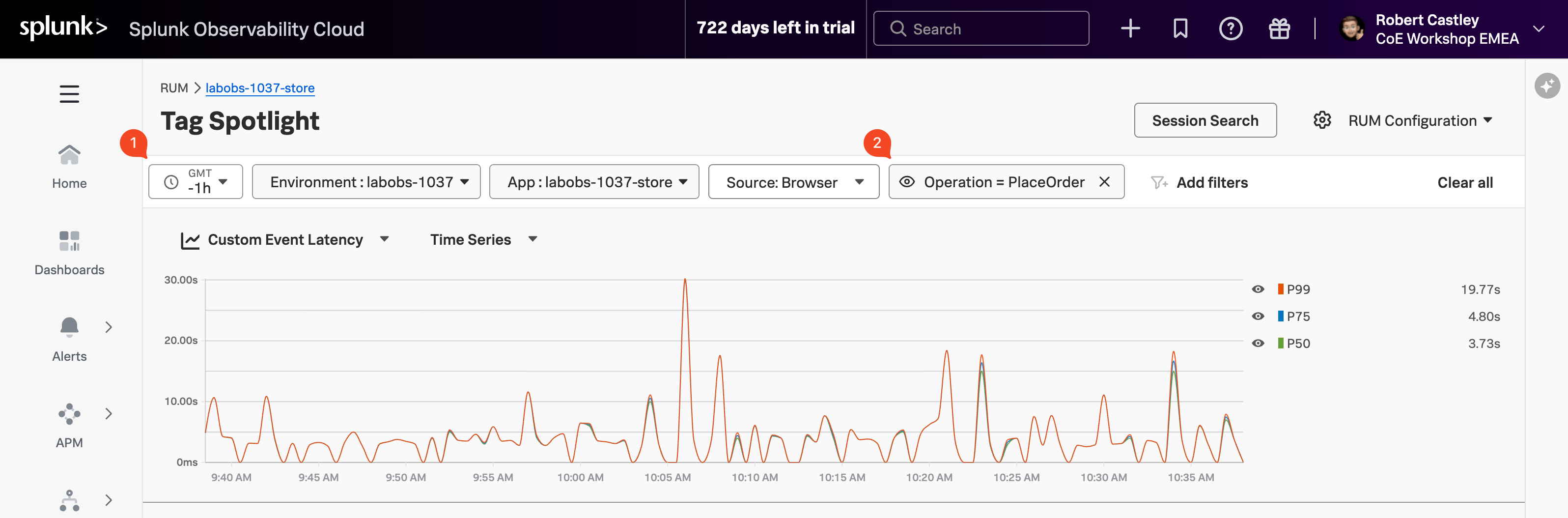
- Change the timeframe to Last 1 hour (1).
Find the Operation chart, locate PlaceOrder in the list, click on it and select Add to filter (2).
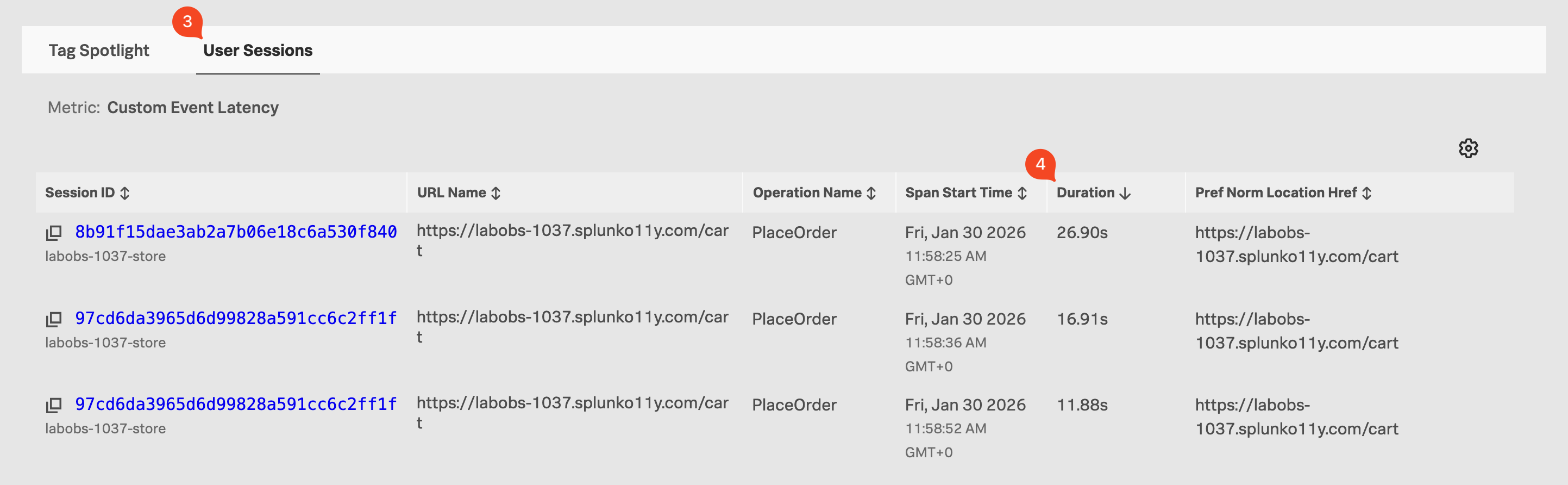
Click on the User Sessions tab (3).
Click on the Duration heading twice to sort the sessions by duration (longest at the top) (4).
We now have a User Session table sorted by longest duration (descending), showing users who have been shopping on the site. We could apply more filters to further narrow down the data, e.g. OS version, browser version, etc.