4. User Sessions
A User Session in RUM represents a single user’s complete interaction with your web application from the moment they arrive until they leave or become inactive. Each session captures a timeline of all page views, user interactions (clicks, scrolls, form submissions), network requests, errors, and performance metrics.
Sessions are identified by a unique Session ID and include metadata such as browser type, device, geographic location, and custom tags. This allows you to replay and analyze the exact experience a specific user had, making it invaluable for troubleshooting issues, understanding user behavior, and identifying performance bottlenecks.
Exercise
- In the User Sessions table, click on the Session ID with the longest Duration (over 15 seconds or longer). This will take you to the RUM Session view.
- Note the length of the span PlaceOrder, this is the time it took to complete the order. Not good!
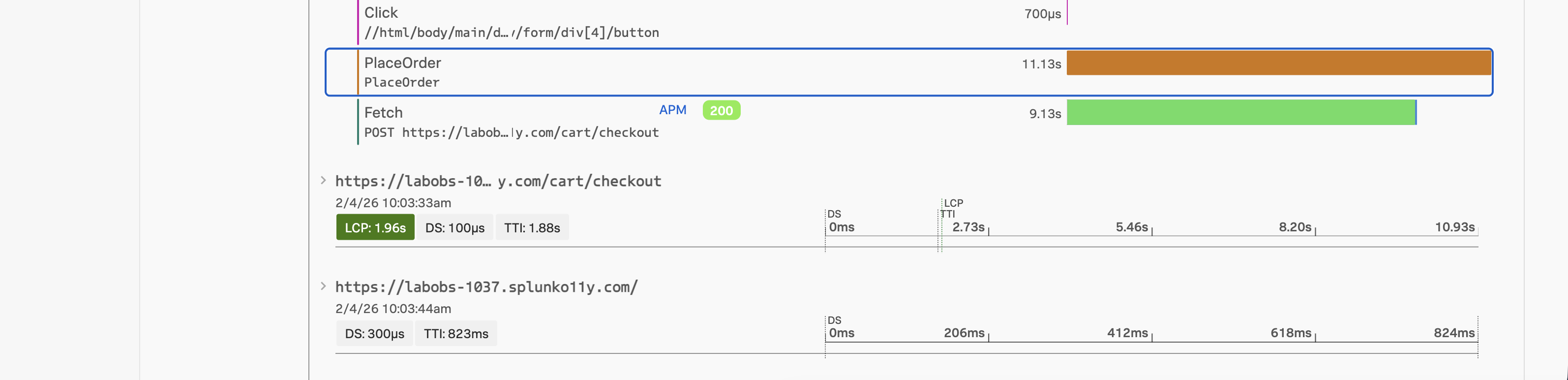
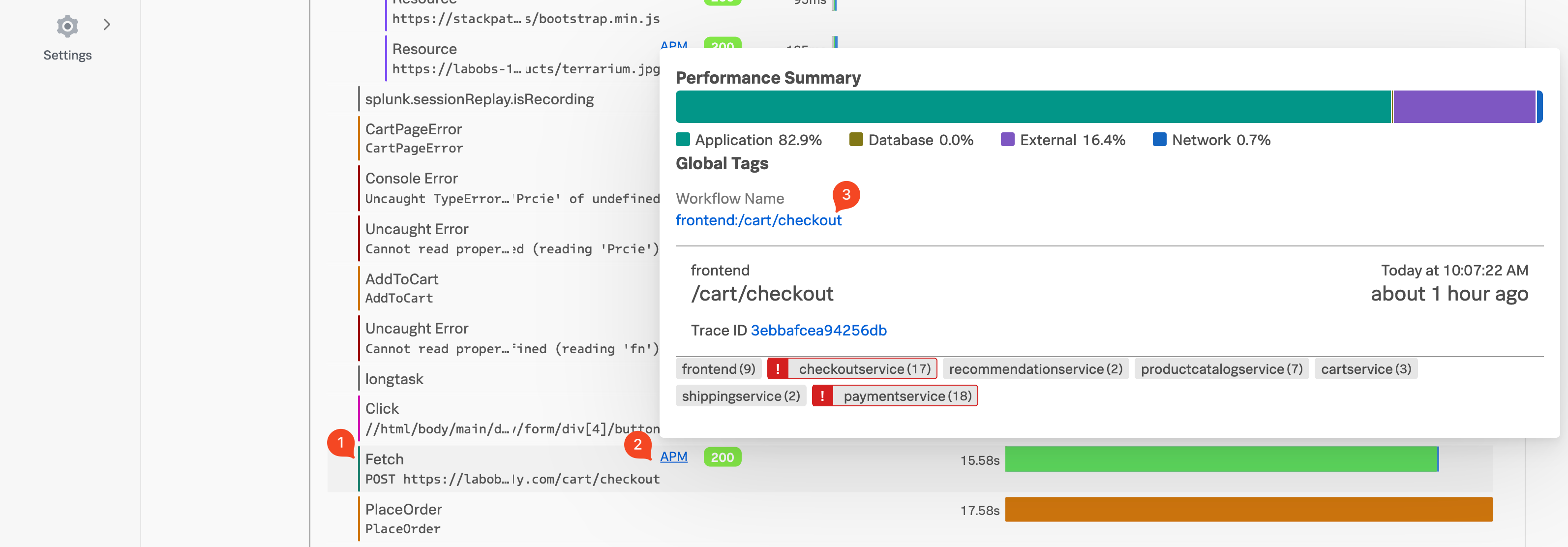
- Look for the Fetch (1) which will be either above or below the PlaceOrder span.
- It will look something like
POST https://labob...y.com/cart/checkout.
- It will look something like
- Hover over the blue APM (2), after a few seconds a popup will appear.
- You will see paymentservice and checkoutservice are in an error state as per the screenshot above.
- Under Workflow Name click on
front-end:/cart/checkout(3), this will bring up the APM Service Map. Here we will investigate the backend services and their dependencies to identify the root cause of the issue.