3. APM Tag Spotlight
Exercise
- Once in Tag Spotlight ensure the toggle Show tags with no values is off.
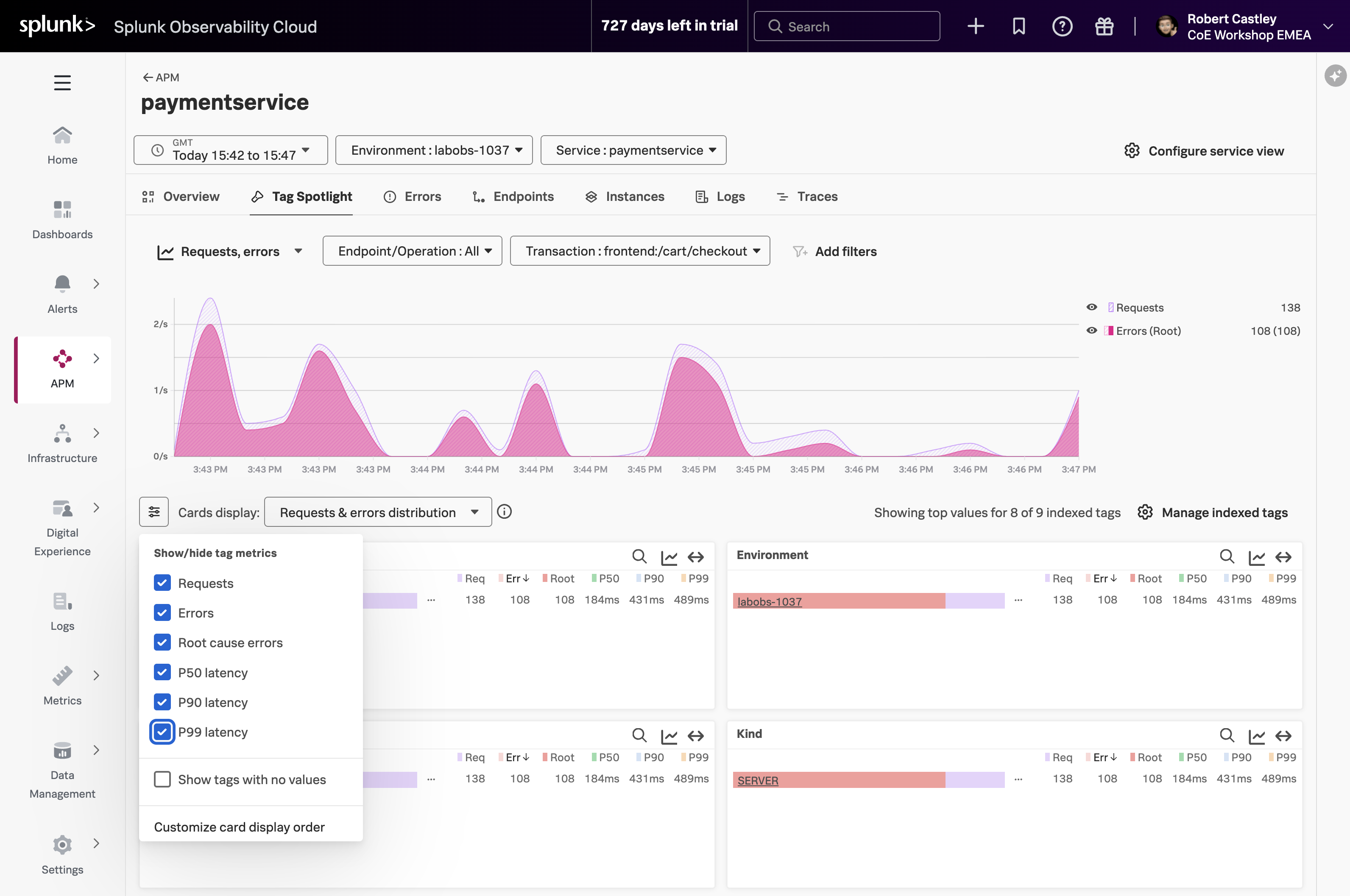
- This view displays a series of cards, each representing an indexed tag (such as Endpoint, Environment, Version, or custom tags like tenant.level). Within each card, you can see the distribution of tag values along with key metrics including request count, error count, root cause errors, and latency percentiles (P50, P90, P99).
Which card exposes the tag that identifies what the problem is?
The version card. The number of requests against v350.10 matches the number of errors i.e. 100%
- Now that we have identified the tag that indicates the issue, let’s see if we can find out more information about the error.
- Click the APM link above paymentservice at the top of the page to return to the APM Overview.
- In APM Overview, click on Service Map in the right-hand pane.