

Digital Experience (Synthetics)
3. Synthetics to APM
- In the waterfall find an entry that starts with POST checkout. If you don’t see that, go back and select another failed run result from the Run results page.
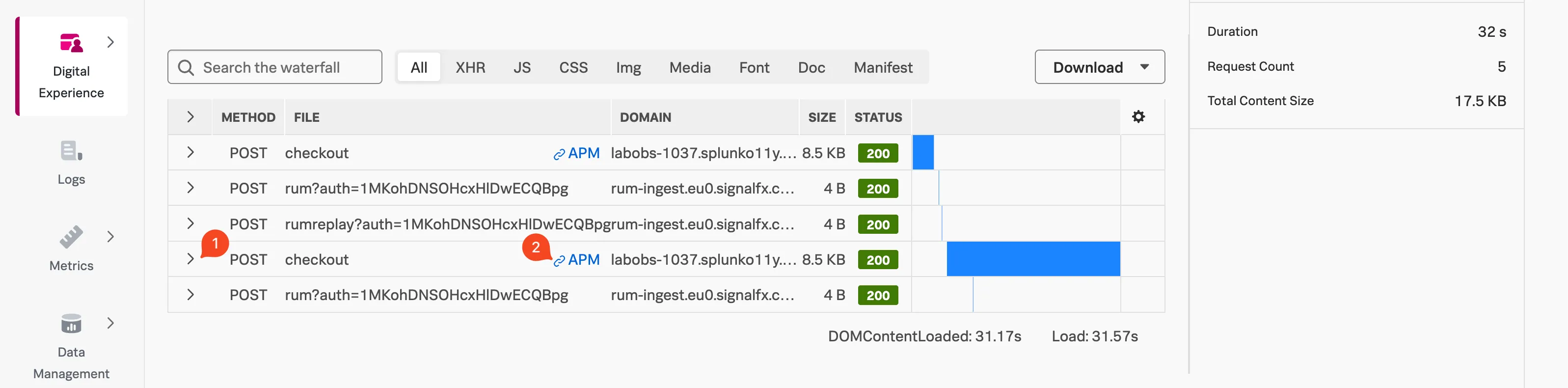
- Click on the > (1) to open the metadata section. Observe the metadata that is collected, and note the server-timing header under Response Headers. This header is what allows us to correlate the test run to a back-end trace.
- Click on the blue APM (2) link on the POST checkout line in the waterfall.
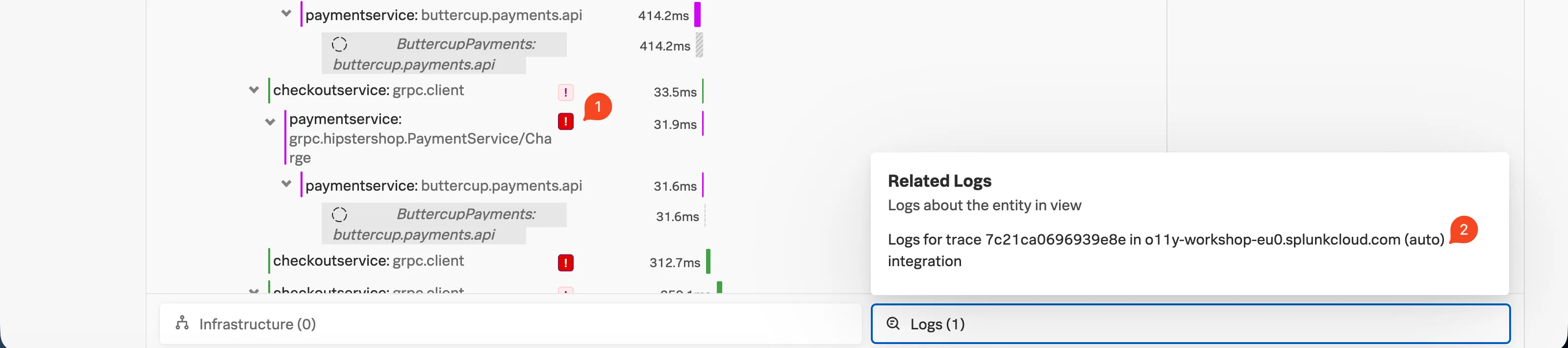
- Validate you see one or more errors for the paymentservice (1).
- To validate that it’s the same error, click on the related content for Logs (2).
- Repeat the earlier exercise to filter down to the errors only.
- View the error log to validate the failed payment due to an invalid token.