Build a Distributed Trace in Lambda and Kinesis
Redeploy Lambdas
Re-deploy your Lambdas #
While remaining in your manual directory, run the following commandd to re-deploy your Lambda Functions:
sls deploy -f producerDeploying function producer to stage dev (us-east-1)
✔ Function code deployed (6s)
Configuration did not change. Configuration update skipped. (6s)sls deploy -f consumerDeploying function consumer to stage dev (us-east-1)
✔ Function code deployed (6s)
Configuration did not change. Configuration update skipped. (6s)Note that this deployment now only updates the code changes within the function. Our configuration remains the same.
Check the details of your serverless functions:
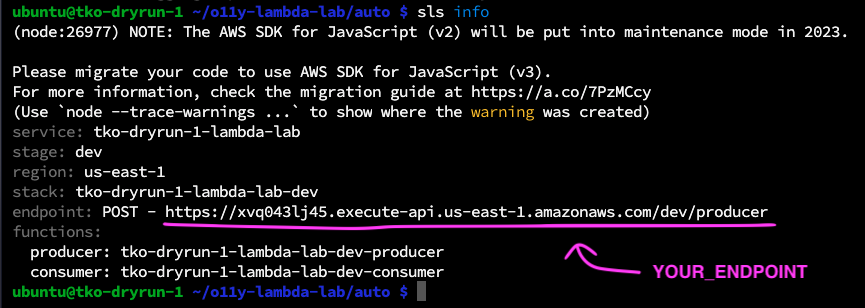
sls infoYou endpoint value should remain the same:
Send some Traffic again #
Use the curl command to send a payload to your producer function. Note the command option -d is followed by your message payload.
Try changing the value of name to your name and telling the Lambda function about your superpower. Replace YOUR_ENDPOINT with the endpoint from your previous step.
curl -d '{ "name": "CHANGE_ME", "superpower": "CHANGE_ME" }' YOUR_ENDPOINTFor example:
curl -d '{ "name": "Kate", "superpower": "Distributed Tracing" }' https://xvq043lj45.execute-api.us-east-1.amazonaws.com/dev/producerYou should see the following output if your message is successful:
{"message":"Message placed in the Event Stream: hostname-eventSteam"}If unsuccessful, you will see:
{"message": "Internal server error"}If this occurs, ask one of the lab facilitators for assistance.
If you see a success message, generate more load: re-send that messate 5+ times. You should keep seeing a success message after each send.
Check the lambda logs output:
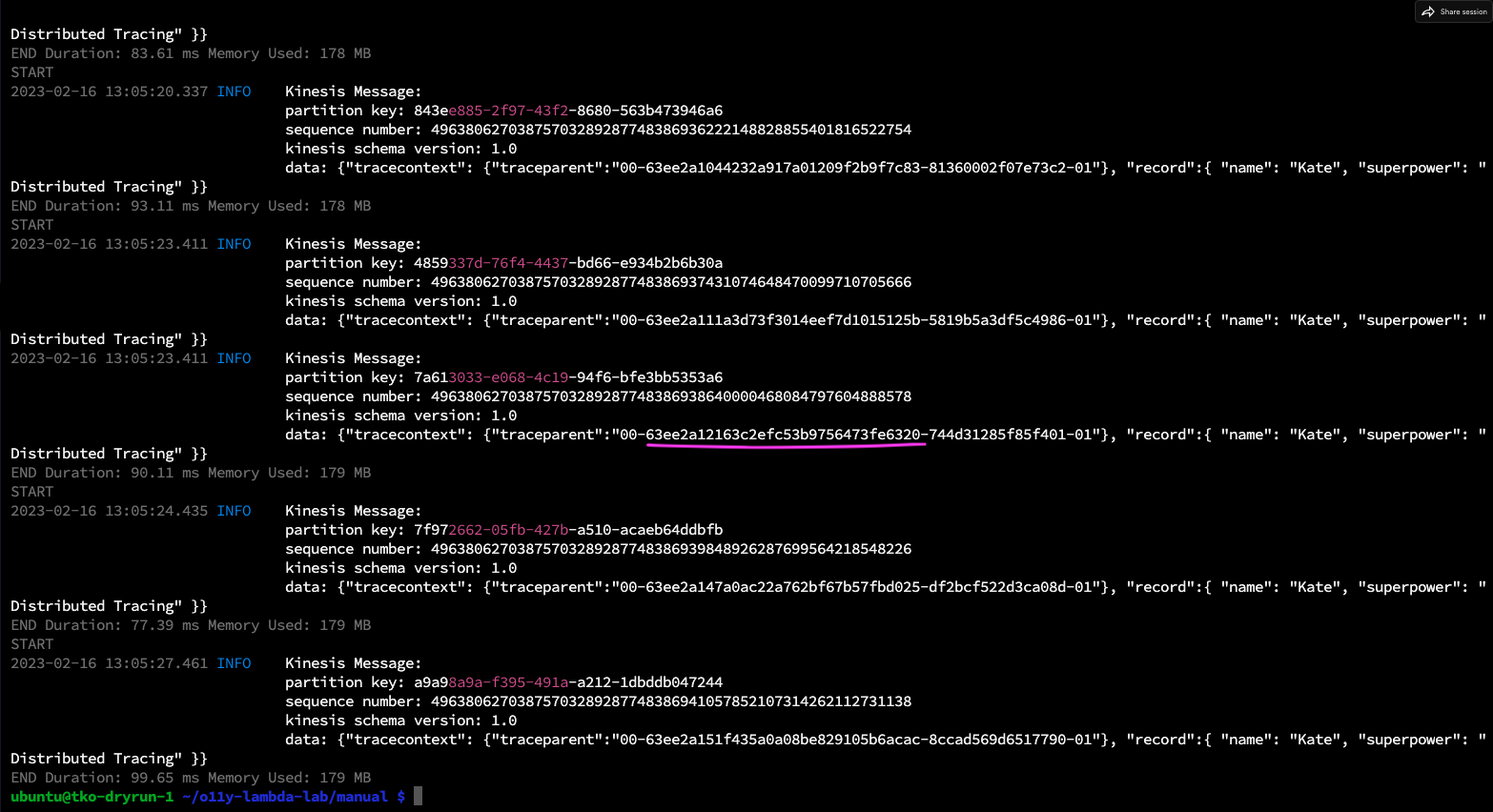
sls logs -f producersls logs -f consumerExamine the logs carefully.
Workshop Question
Note that we are logging our Record together with the Trace context that we have added to it. Copy one of the underlined sub-sections of your trace parent context, and save it for later.