

Workshop Setup
Using SWiPE
Configure your Org using SWiPE #
Important
SWiPE does not provision EC2 instances. These instances are provisioned separately using Splunk Show.
SWiPE is an online tool designed to help you configure a workshop environment in Splunk Observability Cloud. You can access SWiPE here .
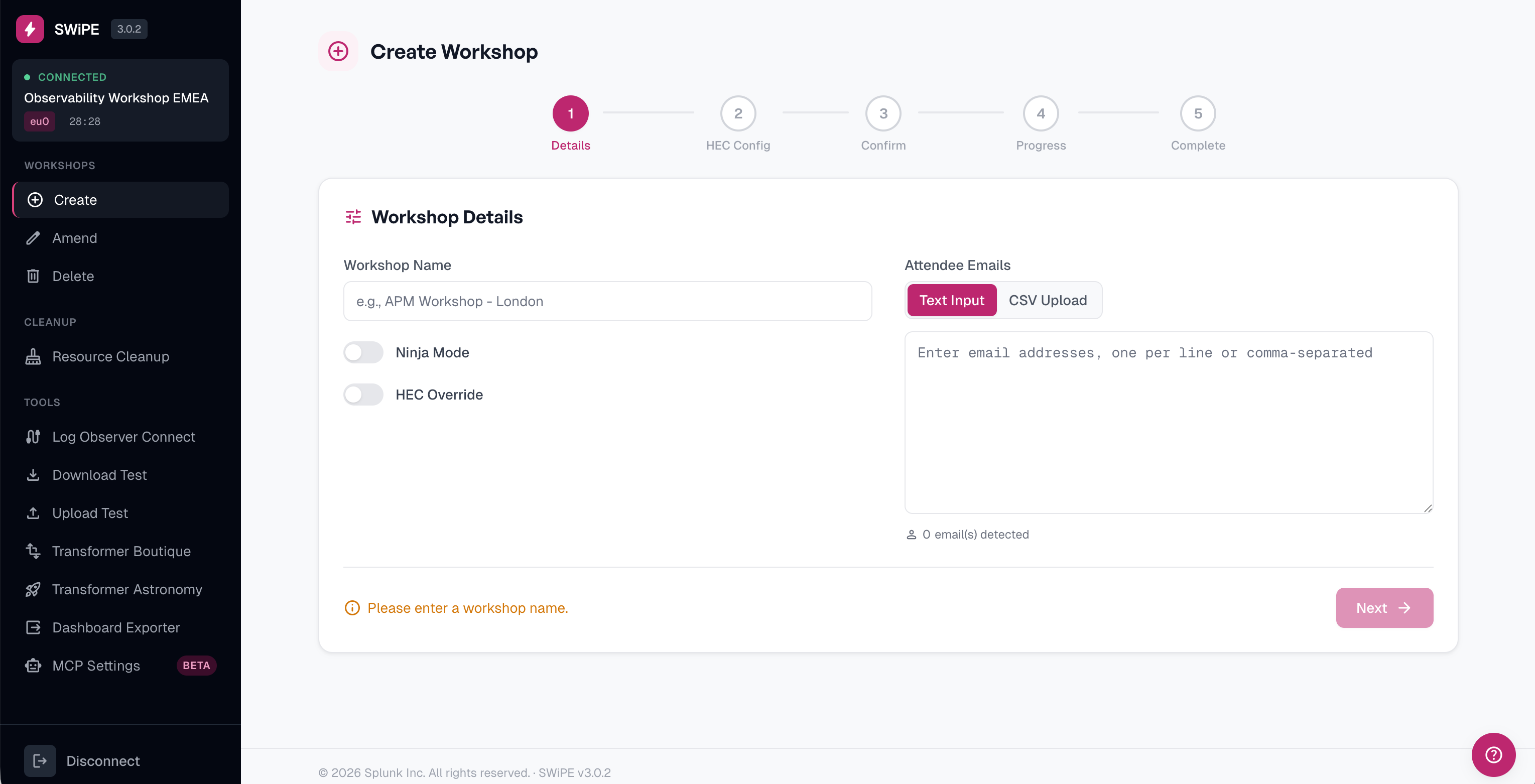
SWiPE will perform the following tasks your workshop environment:
1
Create and Invite Users to the Organization
- Upload a
.csvfile containing the email addresses (one per line), or copy and paste the email addresses directly (one per line). - NOTE: Users will immediately be sent an email invitation to join the organization.
2
Configure Admin Access for Ninja Workshops
- If the Ninja Workshop option is enabled, all users will be provisioned with Admin access control.
3
Configure a Custom HEC URL and Token (Optional)
- If Override HEC URL and Token is enabled, you can configure a custom HTTP Event Collector (HEC) URL and token. This overrides the default values used for sending logs to Splunk Cloud.
4
Create a Team and Add Users
- SWiPE will create a team and automatically add all the users.
5
Generate a SWiPE ID
- SWiPE will create a unique SWiPE ID for your workshop. You will need to copy this ID and use it when provisioning workshop instances in Splunk Show .
Workshops with more than 40 users
If your workshop has more than 40 users, we recommend informing the support team in advance. This ensures that the trial or workshop environment is properly scaled to handle the load.