Configuring profiles in GUI
SC4SNMP profiles can be configured in Profiles tab.
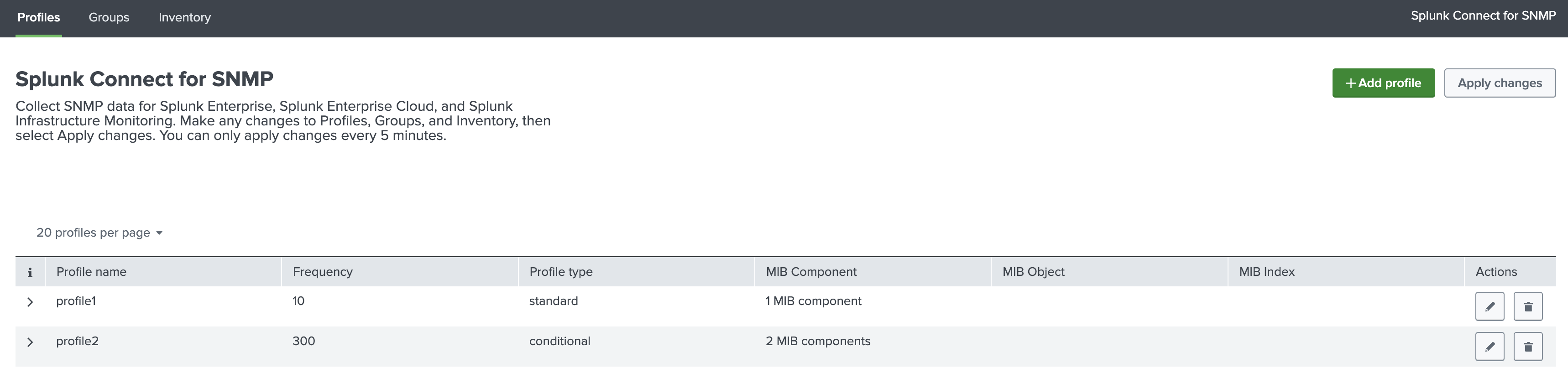
Add profile
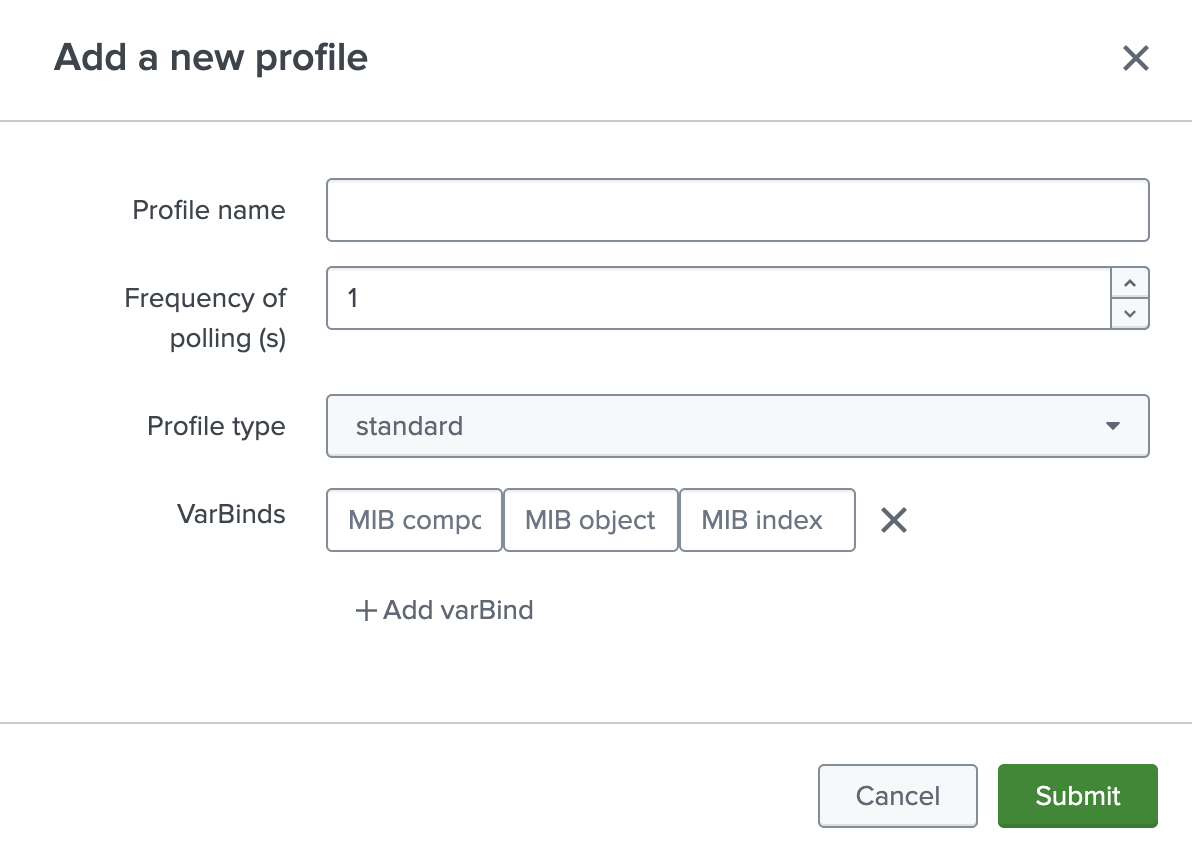
After pressing Add profile button, new profile will be added.
Configuration of the profile is the same as in the values.yaml file. For details check Configuring profiles.
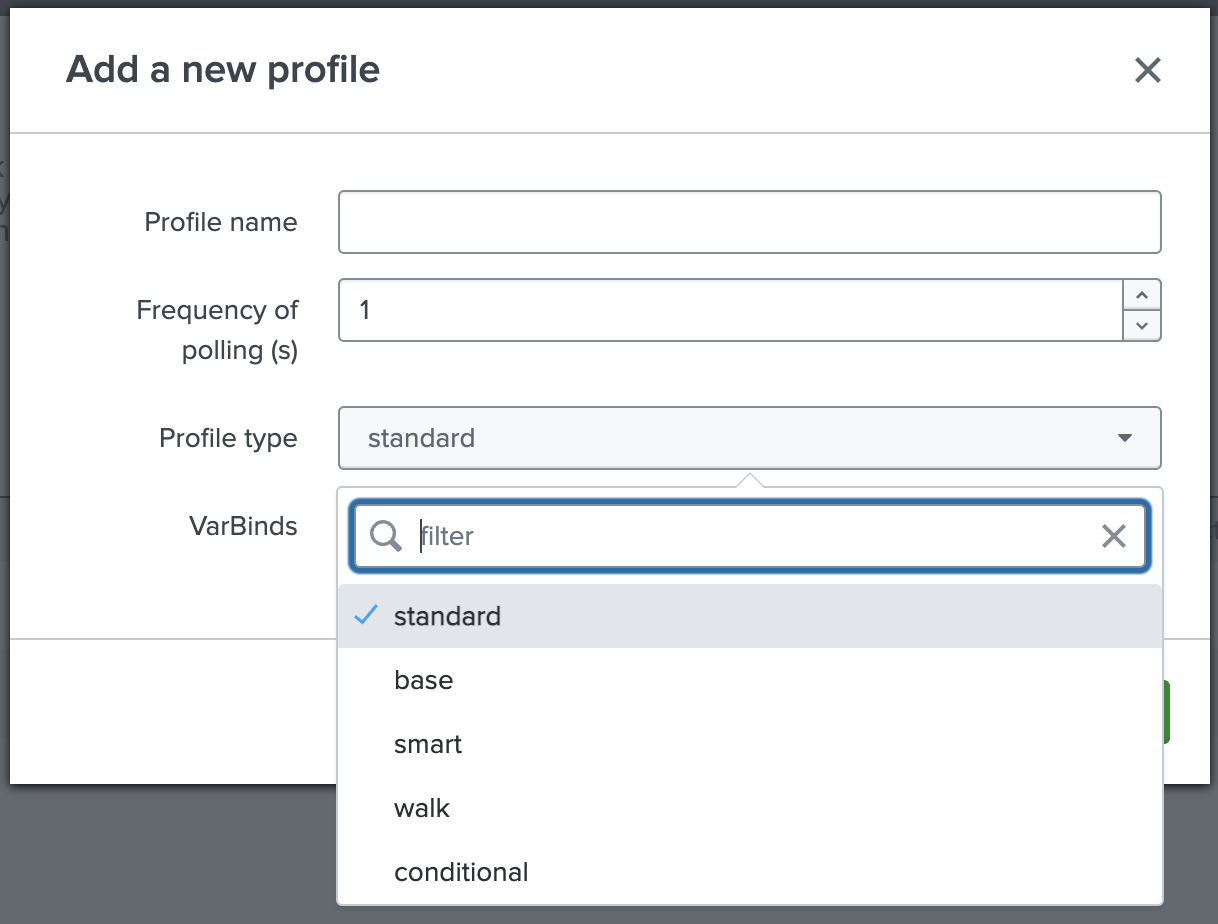
Type of the profile can be changed:
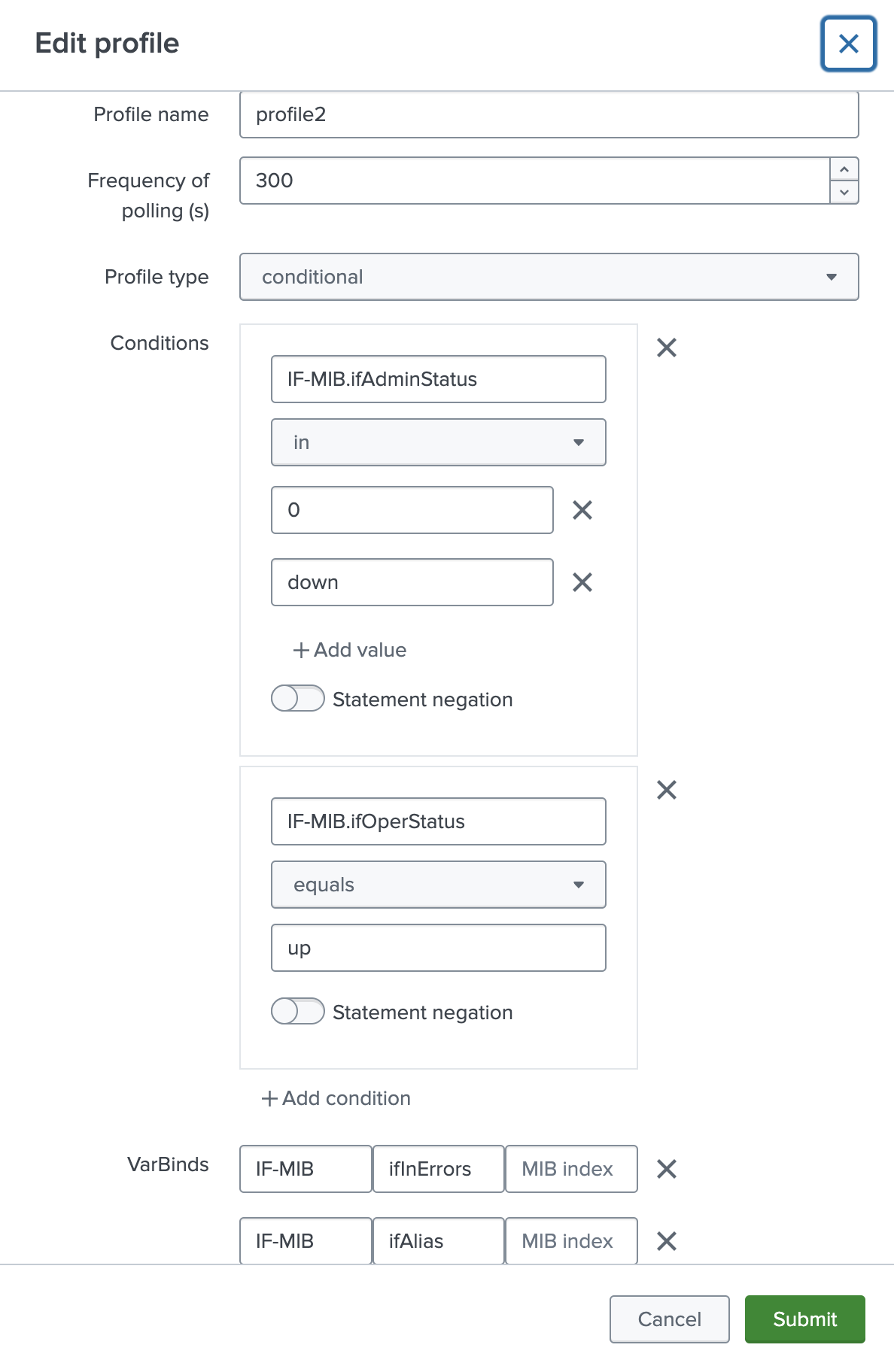
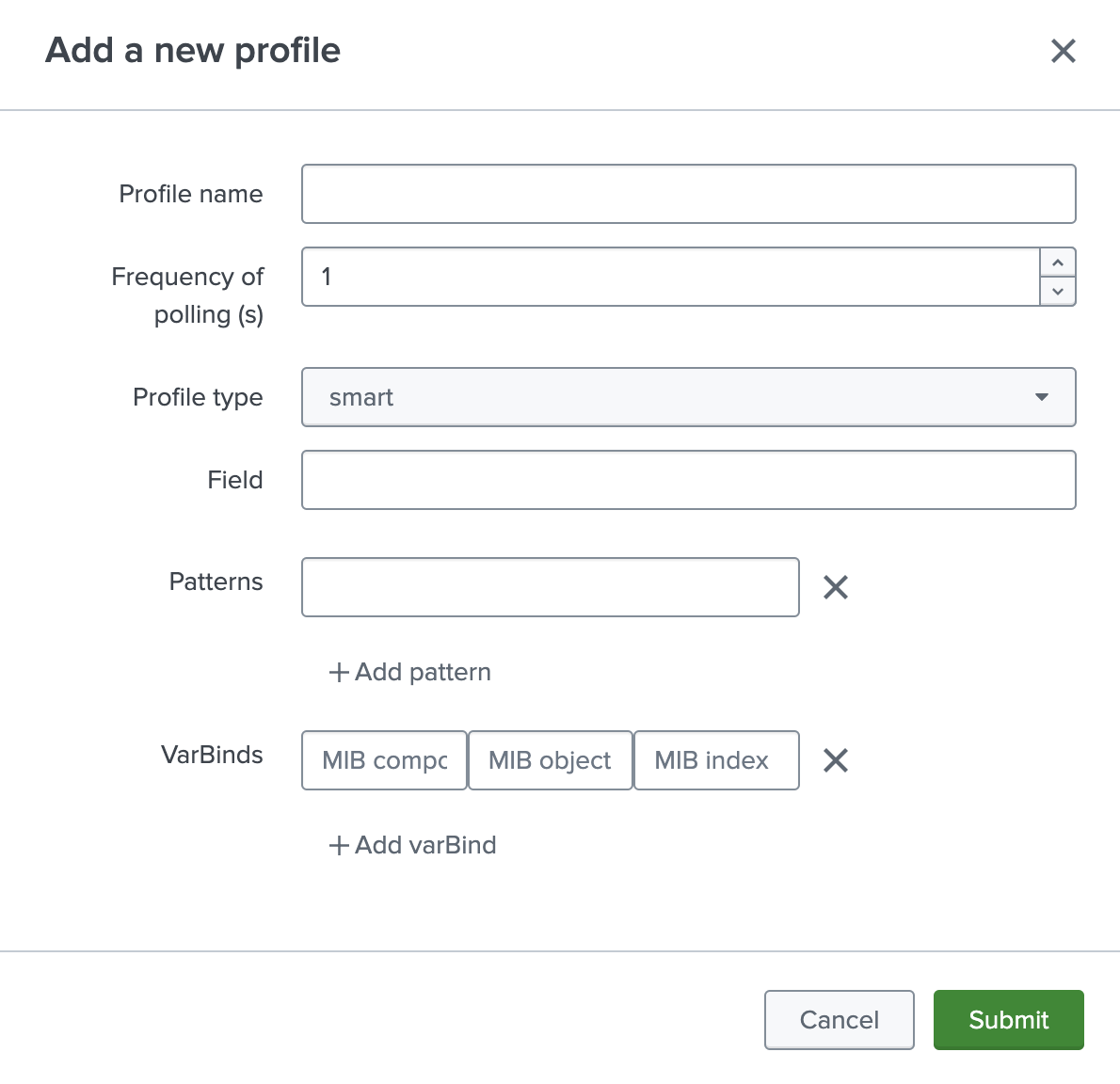
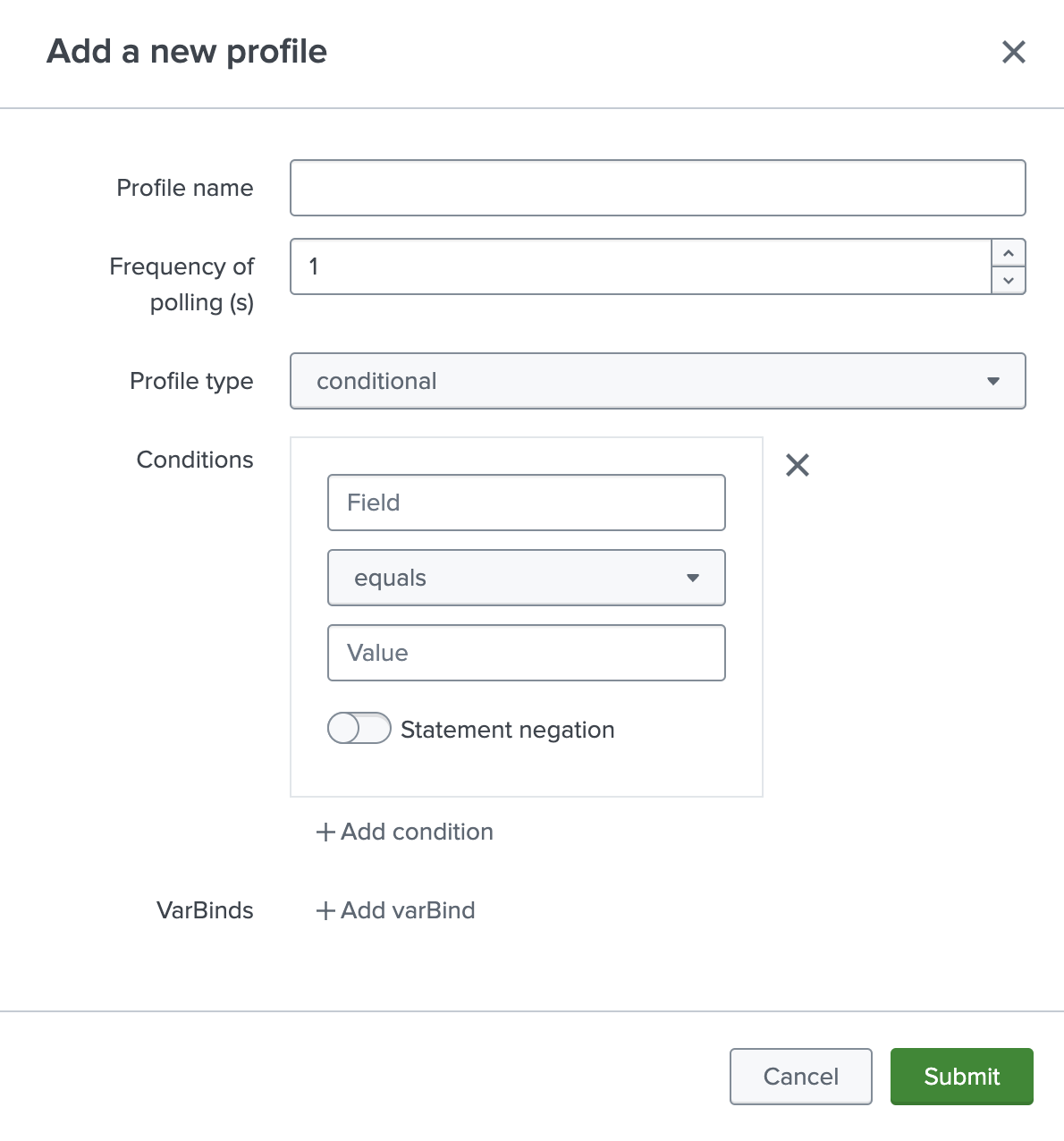
Examples of configuration of Smart and Conditional profiles:
Edit profile
All configured profiles can be edited by clicking the pencil icon: